Trying Out the Instrument
R&S
®
RTO2000
46Getting Started 1332.9719.02 ─ 10
3. Switch off the "Average:Ch1Wfm3" waveform using the toolbar function:
a) Tap the "Delete" icon on the toolbar.
b) Tap the waveform in the "Average: Ch1Wfm3" diagram.
The waveform is switched off, its signal icon and the empty diagram are
removed.
6.4 Changing the Waveform Scaling and Position
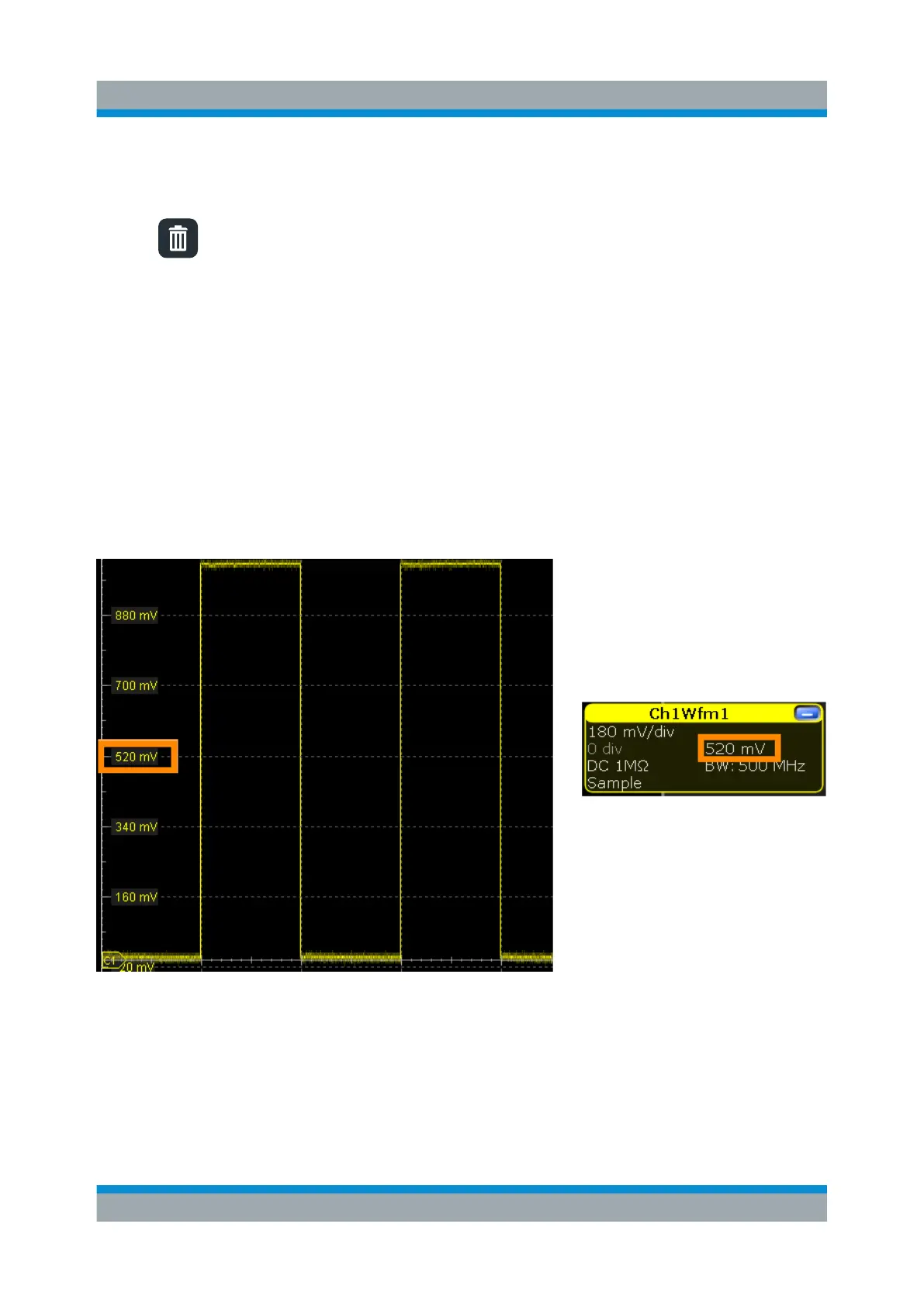
As you can see on the y-axis of the display, the calibration signal has a vertical
offset of about 520 mV. The value can differ. This value is also indicated in the
signal icon for channel1 (2nd row).
If you press the [Ch1] key, the "Vertical" settings dialog box also displays the "Off-
set" value. The offset is the DC component of the signal.
Changing the Waveform Scaling and Position


 To Next Page