Trying Out the Instrument
R&S
®
RTO2000
47Getting Started 1332.9719.02 ─ 10
If you use a passive probe, you can filter the DC component by using the AC cou-
pling function. Then you quickly set the new trigger level, and try out the scaling
functions.
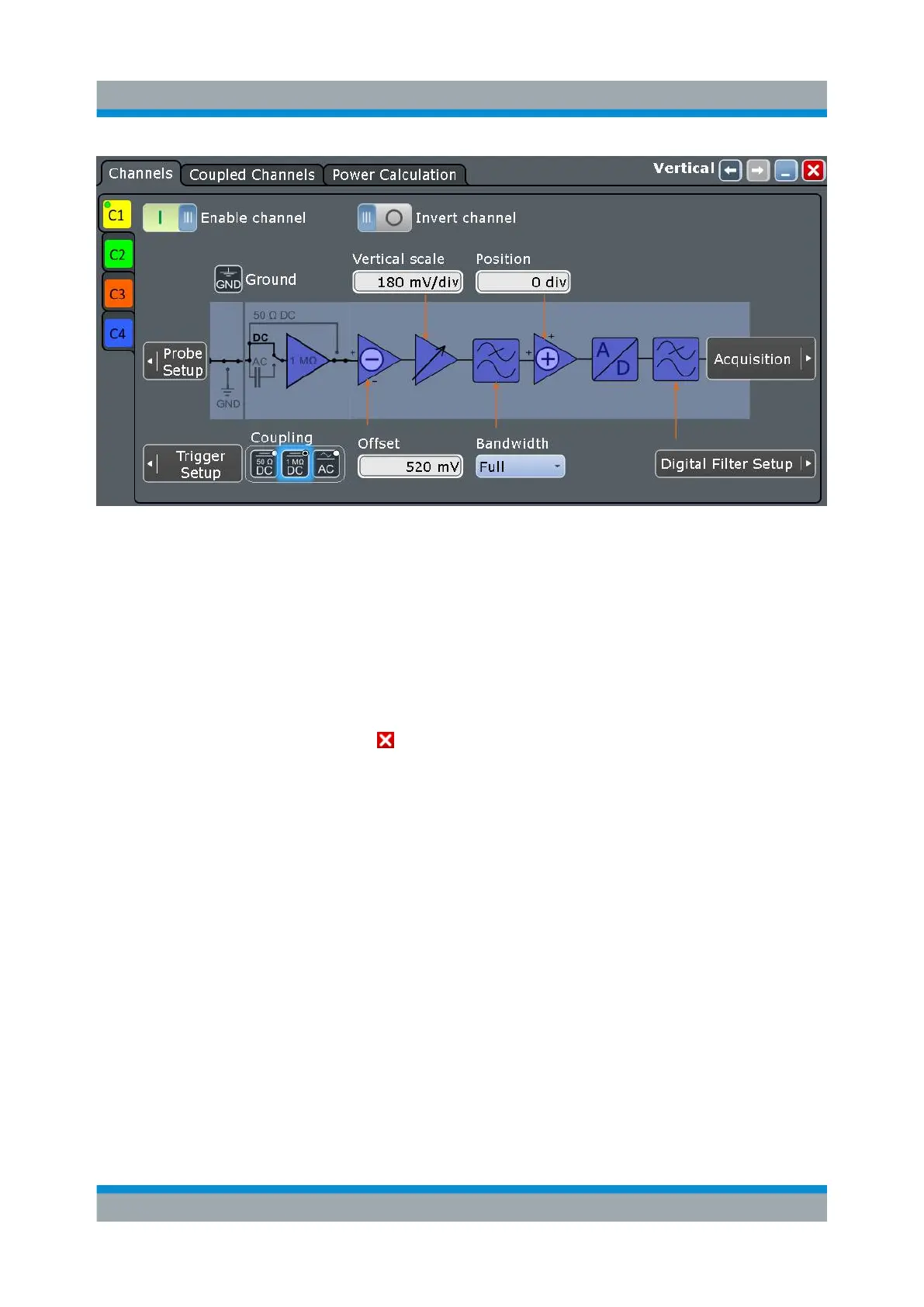
1. In the [Vertical] area, press the [Ch1] key.
The "Vertical" dialog box is shown.
2. Change the "Coupling" to "AC".
3. To close the dialog box, tap .
The DC component of the signal is eliminated; the waveform position moves
down vertically and is now centered on 0 V.
Changing the Waveform Scaling and Position


 To Next Page