Trying Out the Instrument
R&S
®
RTO2000
53Getting Started 1332.9719.02 ─ 10
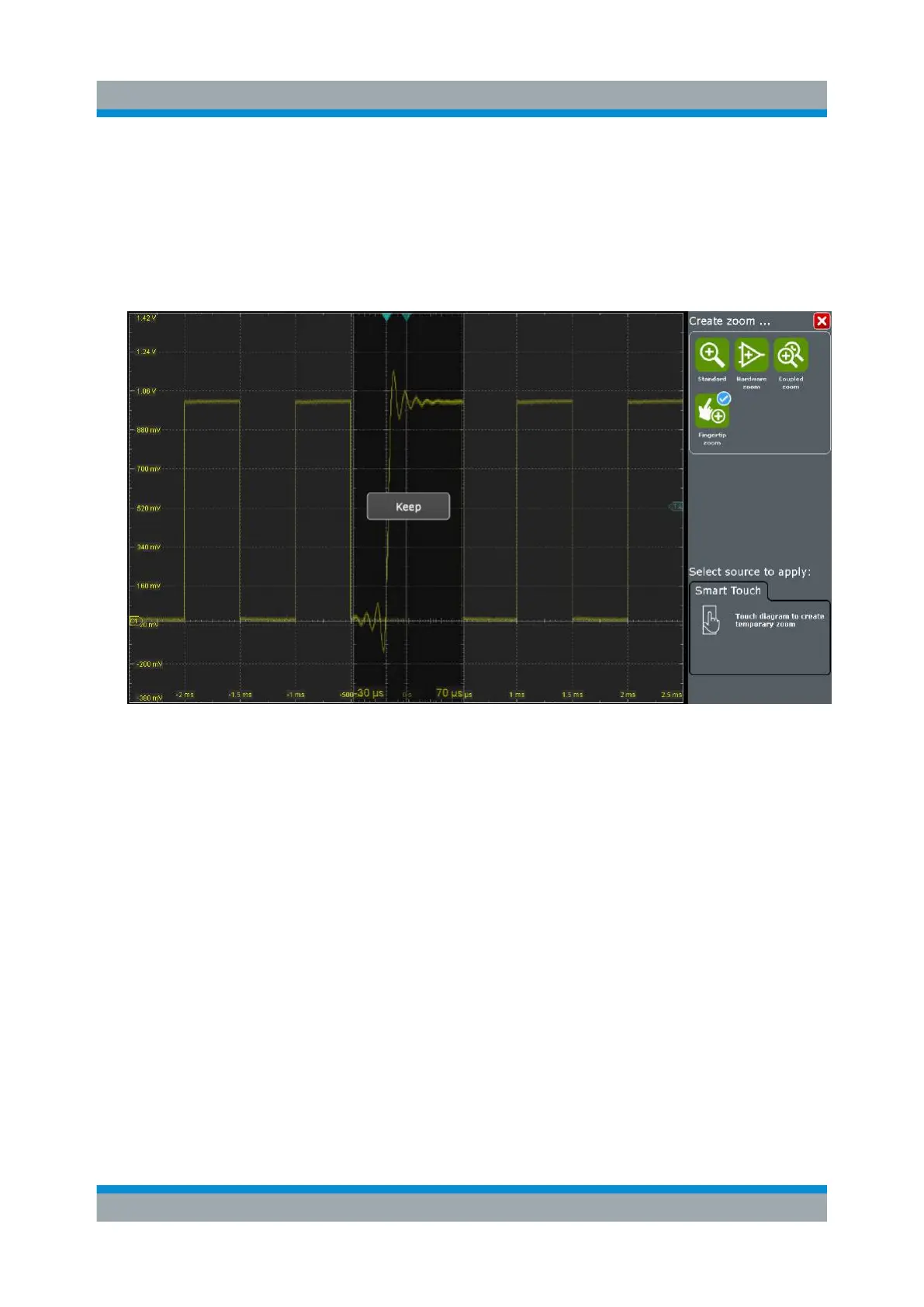
Tip: You can turn the Navigation knob to change the zoom factor while hold-
ing the waveform.
4. Release the finger when the waveform segment of interest is visible in the
zoom.
5. Tap "Keep" to convert the fingertip zoom into a standard zoom diagram.
6.6 Displaying the Waveform History
During a continuous acquisition, the instrument stores the acquired data in the
memory and shows the current acquisition on the display. The history accesses
and displays the samples that were saved before the current acquisition. When
the acquisition was stopped and a new acquisition is started with [Run Stop] or
[Single], the memory is cleared and written anew.
In the following example, you acquire 10 waveforms, and display the 3 most
recent waveforms.
1. In the [Horizontal] area, press the [Acquisition] key.
The "Horizontal" settings dialog box opens.
2. Set the "Average count" to 10 to perform 10 waveform acquisitions.
Displaying the Waveform History


 To Next Page