Trying Out the Instrument
R&S
®
RTO2000
52Getting Started 1332.9719.02 ─ 10
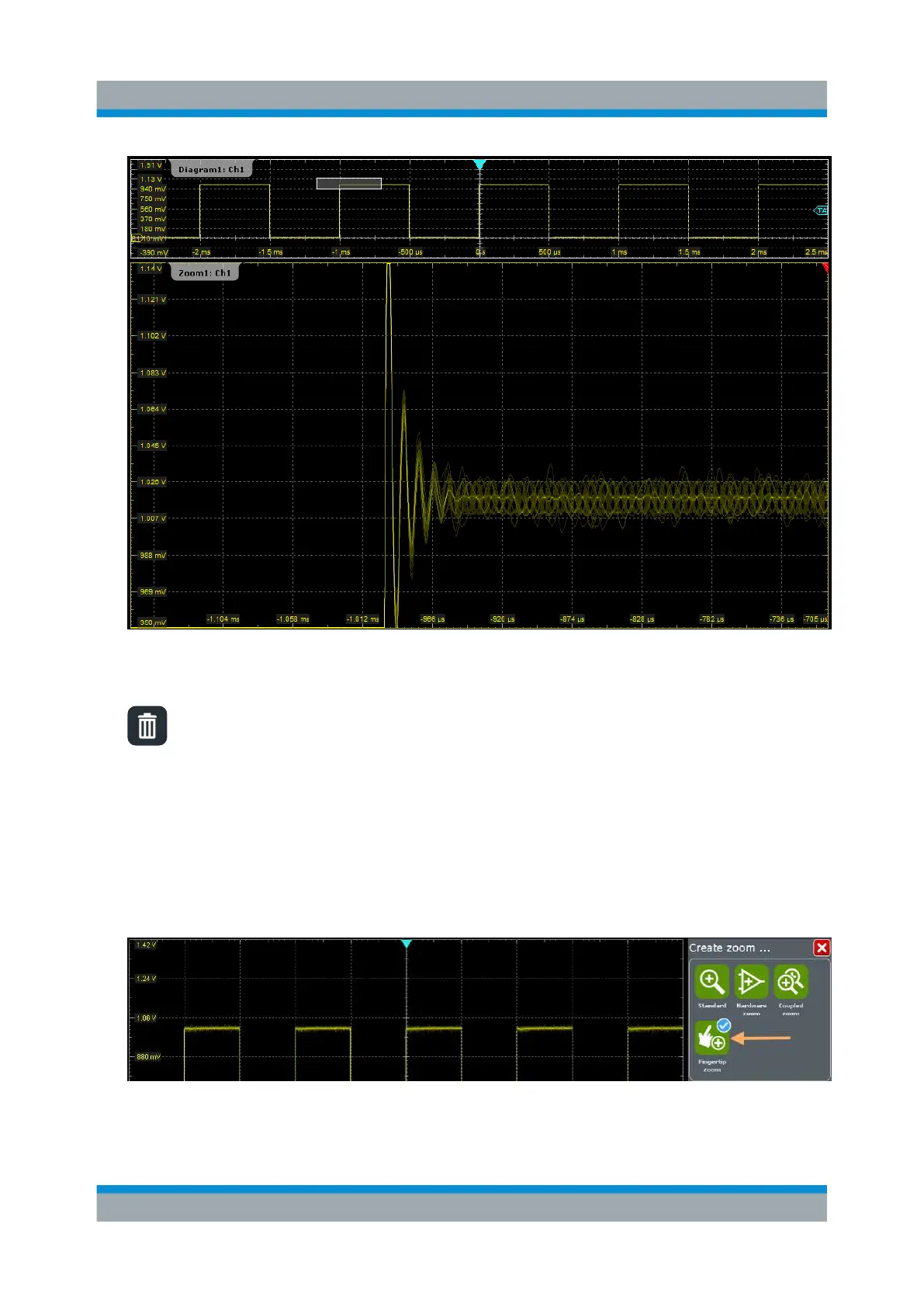
4. To remove the zoom window and make room on the display for other results,
tap the "Delete" icon and then the zoom window.
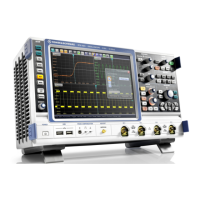
6.5.2 Using the Fingertip Zoom
1. Tap the "Zoom" icon on the toolbar.
2. In the sidebar, tap "Fingertip zoom".
3. Touch and hold the waveform and move your finger slowly in horizontal direc-
tion.
Zooming into the Display


 To Next Page