Device
Type
Behavior when placed in Locate Mode
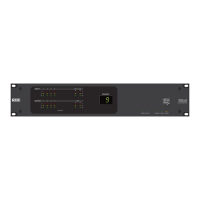
HAL The Locate LED on the front and rear panels of the corresponding device flashes green.
RAD
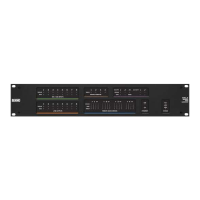
The Power, Comm, Audio Tx, and Audio Rx LEDs on the corresponding RAD flash green.
NOTE: The bottom four status LEDs flash green to indicate Locate mode and flash red to
indicate a model Mismatch. To aid those that may have difficulty distinguishing the two
colors, the rate at which these LEDs flash is also different for each mode. The rate for indi-
cating a model mismatch (flashing red) is twice as fast as the rate used to indicate locate
mode (flashing green).
DR1
DR2
DR3
PAGER1
A flashing capital L within a circle appears on the corresponding device's LCD screen and the
backlight flashes.
DR4 The Locate LED on the front and rear panels of the corresponding DR4 flashes green.
DR5 The Power and Comm LEDs on the front of the corresponding DR5 flash green.
EXP The Locate LED on the front and rear panels of the corresponding EXP flashes green.
NOTE: The Locate indicator in the software and on the device hardware continues flashing until you cancel
the request in the software, interrupt the connection between the computer and HAL, disconnect the device,
or power cycle the HAL.
CHAPTER 4: Introduction to the Halogen Software
97


 To Next Page