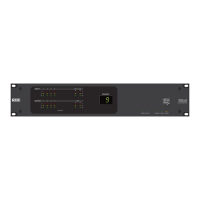
10. Locate mode: The Halogen software application contains a feature allowing you to verify the physical
location of a specific RAD or HAL device. When you place a RAD in Locate mode, the Power, Comm,
Audio Tx, and Audio Rx LEDs on the front of the corresponding RAD flash green. The flashing con-
tinues until you cancel the request in the software, place another RAD in Locate mode, interrupt the con-
nection between the computer and the HAL, disconnect the RAD, or power cycle the HAL. Mismatch
mode: When a RAD is connected to a RAD port on the back of a HAL, a comparison is made between
the physical RAD model and the RAD model specified for this port in the HAL configuration. If there is
a mismatch the Power, Comm, Audio Tx, and Audio Rx LEDs on the front of the corresponding RAD
flash red.
Following is an illustration of the back and side of a typical RAD:
WARNING! As it is poor design to plug two microphones into a single microphone input, we do not rec-
ommend this practice. If, however, you have a situation that warrants it, proceed with caution. We recognize
that paralleling microphone jacks can lower the cost of your audio system.
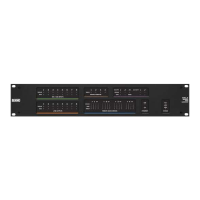
NOTE: RADs are hot-swappable. In other words, you can replace a RAD without having to power down the
system. The HAL automatically detects the new RAD and configures it using the configuration data stored
in the HAL. If the configured RAD and the physical RAD do not match, the HALfront panel Enabled LEDs
for this RAD flash yellow. At the same time, the RAD's Power, Comm, Audio Rx, and Audio Tx LEDs flash
red.
CHAPTER 2: Hardware Component Details
27


 To Next Page