9
Operating the Ovens
Fan Oven
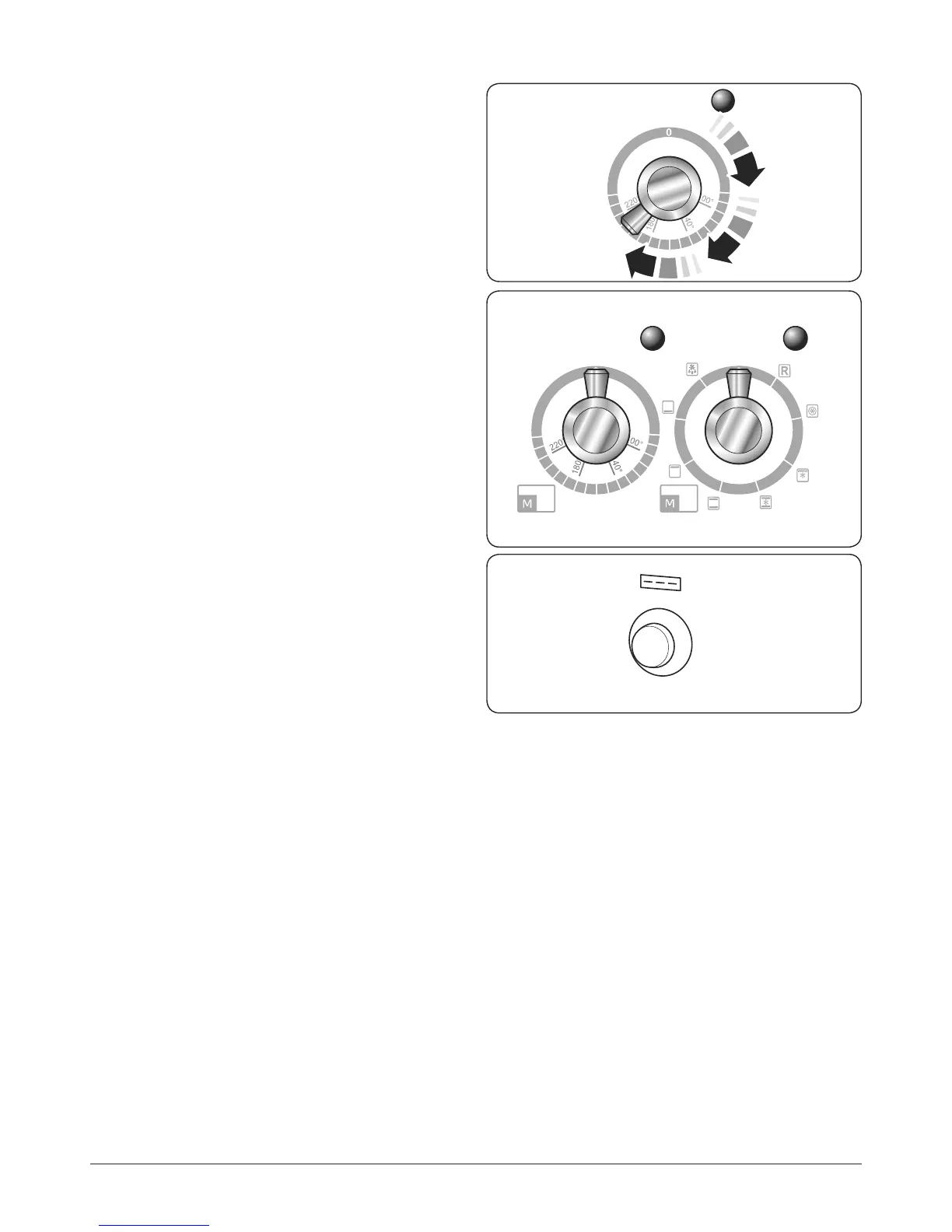
Turn the oven knob to the desired temperature (Fig. 2.19).
The oven indicator light will glow until the oven has reached
the temperature selected. It will then cycle on and o during
cooking.
Multi-function Oven
The multi-function oven has two controls: a function selector
and a temperature setting knob (Fig. 2.20).
Turn the function selector control to a cooking function. Turn
the oven temperature knob to the temperature required (Fig.
2.19).
The oven heating light will glow until the oven has reached
the temperature you selected. It will then cycle on and o
during cooking.
Fascia Illumination
(Hi-LITE only)
To turn on the fascia illumination panel simply push the
button in (Fig. 2.21). To turn this feature o, push the button
once more.
ArtNo.235-0004 -
Classic DL oven 1
ArtNo.235-0003 - Classic DL MF knobs
Temperature
Function
ArtNo.320-0017
Main oven light
Fig. 2.19
Fig. 2.20
Fig. 2.21



 To Next Page