EasyManua.ls Logo

Rational iCombi - User Manual

Rational iCombi
3 pages
Print Icon
To Next Page IconTo Next Page
Loading...
| SERVICE REFERENCE iCombi
80.51.885 RTS/Bret V06.2 - 01/24 en-GB 1 / 3
SERVICE REFERENCE iCombi
Control panel
On/Off switch
Central dial
ADDITIONAL FUNCTIONS
1
2
3
4
5
6
1 HACCP download 4 Date
2 Service download 5 Time
3 Programme upload and down-
load
6 Adjust the display setting to the
time
1
2
3
1 Menu item: Information Information:
2 Draining the steam generator
(ESG)
Model
3 Service level Software
1
2
3
4
5
6
7
1 Programmes:
4 Set buzzer tone
2 Cleaning
5 Buzzer volume
3 Setting
6 Note on rinsing the hand
shower
7 Switch to another setting
level
CALIBRATION/SELF-TEST
The calibration values are determined after installation during the self-
test and during the calibration and stored on the SD card and the PCB.
On-site calibration is necessary when replacing:
Pressure sensor P1, B4 thermocouple humidity, fan wheel, micro SD
card and PCB together, use of different hinging racks, installation of new
air baffle, installation of hoods or Combi-Duo, customer complaints with
uneven cooking results, subsequent relocation
A self-test is necessary for new installations.
Start conditions:
Cooking cabinet sensor B1, control sensor B2, humidity sensor B4: <
40°C. In order to achieve the best possible calibration values, a closed
GN container should be inserted 20 mm deep with the open side down
in the middle in front of each fan wheel.
After a successful self-test, a flue gas analysis must be carried out for gas
units!
Calibration errors
Calibration errors either occur during the self-test or a manual calibra-
tion. The error number refers to the calibration step in which the error
occurred.
The most common calibration errors are:
n
Step 0 error start conditions:
B1, B2 or B4 over 40°C
Filling cleaner box with water taking too long, problem with solenoid
valve block or control solenoid
n
20: Differential pressure sensor faulty, loose cables
n
100: Fan motor speed detection faulty
n
200: Steam heating does not work, (check voltage, SSR, plug X20,
gas supply, energy optimisation)
ERROR CODE
Service Check and replace if necessary
2
Energy optimization active (only with installed energy op-
timization PCB)
10
SC-automatic error
SC pump, Combi water box, pump-off hose
11
CDS sensor reporting too many pulses
Level electrode, CDS sensor flow rate, I/O PCB
12
CDS sensor not reporting any signals
CDS sensor, I/O PCB, water connection
14
Level electrode detecting no water even though CDS is
measuring pulses
Level electrode, water conductivity
16
EEPROM structure was replaced with a more recent soft-
ware than that on the PCB, update the unit with the latest
software
17.X
Unit data incorrect (internal fault only possible for internal
purposes)
Inform RATIONAL; use Recovery Software
Question and Answer IconNeed help?

Do you have a question about the Rational iCombi and is the answer not in the manual?

Summary

Additional Functions

HACCP Download

Download HACCP data for compliance and records.

Service Download

Download service-related data for diagnostics and maintenance.

Programme Upload;Download

Manage cooking programmes by uploading or downloading them.

Date and Time Settings

Adjust the unit's date and time settings.

Display Setting Adjustment

Adjust the display setting to the desired preference.

Calibration and Self-Test Procedures

Calibration Errors and Start Conditions

Details common calibration errors and step 0 start conditions.

Error Code Service Actions

Check and replace components based on specific error codes.

General Error Codes and Troubleshooting

Error Code 19.X - EEPROM;Internal Storage

Troubleshoot EEPROM or internal storage errors.

Error Code 20.X - Thermocouple Sensor Faults

Identify and resolve thermocouple sensor errors.

Error Code 28.X - Thermocouple Temperature Issues

Diagnose and fix thermocouple temperature reading problems.

Error Code 29.X - PCB Temperature Faults

Address faults related to PCB temperature.

Error Code 30 - Humidity Measurement Malfunction

Troubleshoot humidity measurement system malfunctions.

Error Code 31.X - Core Temperature Probe Errors

Resolve issues with core temperature probes.

Error Code 32.X - Combustion System Faults

Diagnose and repair faults in the combustion system.

Error Code 33.X - Combustion Control Errors

Address errors in the combustion system control.

Error Code 35 - UltraVent System Issues

Troubleshoot UltraVent system bus signals or communication.

Error Code 35.X - UltraVent Operational Faults

Resolve specific operational faults within the UltraVent system.

Error Code 37 - Climate Control Malfunction

Diagnose climate control malfunctions and check hoses.

Error Code 40 - Care Pump Check

Check the care pump during function tests.

Error Code 42.X - Solenoid Valve Not Opening

Troubleshoot solenoid valves that fail to open.

Error Code 43.X - Solenoid Valve Not Closing

Resolve issues with solenoid valves that fail to close.

Error Code 44 - Steam Heating During Cleaning

Address steam heating faults occurring during cleaning cycles.

Error Code 46.X - SC Pump Faults

Diagnose and fix faults related to the SC pump.

Error Code 47 - Wastewater Pump Faults

Troubleshoot defects or low output from the wastewater pump.

Error Code 48 - Circulation Pump Faults

Identify and resolve issues with the circulation pump.

Error Code 49 - Care Pump Faults

Diagnose types of errors or low output from the care pump.

Error Code 50 - Real Time Clock Not Initialised

Resolve real-time clock initialization issues.

Error Code 51 - Battery Check

Check and replace the battery if necessary.

Error Code 52 - LED Cooking Cabinet Light

Address faults related to the LED cooking cabinet light.

Error Code 63 - Dry Calibration Water Detection

Repeat self-test with water after dry calibration.

Error Code 64 - Dry Calibration Mode

Unit calibrated dry; attempt to start humid cooking mode.

Error Code 70 - Cooling Fan Error

Troubleshoot cooling fan operational errors.

Error Code 71.X - Power Supply Faults

Diagnose general power supply failures or undervoltage.

Error Code 72 - eSTB Communication

Check eSTB for HA or steam blink codes.

Error Code 73.X - Overtemperature Faults

Identify and resolve overtemperature faults in various components.

Error Code 75.X - Internal Bus Interface Issues

Address issues with internal bus interfaces and connected PCBs.

Error Code 76.XX - USA Voltage Switching PCB

Troubleshoot voltage switching PCB errors for USA units.

Error Code 90 - Calibration Required

Unit not yet calibrated; perform calibration.

Error Code 110 - SC Pump Care Solution

SC pump faulty with care solution in steam generator.

Error Code 120 - Level Electrode Signal

Level electrode without signal while care solution is present.

Error Code 121 - Water Operation Note

Notes on filling water into the control box for operation without water.

Error Code 140 - Gas Supply;Hot Air Combustion

Permanent fault in gas supply or hot air gas combustion system.

Error Code 200 - Automatic Motor Positioning

Automatic motor positioning failed, often followed by error 201.

Error Code 201 - Motor Positioning Execution

Execute motor positioning to resolve related faults.

Error Code 900.XX - Battery;Data Initialization

Troubleshoot battery removal or data initialization errors.

Advanced Error Codes and Software Updates

Error Code 1000 - Water Level Check

Check water supply and level.

Error Code 1016;1017 - USB Stick Issues

Check USB stick for proper function and usability.

Error Code 1018 - Recovery File Error

Troubleshoot errors encountered when writing recovery files.

Error Code 1022 - No Water During Switch-On

Address no water detection during the switch-on routine.

Error Code 1024 - Programme Termination

Resolve programme termination due to faulty core probes.

Error Code 1025 - Programme Upload;Download Fault

Troubleshoot faulty programme upload/download due to EEPROM.

Error Code 1026 - Incorrect Programme Creation

Address issues with programme upload due to incorrect creation.

Error Code 1028 - ConnectedCooking Data Processing

Resolve issues with processing data from ConnectedCooking.

Error Code 1029 - Gas Blower Speed

Address incorrect gas blower speed.

Error Code 1033.X - System Health

Diagnose system health issues related to software and I/O PCB.

Error Code 2000.X - Software Update Errors

Troubleshoot various software update errors.

Software Update Procedure

Step-by-step guide for updating the unit's software via USB.

I;O PCB A10 Diagnostic LED Codes

Interpret diagnostic LED flash codes on the I/O PCB.

Diagnostic LED Status Indicators

Understand diagnostic LED indicators for voltage and communication.

Summary

Additional Functions

HACCP Download

Download HACCP data for compliance and records.

Service Download

Download service-related data for diagnostics and maintenance.

Programme Upload;Download

Manage cooking programmes by uploading or downloading them.

Date and Time Settings

Adjust the unit's date and time settings.

Display Setting Adjustment

Adjust the display setting to the desired preference.

Calibration and Self-Test Procedures

Calibration Errors and Start Conditions

Details common calibration errors and step 0 start conditions.

Error Code Service Actions

Check and replace components based on specific error codes.

General Error Codes and Troubleshooting

Error Code 19.X - EEPROM;Internal Storage

Troubleshoot EEPROM or internal storage errors.

Error Code 20.X - Thermocouple Sensor Faults

Identify and resolve thermocouple sensor errors.

Error Code 28.X - Thermocouple Temperature Issues

Diagnose and fix thermocouple temperature reading problems.

Error Code 29.X - PCB Temperature Faults

Address faults related to PCB temperature.

Error Code 30 - Humidity Measurement Malfunction

Troubleshoot humidity measurement system malfunctions.

Error Code 31.X - Core Temperature Probe Errors

Resolve issues with core temperature probes.

Error Code 32.X - Combustion System Faults

Diagnose and repair faults in the combustion system.

Error Code 33.X - Combustion Control Errors

Address errors in the combustion system control.

Error Code 35 - UltraVent System Issues

Troubleshoot UltraVent system bus signals or communication.

Error Code 35.X - UltraVent Operational Faults

Resolve specific operational faults within the UltraVent system.

Error Code 37 - Climate Control Malfunction

Diagnose climate control malfunctions and check hoses.

Error Code 40 - Care Pump Check

Check the care pump during function tests.

Error Code 42.X - Solenoid Valve Not Opening

Troubleshoot solenoid valves that fail to open.

Error Code 43.X - Solenoid Valve Not Closing

Resolve issues with solenoid valves that fail to close.

Error Code 44 - Steam Heating During Cleaning

Address steam heating faults occurring during cleaning cycles.

Error Code 46.X - SC Pump Faults

Diagnose and fix faults related to the SC pump.

Error Code 47 - Wastewater Pump Faults

Troubleshoot defects or low output from the wastewater pump.

Error Code 48 - Circulation Pump Faults

Identify and resolve issues with the circulation pump.

Error Code 49 - Care Pump Faults

Diagnose types of errors or low output from the care pump.

Error Code 50 - Real Time Clock Not Initialised

Resolve real-time clock initialization issues.

Error Code 51 - Battery Check

Check and replace the battery if necessary.

Error Code 52 - LED Cooking Cabinet Light

Address faults related to the LED cooking cabinet light.

Error Code 63 - Dry Calibration Water Detection

Repeat self-test with water after dry calibration.

Error Code 64 - Dry Calibration Mode

Unit calibrated dry; attempt to start humid cooking mode.

Error Code 70 - Cooling Fan Error

Troubleshoot cooling fan operational errors.

Error Code 71.X - Power Supply Faults

Diagnose general power supply failures or undervoltage.

Error Code 72 - eSTB Communication

Check eSTB for HA or steam blink codes.

Error Code 73.X - Overtemperature Faults

Identify and resolve overtemperature faults in various components.

Error Code 75.X - Internal Bus Interface Issues

Address issues with internal bus interfaces and connected PCBs.

Error Code 76.XX - USA Voltage Switching PCB

Troubleshoot voltage switching PCB errors for USA units.

Error Code 90 - Calibration Required

Unit not yet calibrated; perform calibration.

Error Code 110 - SC Pump Care Solution

SC pump faulty with care solution in steam generator.

Error Code 120 - Level Electrode Signal

Level electrode without signal while care solution is present.

Error Code 121 - Water Operation Note

Notes on filling water into the control box for operation without water.

Error Code 140 - Gas Supply;Hot Air Combustion

Permanent fault in gas supply or hot air gas combustion system.

Error Code 200 - Automatic Motor Positioning

Automatic motor positioning failed, often followed by error 201.

Error Code 201 - Motor Positioning Execution

Execute motor positioning to resolve related faults.

Error Code 900.XX - Battery;Data Initialization

Troubleshoot battery removal or data initialization errors.

Advanced Error Codes and Software Updates

Error Code 1000 - Water Level Check

Check water supply and level.

Error Code 1016;1017 - USB Stick Issues

Check USB stick for proper function and usability.

Error Code 1018 - Recovery File Error

Troubleshoot errors encountered when writing recovery files.

Error Code 1022 - No Water During Switch-On

Address no water detection during the switch-on routine.

Error Code 1024 - Programme Termination

Resolve programme termination due to faulty core probes.

Error Code 1025 - Programme Upload;Download Fault

Troubleshoot faulty programme upload/download due to EEPROM.

Error Code 1026 - Incorrect Programme Creation

Address issues with programme upload due to incorrect creation.

Error Code 1028 - ConnectedCooking Data Processing

Resolve issues with processing data from ConnectedCooking.

Error Code 1029 - Gas Blower Speed

Address incorrect gas blower speed.

Error Code 1033.X - System Health

Diagnose system health issues related to software and I/O PCB.

Error Code 2000.X - Software Update Errors

Troubleshoot various software update errors.

Software Update Procedure

Step-by-step guide for updating the unit's software via USB.

I;O PCB A10 Diagnostic LED Codes

Interpret diagnostic LED flash codes on the I/O PCB.

Diagnostic LED Status Indicators

Understand diagnostic LED indicators for voltage and communication.

Overview

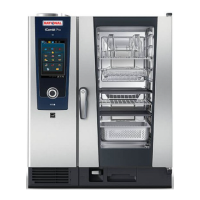
The RATIONAL iCombi Classic is a sophisticated cooking system designed for professional kitchens, offering a range of functions for precise and efficient cooking. It features a user-friendly interface with a central dial and a clear display, allowing for intuitive operation and monitoring of cooking processes.

Function Description

The iCombi Classic is equipped with a control panel that includes an on/off switch and a central dial for navigating through various menus and settings. The device supports a wide array of cooking modes, including humid cooking, hot air heating, and steaming, ensuring versatility for different culinary needs. It incorporates advanced sensor technology, such as cooking cabinet sensors, control sensors, and humidity sensors, to maintain optimal cooking conditions. The system also features a differential pressure sensor, fan motor speed detection, and steam heating elements to ensure consistent performance.

For gas units, a flue gas analysis is performed after a successful self-test, indicating the device's adherence to safety and efficiency standards. The iCombi Classic is designed to detect and report various errors, ranging from sensor malfunctions and heating issues to power supply problems and communication errors within its internal bus system. This comprehensive error reporting system helps in quick diagnosis and troubleshooting.

The device includes an energy optimization feature, which, when active with an installed energy optimization PCB, helps reduce power consumption. It also has a cleaning function that utilizes a care pump and care solution to maintain hygiene and prevent the buildup of residues in the steam generator and cooking cabinet.

Usage Features

The iCombi Classic offers several usage features that enhance its functionality and ease of use. The display shows essential information such as date, time, and various settings. Users can set a buzzer tone and adjust its volume for alerts and notifications. The device supports HACCP (Hazard Analysis and Critical Control Points) data download, service download, and program upload/download, facilitating data management and recipe sharing.

The control panel provides access to information about the device's model, software version, and service level. Users can drain the steam generator (ESG) through a dedicated menu item. The device also includes a note on rinsing the hand shower, indicating its commitment to hygiene.

For maintenance and troubleshooting, the iCombi Classic provides a detailed error code system. Each error code corresponds to a specific issue, such as sensor breaks, temperature deviations, water detection problems, or communication failures. The system guides users on how to check and replace faulty components, ensuring minimal downtime. For instance, if a "SC-automatic error" occurs, it suggests checking the SC pump, Combi water box, and pump-off hose. Similarly, "CDS sensor reporting too many pulses" points to issues with the level electrode, CDS sensor flow rate, or I/O PCB.

The device also supports software updates via a USB stick, allowing users to keep the unit's software current with the latest features and improvements. The update process is straightforward, involving connecting the USB stick, allowing the update to run automatically, and then removing the stick after completion.

Maintenance Features

Maintenance is a critical aspect of the iCombi Classic, and the device incorporates features to simplify this process. Calibration values are determined during installation and stored on an SD card and the PCB. On-site calibration is necessary when replacing key components such as the pressure sensor, humidity thermocouple, fan wheel, micro SD card, and PCB. This ensures accurate performance after part replacements.

The device's self-test function is crucial for new installations and after certain maintenance procedures. It checks various sensors and components to ensure they are within operational parameters. The self-test requires specific start conditions, such as the cooking cabinet, control, and humidity sensors being below 40°C, and a closed GN container inserted in front of each fan wheel.

The cleaning function is vital for maintaining the device's longevity and performance. The system provides error codes related to cleaning, such as "SC pump faulty while care solution is in the steam generator," guiding users to address issues with the cleaning process. The device also monitors water levels and connections, reporting errors like "No water detection without cleaning" or "Level electrode detecting no water even though CDS is measuring pulses."

For more advanced diagnostics, the iCombi Classic offers a service level access mode, which can be entered by pressing a specific sequence of keys and entering a password. This mode provides access to detailed diagnostic programs and settings, allowing technicians to perform in-depth troubleshooting. The device also features diagnostic LEDs on the front and rear sides of the I/O PCB, which flash in specific patterns to indicate different types of errors, such as input voltage issues, communication errors, or self-test failures. These visual cues aid in quickly identifying the root cause of a problem.

The iCombi Classic also tracks and reports errors related to the combustion system for gas units, including unsuccessful ignition processes, burner shutdowns, and deviations in gas blower speed. These features ensure that any issues with the gas supply or combustion are promptly identified and addressed, maintaining safety and efficiency.

Rational iCombi Specifications

General IconGeneral
ModeliCombi
Temperature Range30°C to 300°C
Energy EfficiencyHigh energy efficiency, features such as triple-glazed door and optimized heat distribution.
Cleaning SystemAutomatic cleaning system
ManufacturerRational
Steam GeneratorIntegrated steam generator
Power SupplyVaries by model and region
DimensionsVaries by model
WeightVaries by model

Related product manuals