EasyManua.ls Logo

Rational iVario 2-XS - User Manual

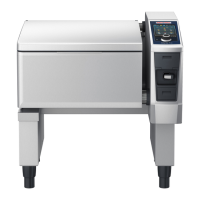
Rational iVario 2-XS
104 pages
Print Icon
To Next Page IconTo Next Page
Loading...
iVario
®
Operating instructions

Table of Contents

Other manuals for Rational iVario 2-XS

Questions and Answers

  • B
    benderjefferyAug 12, 2025
    What to do if there is a water circulation error on my Rational Grill?
    • A
      Angel DorseyAug 12, 2025
      If you encounter a water circulation error with your Rational Grill, immediately turn off the water tap. Check the water supply to ensure it is properly connected. You can still cook without automatic water filling if necessary.
  • R
    Raymond JohnsonAug 15, 2025
    What happens if there is a security chain error with my Rational Grill?
    • K
      karen00Aug 16, 2025
      If the security chain on your Rational Grill malfunctions, the cooking process will be stopped.
  • S
    sandra15Aug 19, 2025
    What to do if the pan motor system has an error on my Rational Grill?
    • R
      Ronnie BrooksAug 20, 2025
      If the pan motor system on your Rational Grill shows an error, inspect the area beneath the pan for any obstructions. If you find anything, remove it.
  • D
    Darlene PerryAug 23, 2025
    What should I do if the lid motor system on my Rational Grill is not working?
    • J
      Janet JacksonAug 23, 2025
      If the lid motor system on your Rational Grill shows an error, check underneath the lid for any objects that might be causing the issue. Remove any obstructions you find.
  • M
    Melissa HarrisAug 27, 2025
    Why is the heating not working and showing a temperature measurement system error on my Rational Grill?
    • A
      Amy ChandlerAug 27, 2025
      If your Rational Grill displays a temperature measurement system error, heating will not be possible.
  • B
    Brent DixonAug 30, 2025
    What to do if I get a core temperature probe error on my Rational Grill?
    • K
      Kyle LoweAug 31, 2025
      If the core temperature probe on your Rational Grill malfunctions, you can still cook without it. However, pressure cooking will not be available.
  • A
    Angela SolisSep 3, 2025
    What does it mean if there is a pan temperature measurement system error on my Rational Grill?
    • S
      Stephanie HuangSep 3, 2025
      If you encounter a pan temperature measurement system error on your Rational Grill, you will only be able to use pan-frying applications.
  • J
    Juan ThomasSep 7, 2025
    What does a drain valve motor error mean on my Rational Grill?
    • A
      Andrew BarnesSep 7, 2025
      If you encounter a drain valve motor error on your Rational Grill, only pan-frying applications will be available.

Summary

General safety instructions

Personal protective equipment

Details required PPE like gloves and safety glasses for safe operation and cleaning.

How to work with the unit

Initial start-up

Covers initial cleaning and preparation before first use, noting installation by a service partner.

Switching the unit on and off

Explains powering the iVario unit on/off using the main button and its LED indicators.

Fill levels

Pressure cooking fill levels (optional)

Specifies fill levels required for pressure cooking on the 2-S model.

Maximum load sizes

Lists maximum load sizes in kg for both models, including optional pressure cooking.

Inserting core temperature probe

Intelligent cooking - iCookingSuite

Intelligent cooking processes

Explains accessing cooking paths via help button, covering tips and examples.

Cooking food intelligently

Covers methods for initiating intelligent cooking processes.

Starting intelligent cooking process

Guides on initiating cooking, selecting pan, setting parameters, and following prompts.

Adjusting cooking result to own requirements

Explains adjusting cooking parameters like searing, browning, and core temp for specific needs.

Manual cooking

Adjusting cooking result to own requirements

Explains adjusting manual cooking parameters for desired results.

Cooking parameters

Details parameters: Temperature, Cooking time, Core temperature, PowerBoost.

Additional functions

Lists functions: Gentle cooking, Delta-T cooking.

Frying

General safety instructions

Continues frying safety: scalding, fire hazards, material damage.

Limited functionality

Lists functions unavailable during deep-frying: auto water filling, drain valve opening.

Temperature range

Specifies temp range for oil/fat during frying.

Frying food

Details steps for frying food, including selecting cooking time or core temperature.

Filling and emptying the pan oil or fat

Explains using oil cart to fill/empty pan with oil/fat.

Pressure cooking (optional)

General safety instructions

Safety instructions for pressure cooking: steam nozzles, alcohol, food types.

Pressure cooking food

Guides on pressure cooking steps: closing pan lid, unlocking.

iZoneControl

Creating your own tickets

Details adding manual/intelligent paths/programs to ticket board.

Pan division

Explains iZoneControl dividing pan into up to 4 zones.

Presetting pan divisions

Guides on selecting preset divisions to auto-divide pan into zones.

Creating your own pan divisions

Details manually creating custom pan divisions for zoning.

Divide the pan into zones

Explains dividing pan into zones directly, with options to confirm, expand, or delete.

Pan allocation

Covers selecting and creating pan allocations for zoning.

Cooking food with iZoneControl

Lists 4 ways to cook: Preset tickets, Pan allocations, Manual modes, Intelligent processes.

Manual operating modes

Explains selecting manual modes for pans/zones and adjusting parameters.

Place ticket

Details assigning tickets to zones via drag/drop or selection.

Programming mode

Programme the shopping cart

Guides adding paths/programs to shopping cart.

Create manual programme

Explains creating manual programs by selecting steps and adjusting parameters.

Create an intelligent program

Details creating intelligent programs by adjusting parameters without changing step order.

Start programs and shopping baskets

Explains starting manual programs, intelligent paths, and transferring shopping baskets to iZoneControl.

Settings

Network settings

Configures network connections: WiFi, manual connection with hidden SSIDs.

WiFi

Guides connecting to WiFi, including password entry.

LAN (optional)

Explains configuring LAN settings: IP, gateway, DHCP.

Software update info

Details available software updates and installation.

Kitchen management

Hygiene management

Covers logging/exporting HACCP data, and auto-transfer to ConnectedCooking.

Transfer HACCP data automatically to ConnectedCooking

Sets up auto HACCP data transfer to ConnectedCooking after cooking.

Establish network connection

Guides establishing network connection, configuring IP settings, and DHCP.

Establishing a WiFi connection

Explains establishing WiFi connection, noting limitations with web-based logins.

ConnectedCooking

Introduces ConnectedCooking network solution, offering convenient options.

Connect unit with ConnectedCooking

Guides connecting unit to ConnectedCooking, including registration via PIN or QR code.

Perform software update

Explains software updates: auto via ConnectedCooking or manual via USB.

Care

Cleaning the pan

Details cleaning pan interior/exterior, including limescale and stubborn dirt removal.

Inspiration and help

Problem resolution

Guides on handling error messages, swiping them, and contacting service partners.

Maintenance

Replacing the pan lid gasket

Details step-by-step procedure for replacing pan lid gasket.

Replacing the pan drain valve gasket

Explains replacing pan drain valve gasket.

Rational iVario 2-XS Specifications

General IconGeneral
ModeliVario 2-XS
Capacity2 x 17 liters
ControlTouchscreen
Weightapprox. 110 kg
Temperature Range30°C to 250°C
MaterialStainless Steel
Power SupplyElectric
DisplayTouchscreen
Vessel Capacity2 x 17 liters
Voltage400 V
ProgramsMultiple cooking programs

Related product manuals