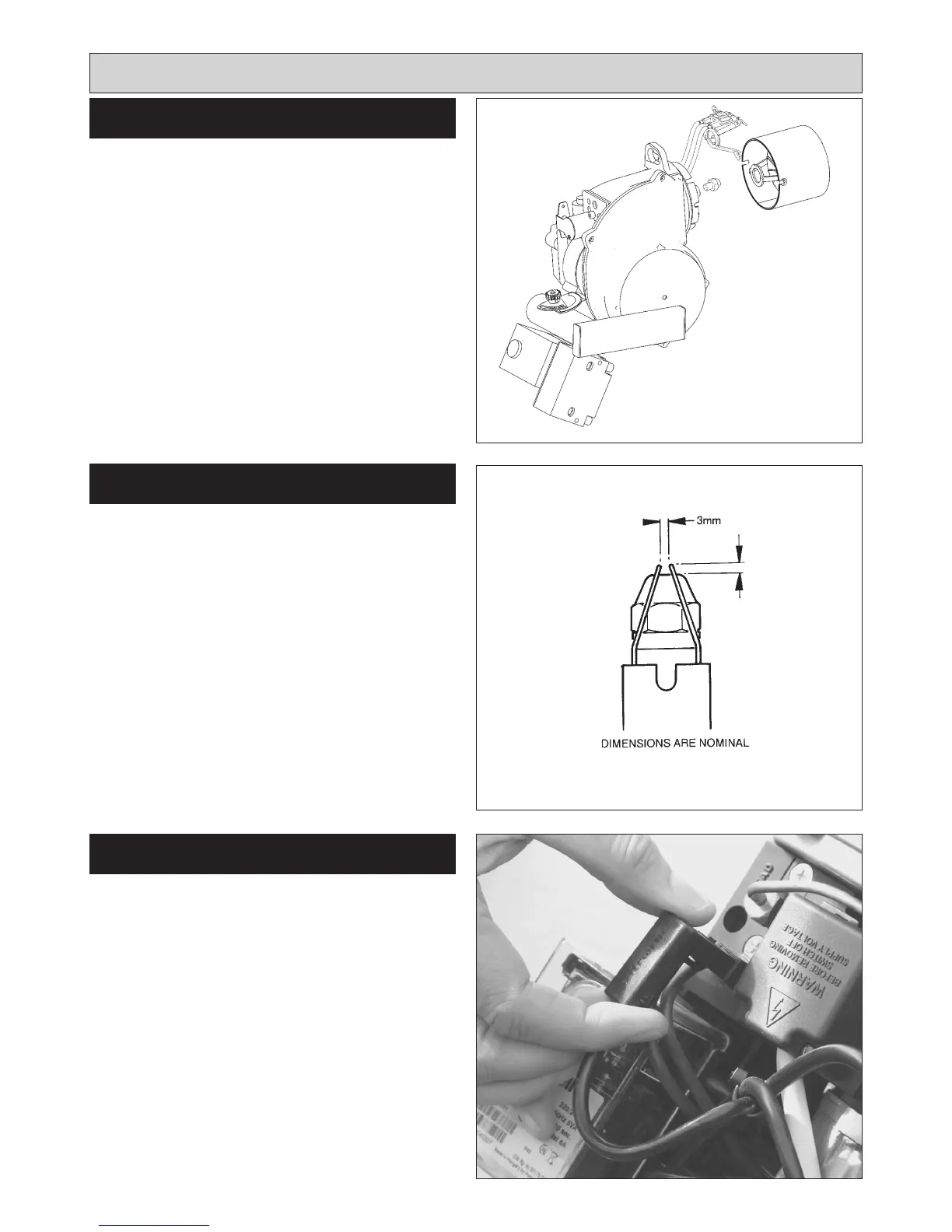
SEE FIG. 13
1. Release two countersunk head screws and remove
blast tube, carefully feeding the HT leads through the
rear of the burner.
2. Remove two screws and slide out nozzle support
cradle c/w ignitor assembly from burner head.
3. Unscrew nozzle from its holder with a correctly fitting
tubular spanner to avoid damage to hexagon.
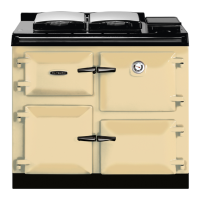
SEE FIG. 14
1. Replace nozzle with a new one of the same make and
specification.
2. Ensure that mating faces are clean.
3. Hold nozzle holder with correct spanner when
tightening nozzle.
4. Typically finger tight plus 1/4 turn is sufficient.
DO NOT OVERTIGHTEN.
5. Ensure electrode gaps are correct.
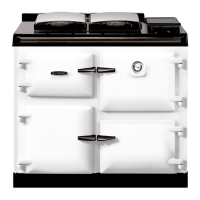
SEE FIG. 15
Withdraw Photo Electric Cell from the burner head. Clean
PEC sensing end with a soft cloth taking care not to
scratch the light sensitive body. Re-insert PEC taking care
to insert the correct way round.
Should the cell show signs of distortion or cracking,
replacement will be necessary. See PEC replacement,
Page 19.
12
Burner Servicing
BURNER NOZZLE REMOVAL
BURNER NOZZLE REPLACEMENT
Fig. 14
Fig. 13
DESN 510538
DESN 515965
3mm
Fig. 15 DESN 515966
PHOTO ELECTRIC CELL (PEC)
CLEANING



 To Next Page