PART I. User & Installation Manual
1417WCE 55
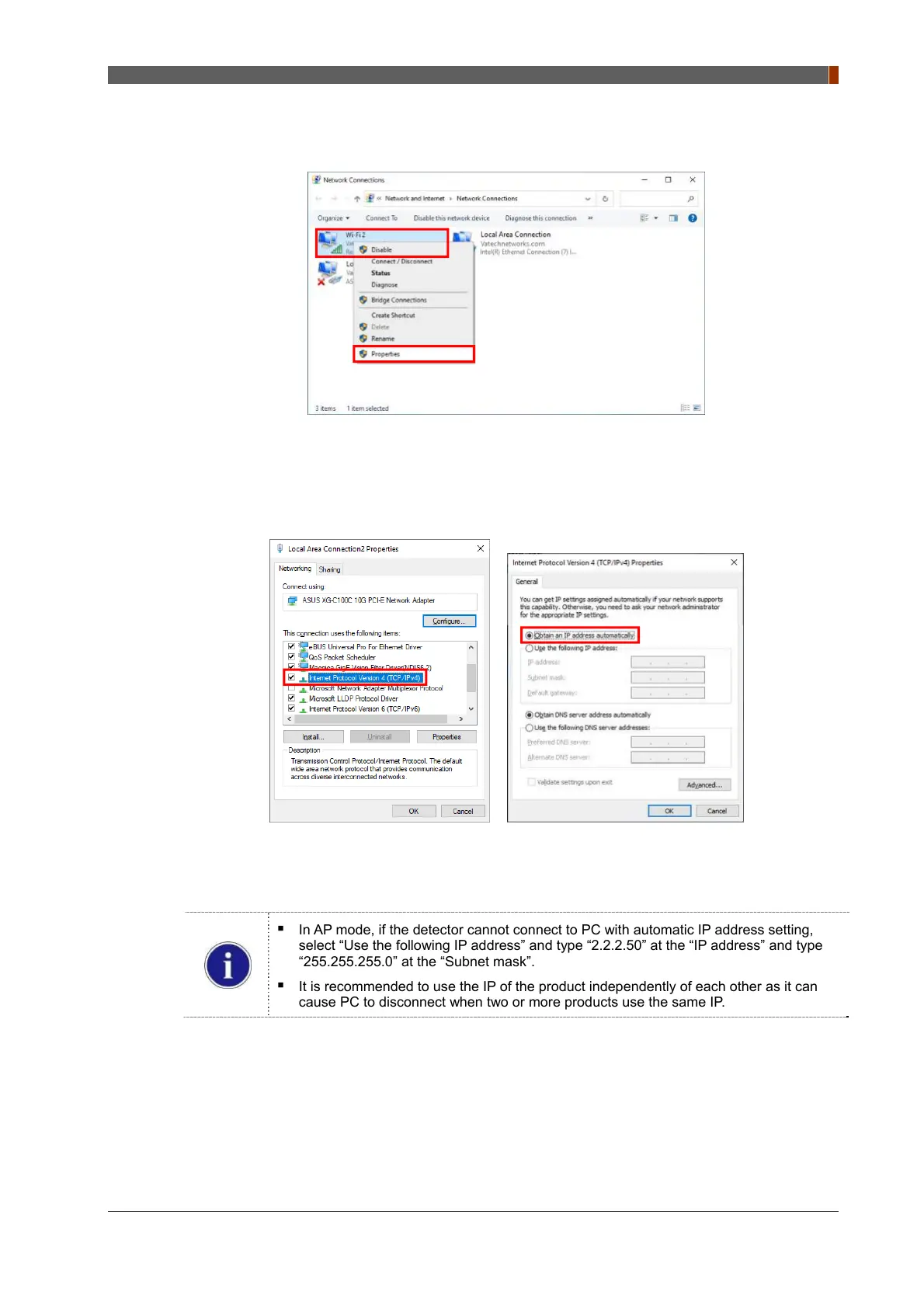
② To use AP mode, right click "Wireless Network Connection" and click “Properties”.
3. Double click “Internet Protocol Version 4 (TCP/IPv4)”.
4. ① For station or AP mode, select “Obtain an IP address automatically” and click "OK".
In AP mode, if the detector cannot connect to PC with automatic IP address setting,
select “Use the following IP address” and type “2.2.2.50” at the “IP address” and type
“255.255.255.0” at the “Subnet mask”.
It is recommended to use the IP of the product independently of each other as it can
cause PC to disconnect when two or more products use the same IP.



 To Next Page