PART I. User & Installation Manual
56 1417WCE
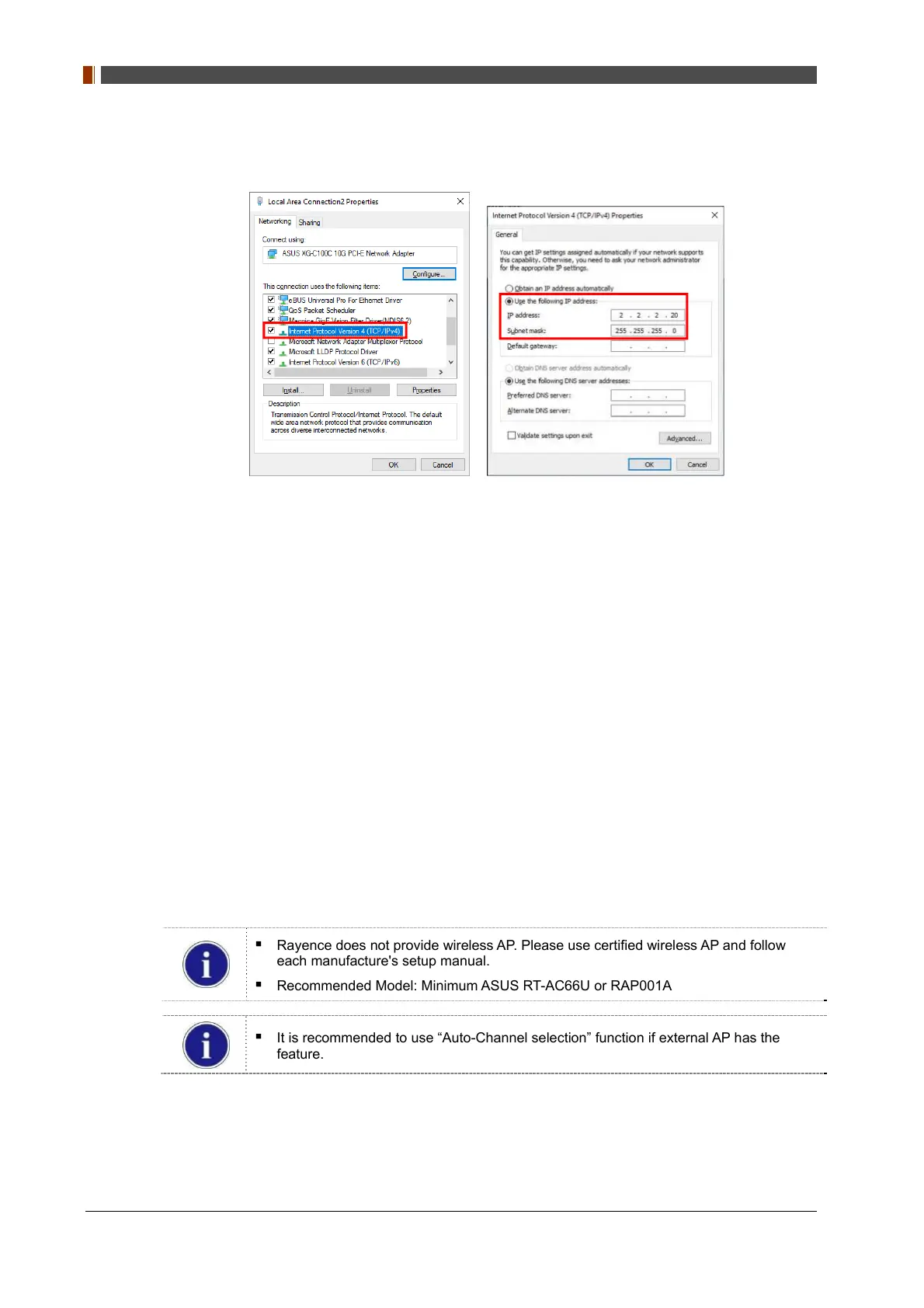
② For wired mode, select “Use the following IP address” and type "2.2.2.20" at the "IP
address" and type "255.255.255.0" at the "Subnet mask".
5. For station mode, set up wireless AP (Access Point) as below.
• SSID: Griffon
• Internal network
• IP address: 2.2.2.1
• Subnet mask: 255.255.255.0
• Dynamic IP allocation range: 2.2.2.2 ~ 2.2.2.254
• Pre-Shared Key(PSK): project302
• Authentication methods: WPAPSK or WPA2PSK
• Password methods: TKIP/AES
• Channel (Frequency)
Avoid the crowded channel option.
Rayence does not provide wireless AP. Please use certified wireless AP and follow
each manufacture's setup manual.
Recommended Model: Minimum ASUS RT-AC66U or RAP001A
It is recommended to use “Auto-Channel selection” function if external AP has the
feature.
• Refer to PART II. Service Manual Supplement 1. Wireless AP Set Up Instruction.



 To Next Page