EasyManua.ls Logo

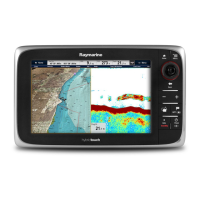
Raymarine a67 - User Manual

Raymarine a67
388 pages
Print Icon
To Next Page IconTo Next Page
Loading...
LightHouse™
OPERATION
INSTRUCTIONS
Release 15
English
© 2015 Raymarine UK Limited
Date: 09-2015
Document number: 81360-2-EN

Table of Contents

Other manuals for Raymarine a67

Questions and Answers

  • J
    Jason JohnsonNov 24, 2025
    Why are data readings on my Raymarine Marine Equipment problematic?
    • V
      Victoria GoodmanNov 24, 2025
      If you are experiencing problematic data readings on your Raymarine Marine Equipment, check the sonar presets, gain, and frequency settings, as they may be inappropriate for the present conditions. Verify the voltage from the power supply, as a low voltage can affect the transmitting power of the unit. Ensure that the power, transducer, and all other cables to the unit are properly connected and free from damage. Check that the transducer is mounted correctly and is clean. If you have a transom mount transducer, check that the transducer hasn't kicked-up due to hitting an object. Adjust the scroll speed. Note that fish arches are not displayed if the vessel is stationary; fish will appear as straight lines. Turbulence around the transducer due to high vessel speed may also be confusing the...
  • R
    Rhonda AustinSep 1, 2025
    Why does my Raymarine Marine Equipment display behave erratically?
    • R
      reedmargaretSep 1, 2025
      If your Raymarine Marine Equipment display behaves erratically with frequent unexpected resets, system crashes, or other erratic behavior, check the relevant fuses and breakers. Ensure that the power supply cable is sound and that all connections are tight and free from corrosion. Also, verify that the power source provides the correct voltage and sufficient current. You may need to perform a factory reset. For software issues, go to www.raymarine.com and click on support for the latest software downloads.
  • A
    Amanda SmithAug 25, 2025
    How to troubleshoot Raymarine Marine Equipment that won't start?
    • L
      Lisa HowellAug 25, 2025
      If your Raymarine Marine Equipment system or part of it does not start up, there could be a power supply problem. Check the relevant fuses and breakers. Also, verify that the power supply cable is in good condition and that all connections are tight and free from corrosion. Finally, ensure that the power source provides the correct voltage and sufficient current.
  • W
    wilsonandreaAug 26, 2025
    Why does my Raymarine Monitor not turn on or keep turning off?
    • M
      Matthew ReyesAug 26, 2025
      Your Raymarine Monitor might not be turning on or keeps turning off due to several reasons: a blown fuse or tripped breaker (check and replace if necessary, and inspect for cable damage if fuses repeatedly blow), a poor or damaged power supply cable or connections (ensure the cable is fully inserted and locked, check for damage or corrosion, and flex the cable to check for reboots), incorrect power connection (ensure the installation instructions have been followed), or an insufficient power source (check the power supply voltage under load).
  • V
    Vincent OlsonAug 26, 2025
    What to do if my Raymarine Monitor displays a “No Fix” GPS status icon?
    • T
      Thomas MathisAug 26, 2025
      If your Raymarine Monitor displays a 'No Fix' GPS status icon, it could be due to your geographic location or prevailing conditions preventing a satellite fix (check periodically in better conditions or another location), a GPS connection fault (ensure external GPS connections and cabling are correct), or an external GPS antenna in a poor position (ensure the GPS antenna has a clear view of the sky).
  • W
    Whitney BullockAug 27, 2025
    What to do if my Raymarine Monitor will not boot up (re-boot loop)?
    • M
      Melissa MurphyAug 27, 2025
      If your Raymarine Monitor will not boot up, it could be due to the power supply and connection issues. Also, in the unlikely event that the product's software has become corrupted, please try re-flashing the latest software from the Raymarine website. On display products, as a last resort, you can try to perform a ‘Power on Reset’; however, this will delete all settings/presets and user data and revert the unit back to factory defaults.
  • B
    Brenda AlvaradoAug 27, 2025
    What does it mean if my Raymarine Monitor displays 'No Data' or 'No scanner message'?
    • D
      darius92Aug 27, 2025
      If your Raymarine Monitor displays 'No Data' or 'No scanner message', check the scanner power supply cable to ensure it's sound and connections are tight and free from corrosion. Also, check that the scanner is correctly connected to a Raymarine network switch or SeaTalkhs crossover coupler, as applicable. Ensure the scanner pedestal switch is in the ON position.
  • C
    Christy RochaAug 27, 2025
    How to fix a Raymarine Monitor radar that will not initialize (Voltage control module (VCM) stuck in “sleep mode”)?
    • S
      Stephen RodriguezAug 27, 2025
      If your Raymarine Monitor radar will not initialize because the Voltage Control Module (VCM) is stuck in 'sleep mode', check the power connection at the VCM. Ensure the voltage at the input is 12/24V and the voltage at the output is 40V.
  • R
    robinsonmichelleAug 27, 2025
    Why does my Raymarine Marine Equipment show a “No Fix” GPS status?
    • C
      Candace StephensonAug 28, 2025
      If the Raymarine Marine Equipment displays a “No Fix” GPS status icon, it could be due to several reasons. The geographic location or current conditions might be preventing a satellite fix; in this case, check periodically to see if a fix is obtained in better conditions or another geographic location. Alternatively, there may be a GPS connection fault, so ensure that external GPS connections and cabling are correct and fault free. Finally, the external GPS antenna might be poorly positioned, so ensure the GPS antenna has a clear view of the sky.
  • C
    Charles MillerAug 28, 2025
    What to do if Raymarine Marine Equipment shows no data or scanner message?
    • J
      Jessica JohnsonAug 28, 2025
      If you have no data or are receiving a 'No scanner' message on your Raymarine Marine Equipment, begin by checking the scanner power supply cable to ensure it is sound and that all connections are tight and free of corrosion. Check the relevant fuses and breakers. Ensure the power source provides the correct voltage and sufficient current, using a voltage booster if needed. Verify that the scanner is correctly connected to a Raymarine network switch or SeaTalkhs crossover coupler, as applicable, and check the status of the Raymarine network switch. Make sure SeaTalkhs/RayNet cables are free from damage and the scanner pedestal switch is in the ON position. If a software mismatch between equipment is suspected, contact Raymarine technical support.

Raymarine a67 Specifications

General IconGeneral
BrandRaymarine
Modela67
CategoryMarine GPS System
LanguageEnglish

Related product manuals