EasyManua.ls Logo

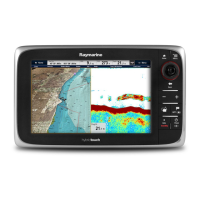
Raymarine a67 - User Manual

Raymarine a67
388 pages
Print Icon
To Next Page IconTo Next Page
Loading...
LightHouse™
OPERATION
INSTRUCTIONS
Release 15
English
© 2015 Raymarine UK Limited
Date: 09-2015
Document number: 81360-2-EN

Table of Contents

Other manuals for Raymarine a67

Questions and Answers

  • M
    Michelle ChristianAug 28, 2025
    Why is instrument data missing from all Raymarine Marine Equipment displays?
    • D
      Dawn LandryAug 29, 2025
      If instrument, engine, or other system data is unavailable at all displays on your Raymarine Marine Equipment, check the data bus (e.g., SeaTalkng) wiring and connections to ensure data is being received at the display. Verify the overall integrity of the data bus (e.g., SeaTalkng) wiring. Check the source of the missing data (e.g., ST70 instrument or engine interface) to ensure it is operating. Also, check the power to the SeaTalk bus. If a software mismatch between equipment is suspected, contact Raymarine technical support.
  • R
    rwhiteAug 29, 2025
    What causes Raymarine Marine Equipment radar to not initialize?
    • J
      julietoddAug 29, 2025
      If the radar on your Raymarine Marine Equipment will not initialize and the Voltage Control Module (VCM) is stuck in “sleep mode”, check the power connection at the VCM. Ensure the voltage at the input is 12/24V and the voltage at the output is 40V. The issue could be due to an intermittent or poor power connection.
  • N
    Nicholas HoganAug 29, 2025
    Why isn't the touchscreen working on my Raymarine Marine Equipment?
    • R
      ricardo23Aug 30, 2025
      If the touchscreen on your Raymarine Marine Equipment does not operate as expected, ensure that the touch lock is disabled. The touch lock can be turned off on the home screen using the Joystick. Also, make sure you are operating the screen with bare fingers, as gloves may prevent correct operation. Calibrate the touchscreen using the setup menus. If there are saltwater deposits on the screen, carefully clean and dry the screen according to the provided instructions.
  • G
    Grant BowmanAug 30, 2025
    What to do if video is not displayed on Raymarine Marine Equipment?
    • N
      nataliemurilloAug 30, 2025
      If the video is not displayed on your Raymarine Marine Equipment, the camera may be in Standby mode. Use the camera controls (either the thermal camera application or JCU) to wake the camera from standby. Check the thermal camera video cables to ensure they are sound and properly connected, and ensure that the video is connected into video input 1 at the multifunction display or GVM. Also, ensure that the correct video input is selected at the display. Check the power connections to the camera and JCU/PoE injector (if used), and ensure that the power switch/breaker is on and the fuse/breaker is in good condition.
  • E
    Elizabeth AveryAug 30, 2025
    Why are the controls on my Raymarine Marine Equipment erratic?
    • A
      Anna NelsonAug 30, 2025
      If you are experiencing erratic or unresponsive controls on your Raymarine Marine Equipment, check that the controller and thermal camera are correctly connected to the network. Verify the status of the Raymarine network switch and ensure that SeaTalkhs/RayNet cables are free from damage. Ensure that no other controllers are in use at the same time to avoid control conflicts. Check the power/network cabling to the controller and PoE injector (if PoE is only used with optional Joystick Control Unit). If available, check other controllers to eliminate the possibility of a more fundamental camera fault.
  • B
    Benjamin RosalesAug 31, 2025
    Why is the image on my Raymarine Marine Equipment too dark?
    • K
      Keith GarciaAug 31, 2025
      If the image on your Raymarine Marine Equipment is too dark or too light, use the brightness controls at the display to adjust accordingly. Adjust the contrast and brightness of the image using the appropriate menu in the thermal camera application. A different Scene Mode setting may be more appropriate for the current conditions; use the SCENE button to adjust.
  • S
    Samantha RiveraAug 31, 2025
    How to fix incorrect radar bearing on Raymarine Marine Equipment?
    • C
      Christopher JohnsonAug 31, 2025
      If the radar bearing of a target on the Raymarine Marine Equipment screen is incorrect, check and adjust the radar bearing alignment.
  • B
    brandonsmithAug 25, 2025
    What to do if my Raymarine Monitor shows no depth reading or lost bottom lock?
    • A
      amber25Aug 25, 2025
      If your Raymarine Monitor shows no depth reading or has lost bottom lock, check the transducer location to ensure it's installed correctly. Also, verify the transducer angle, adjusting if it's too great. If the transducer has a kick-up mechanism, ensure it hasn't kicked up. Check the power supply voltage under load, and inspect the transducer for damage or fouling.
  • B
    Brian TownsendSep 1, 2025
    Why is instrument data missing from some Raymarine Marine Equipment displays?
    • D
      Dominique HowardSep 1, 2025
      If instrument or other system data is missing from some but not all displays on your Raymarine Marine Equipment, check that all required equipment is connected to the network. Verify the status of the Raymarine network switch and ensure that SeaTalkhs/RayNet cables are free from damage. If a software mismatch between equipment is suspected, contact Raymarine technical support.
  • M
    mark51Sep 2, 2025
    Why can't I control the thermal camera from my Raymarine Marine Equipment?
    • B
      Bridget WatersSep 2, 2025
      If you cannot control the thermal camera from the Raymarine display or keyboard, ensure the thermal camera application is running on the multifunction display, as opposed to the video application which does not have camera controls.

Raymarine a67 Specifications

General IconGeneral
BrandRaymarine
Modela67
CategoryMarine GPS System
LanguageEnglish

Related product manuals