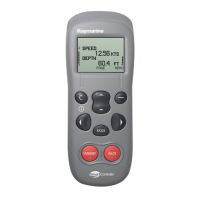
marine SmartController
How do I see all the available data?
You can display all the available SeaTalk data in a list for reference.
This is particularly useful when checking the availability of data, or
when wishing to see an infrequently used reading.
SELECT
SHOW ALL DATA
Scroll through data list
MENU
ALL DATA
DEPTH 4.7 FT
SPEED 11 KTS
SOG 9.7 KTS
VMG W --- KTS
BACK
3
1
2
When planning your favourite pages, use SHOW
ALL DATA to see what data will be shown
Quick Tip
From the main instrument display:
1. Press the MENU softkey to
display the main menu.
2. Using the up/down key, scroll
to"SHOW ALL DATA" and press
the SELECT softkey.
3. All of the available SeaTalk data
will be displayed with its
present value. Use the up/down
key to scroll through the data.
Where the is no data present,
"- - -" will be displayed.
Example Screen
D7615-1


 To Next Page