marine SmartController
How do I follow a circle pattern?
3
1
2
Quick Tip
CIRCLE
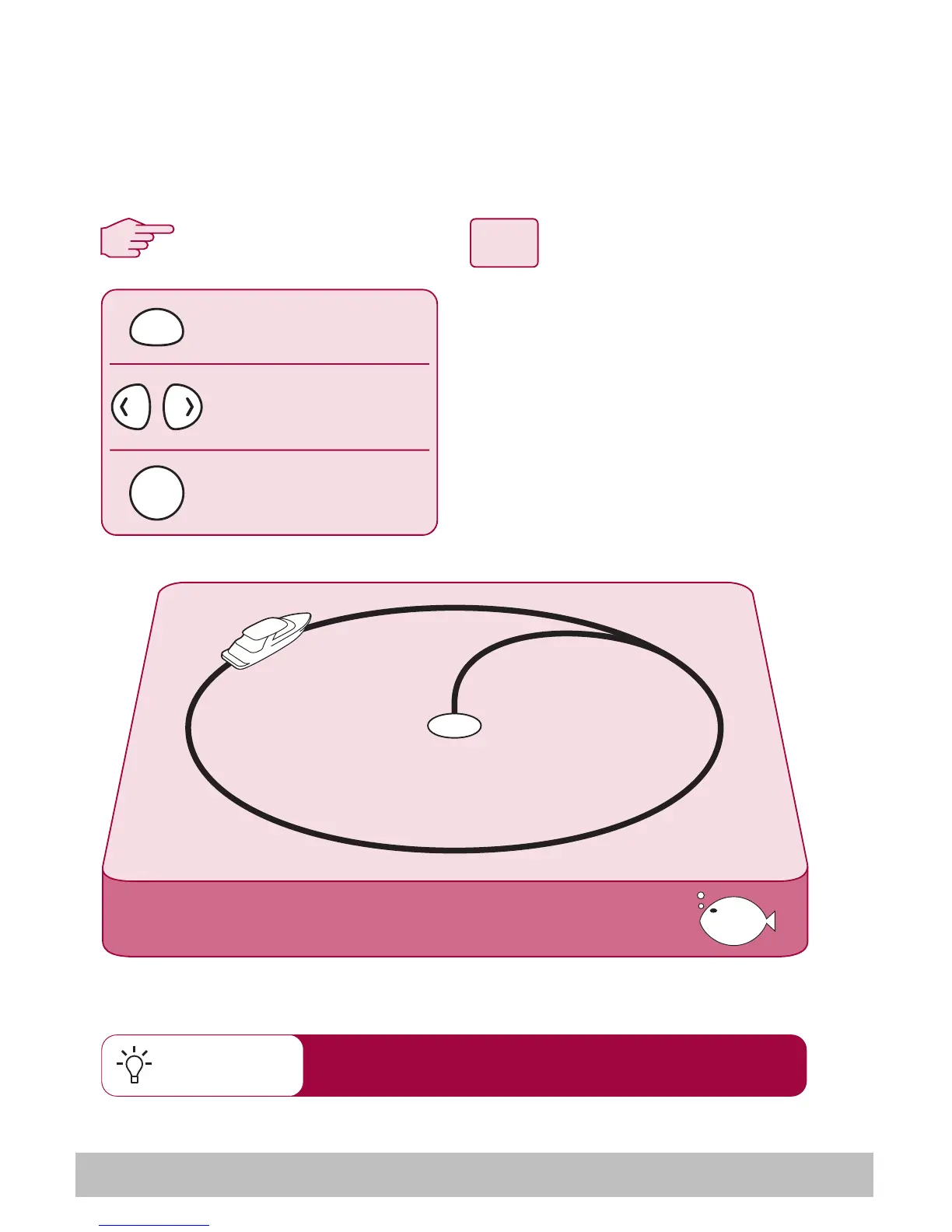
When you select CIRCLE mode, your current position is marked as the
center of the circle pattern. Your autopilot will now gently steer your
boat into the circle of the selected size.
From any screen:
1. Press MODE repeatedly until
CIRCLE is displayed.
2. Use the PORT and
STARBOARD keys to change
the size (S, M or L) if required
3. Press the PILOT key to activate
the autopilot
change pattern size
(Sml, Med or Large)
press repeatedly until
you reach CIRCLE
activates autopilot
in CIRCLE mode
MODE
PILOT
If your circles are gradually becoming larger, increase
the response setting and restart the circle pattern.
D7612-1


 To Next Page