User Guide 5
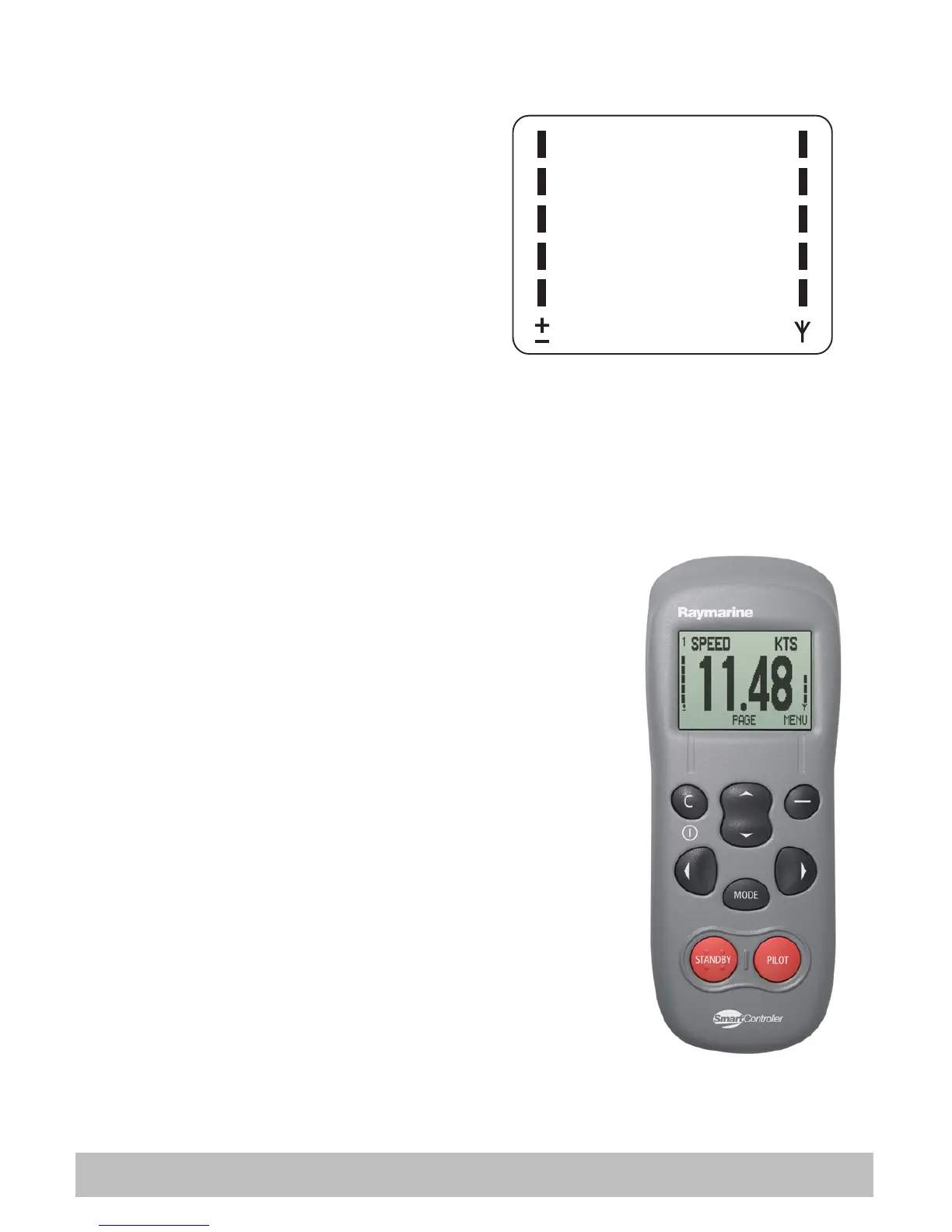
Battery power and signal strength
The battery power (5 levels) are
indicated on the left hand side of the
display. Your SmartController will
sound an alarm when battery power
is running low.
Wireless signal strength is shown
similarly on the right hand side of the
display.
Charging the SmartController
Before using the SmartController for the first time,
you will need to charge the unit.
To charge the SmartController, simply place it into
the cradle, pull open the rubber cover on the base
and connect the charging cable.
CAUTION:
Do not use any other cable to charge the
unit.
The battery power indicator will flash during
charging. The recommended charge time is
approximately five hours. Once fully charged the
battery indicator will stop flashing.
The SmartController can also be charged whenever
you wish without affecting performance.
Battery
power
Wireless
signal
strength
D7666-1
D7668-1


 To Next Page