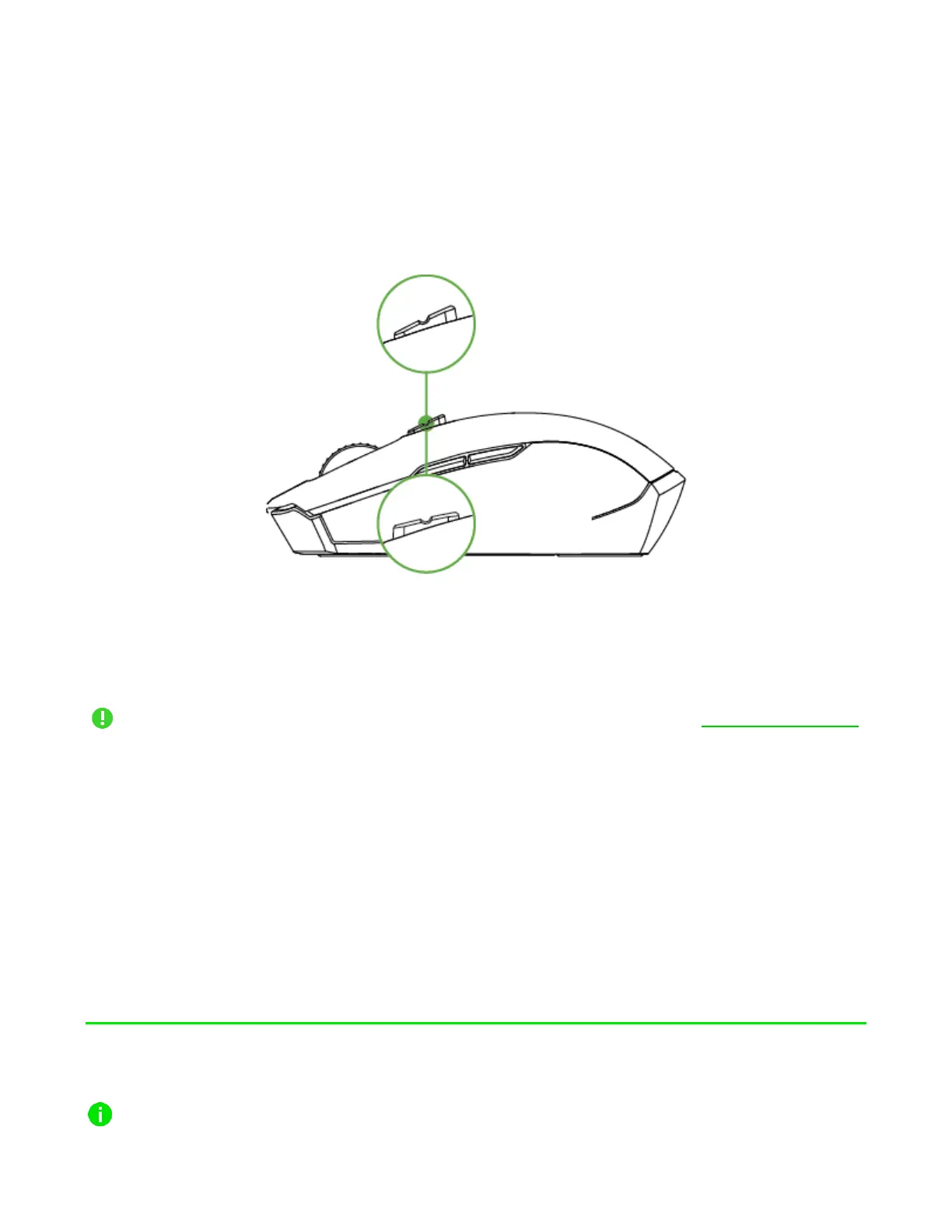
SWITCHING SCROLL MODES
The Razer™ HyperScroll Tilt Wheel mode switch allows you to control how you navigate
through long documents and pages. To switch scroll modes, push the Razer™ HyperScroll
Tilt Wheel mode switch forward to enable unbridled scroll wheel freedom for faster navigation
in Free-Spin mode; or nudge it backward to precisely control scroll wheel movement in Tactile
mode.
PERSONALIZING YOUR MOUSE
Use the Razer Synapse app to change your mouse’s DPI to match your work style, fine-tune
your own sensitivity setting, and customize other features available on your mouse.
Install Razer Synapse when prompted or download the installer from razer.com/synapse
6. CONFIGURING YOUR RAZER PRO CLICK MINI
Internet connection is required for installation, updates and cloud-based features.
Registering for a Razer ID account is recommended, but optional. All listed features













 To Next Page