4. GETTING STARTED
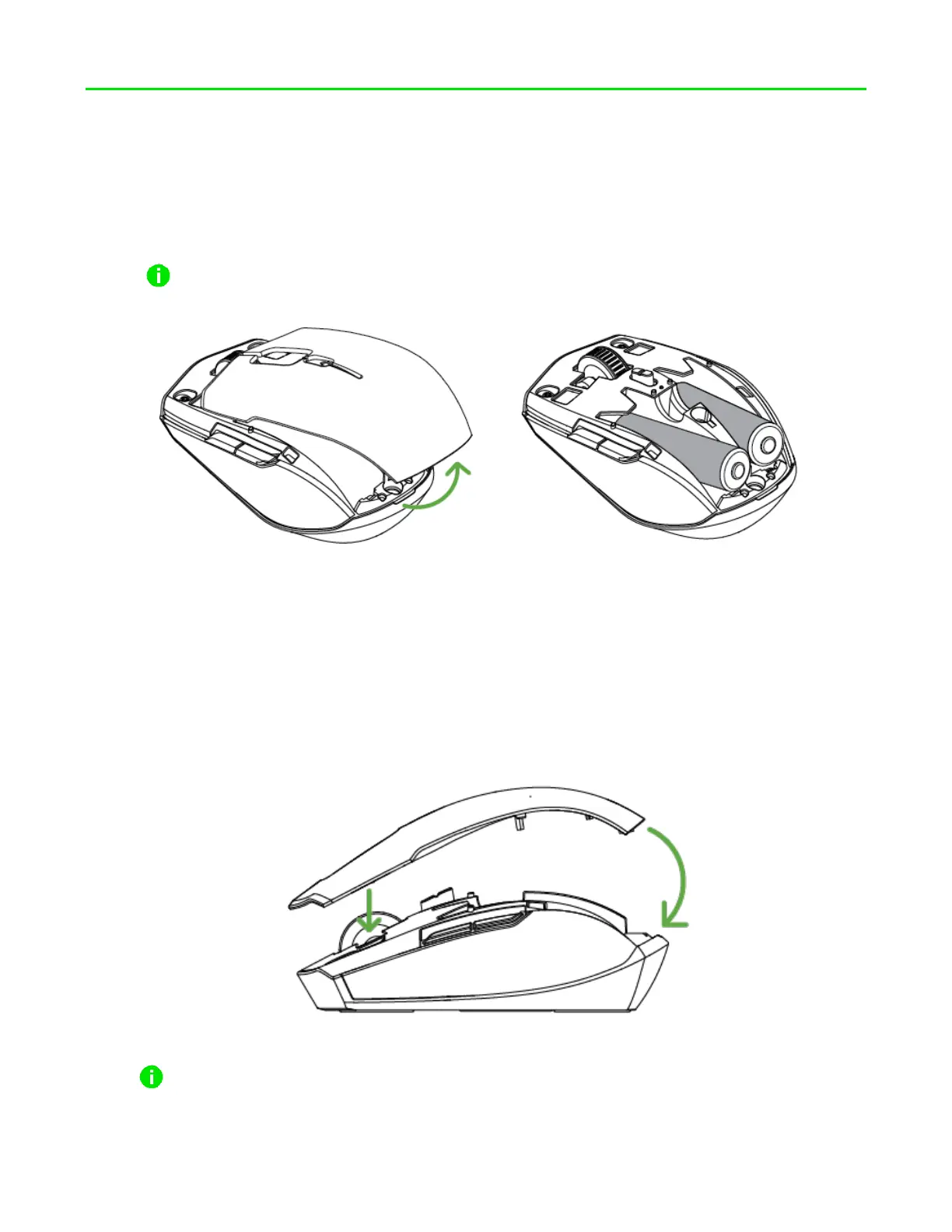
INSERTING THE BATTERY
1. Remove the top cover of the mouse and insert the AA batteries as indicated in the
battery compartment.
The Razer Pro Click Mini will also work on just one AA battery.
Caution: The two included AA batteries are non-rechargeable. Dispose of these
batteries in accordance with your local environmental laws. For your safety, use
only alkaline batteries and don’t mix old batteries with new ones.
2. Reattach the top cover onto the mouse and make sure that it’s tightly secured.
It’s highly recommended to remove the batteries from the mouse if you’re not
intending to use it for a prolonged period of time.













 To Next Page