32
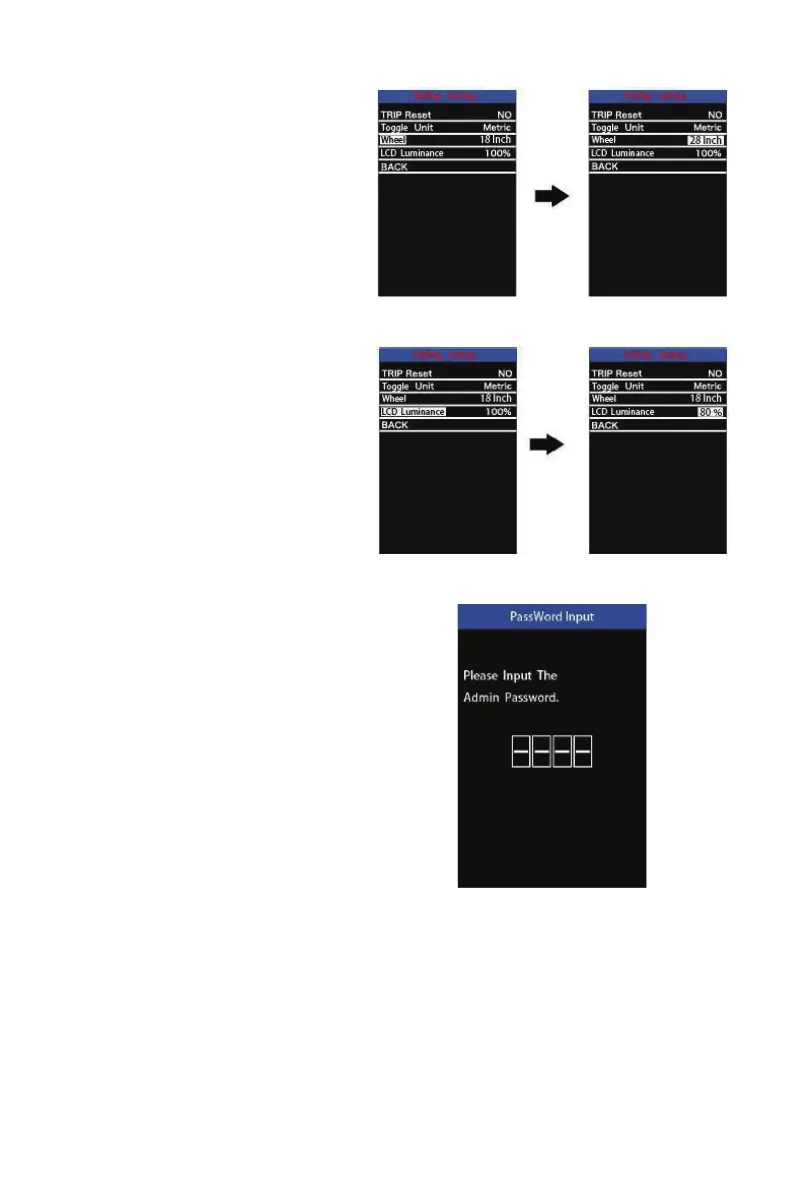
Wheel Diameter Settings
Wheel represents wheel diameter settings.
To change basic settings, press the “+” or
the “-” button to increase or decrease until
the desired value is displayed.
To store a changed setting, press the “i”
button. The default value is 28 inch.
Wheel Diameter SettingsInterface
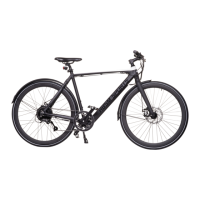
LCD luminance settings
LCD luminance represents backlight bright-
ness settings. The default is 100%.
To change the backlight brightness, press
the “+” button or the “-” button to choose
the desired percentage.
To store a changed setting, press the “i”
button.
NOTE: * After Display settings are done,
press BACK to return to Settings
interface.
LCD LuminanceSettingsInterface
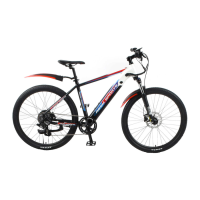
XIV-7.2: Advanced settings:
Input the correct password to enter the
advanced settings interface. The default
password is 1212. Enter each digit by
pressing “+/-” button and conrm the digits
by pressing the “i” button.



 To Next Page