EN
Listening to Compact Disc
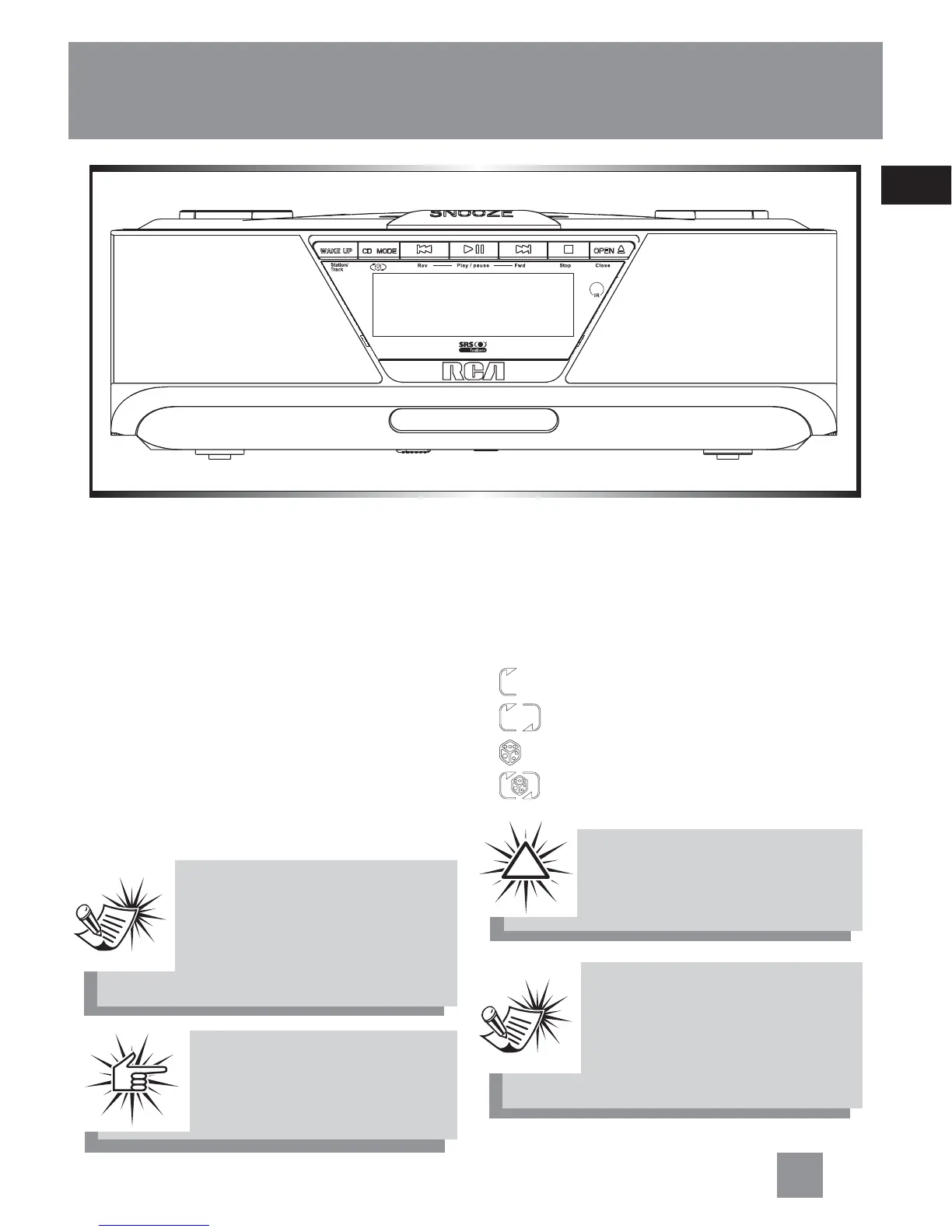
1. Press OPEN to open the CD compart-
ment.
2. Insert a disc, the compartment will au-
tomatically close.
3. Press Play/pause.
4. Adjust volume to your desired level.
5. Press Rev or Fwd to skip backward or
forward the CD track.
6. Press and hold Rev or Fwd to search
forward or backward the CD track.
7. Press STOP to stop CD playback.
Selecting Play Mode
1. Start CD playback.
2. During playback, press CD MODE to
toggle between different play modes.
- repeats the current track.
- repeats the whole disc.
- plays tracks randomly.
- plays random track repeatedly.
Operating the CD Player
Note:Note:
Note:Note:
Note:
When there is no disc in the
CD compartment, the pre-in-
stalled music tracks will be
played.
Warning:Warning:
Warning:Warning:
Warning:
Do not press on the CD com-
partment when it is opened.
!
11
Note:Note:
Note:Note:
Note:
“nd” will show on the display
when no disc is detected. (e.g.
scratched CD or mp3 disc is
inserted)
Attention:Attention:
Attention:Attention:
Attention:
The unit only supports
5 inch CD.



 To Next Page