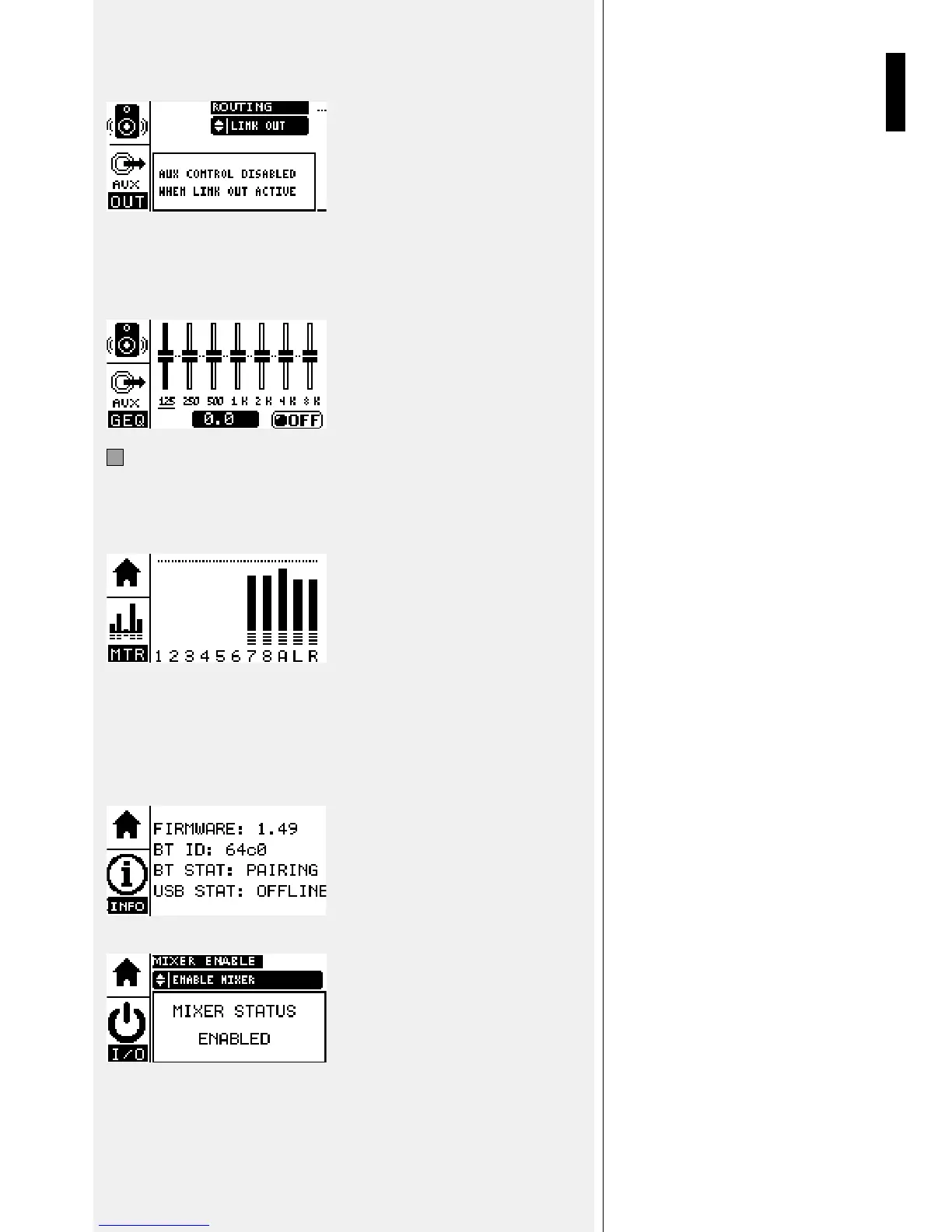
When the “LINK OUT” function is selected from the ROUTING menu, the display will
show the following message: “AUX CONTROL DISABLED WHEN LINK OUT ACTIVE”
AUX GEQ page: this page gives access to the 7 band Graphic EQ available on AUX bus.
Select each single band of the EQ using the “PARAMETER SELECT” button and rotate
the EDIT encoder to change value. A value box shows the variation in dBs of the selected
band. A dedicated box permits to turn ON and OFF the entire EQ.
15
HOME Button:
The HOME button gives access to three pages: MTR Page, INFO Page and “I/0” Page.
MTR page: on the METER page it’s possible to view all the mixer signal levels: Inputs
from 1 to 8, AUX and MAIN L/R.
Pressing the HOME button again gives access to the INFO page where the following is
shown:
FIRMWARE: firmware version - x.xx
BT ID: Bluetooth Identification – 123x
BT STAT: Bluetooth status - (OFF/PAIRING/ONLINE)
USB STAT: USB connection status - (OFFLINE/ONLINE)
Pressing the HOME button again gives access to the “I/0” MIXER ENABLE DISABLE page.


 To Next Page