17
1717
17
Click
1
2
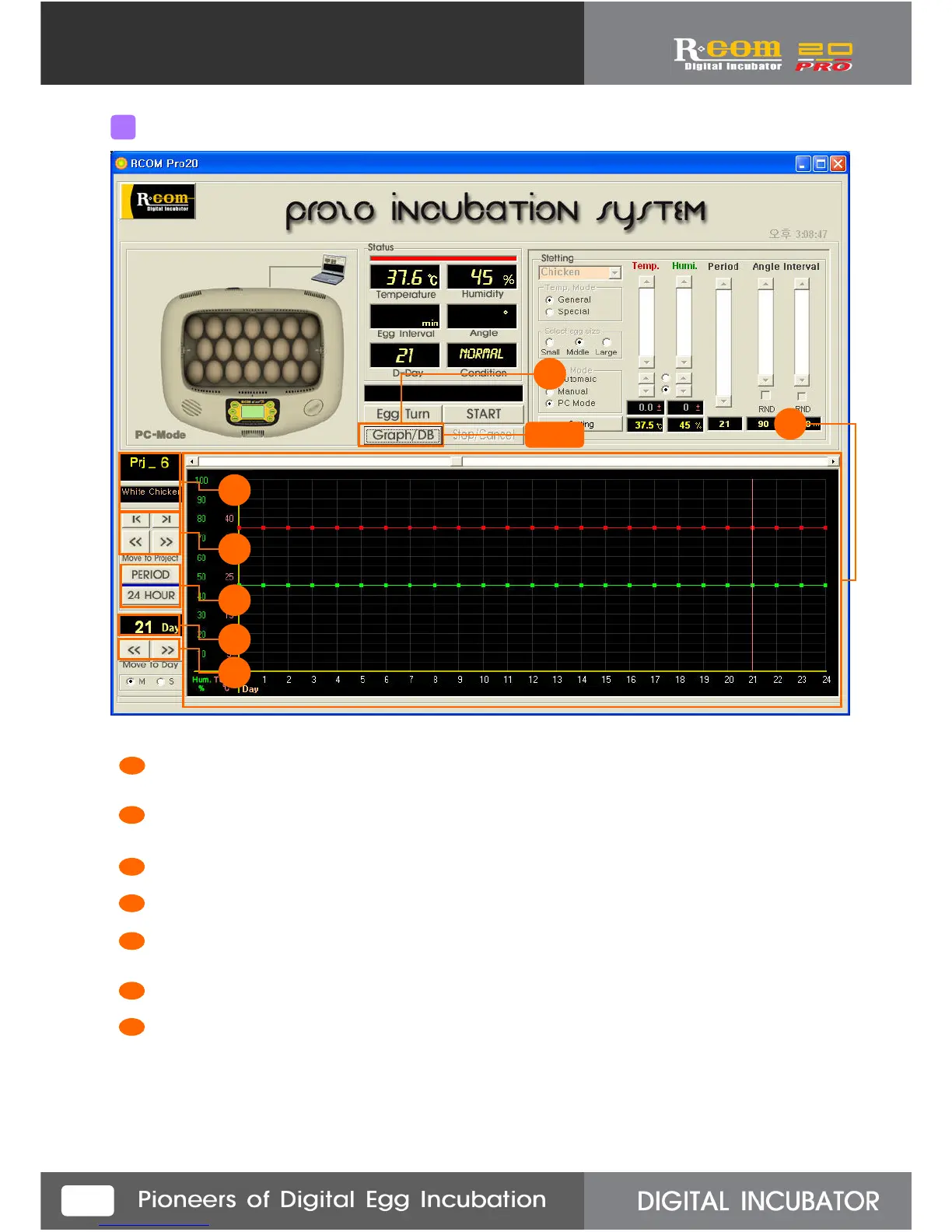
“Graph” button functions convert Graph screen and DB screen. If you click, it makes a graph of setting Temp.
&humidity as above, and also makes a graph of real-time incubator Temp. &humidity at 10min. intervals.
Indicating temp. &humidity graph setting value.
Indicating incubator real-time temperature & humidity at 10min. intervals.
Selected graph’s project No. and name.
Button for move and select project.
If you click “PERIOD” button, it shows only indicated days,
and if you click “24 HOUR” button, it shows a day’s record.
Indicating selected incubation date among all incubation period.
Button for move and select incubation date.
4
Name of each parts on the Graphic screen
1
2
3
4
5
6
5
3
4
7
6
7



 To Next Page