18
1818
18
Click
4
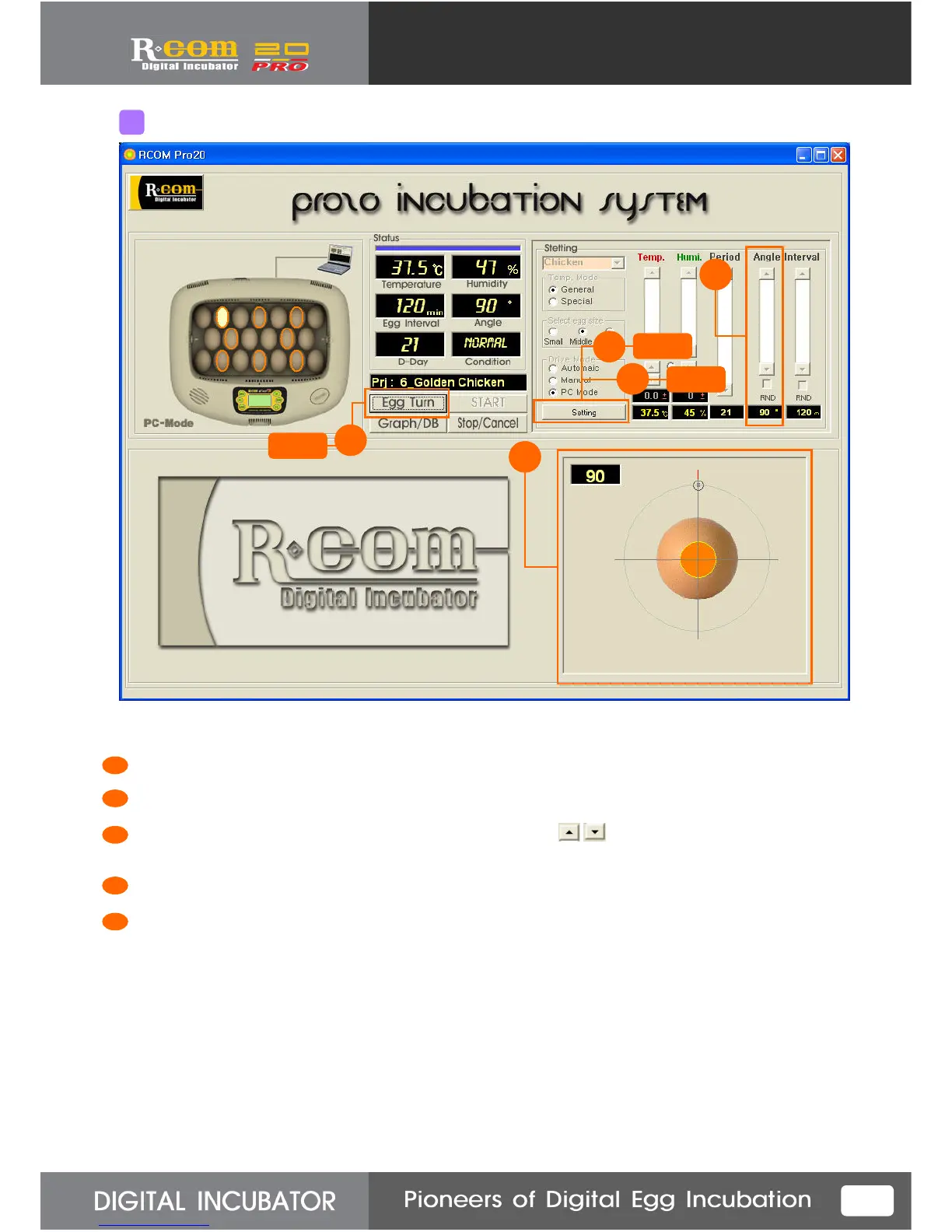
“Egg Turn” performs “Graph” and “Egg Turn” alternatively by turns with pressing the button.
Press “Setting” button to revise setting.( This button performs “Setting” and “Confirm” alternatively by turns.)
Set the egg-turning angle by pressing setting bar up/down button. (at 15°C intervals 15°C~180 °C)
(If you check RND, egg-turning angle will be various every time.
Confirm the egg-turning angle with the naked eye.
Press “Confirm” button for transmitting setting data to the incubator.
1
1
2
3
4
5
5
Part explanation of Egg-Turning Screen
Click
2
Click
5
3



 To Next Page