5
55
5
2. Driver Installing (Manual)
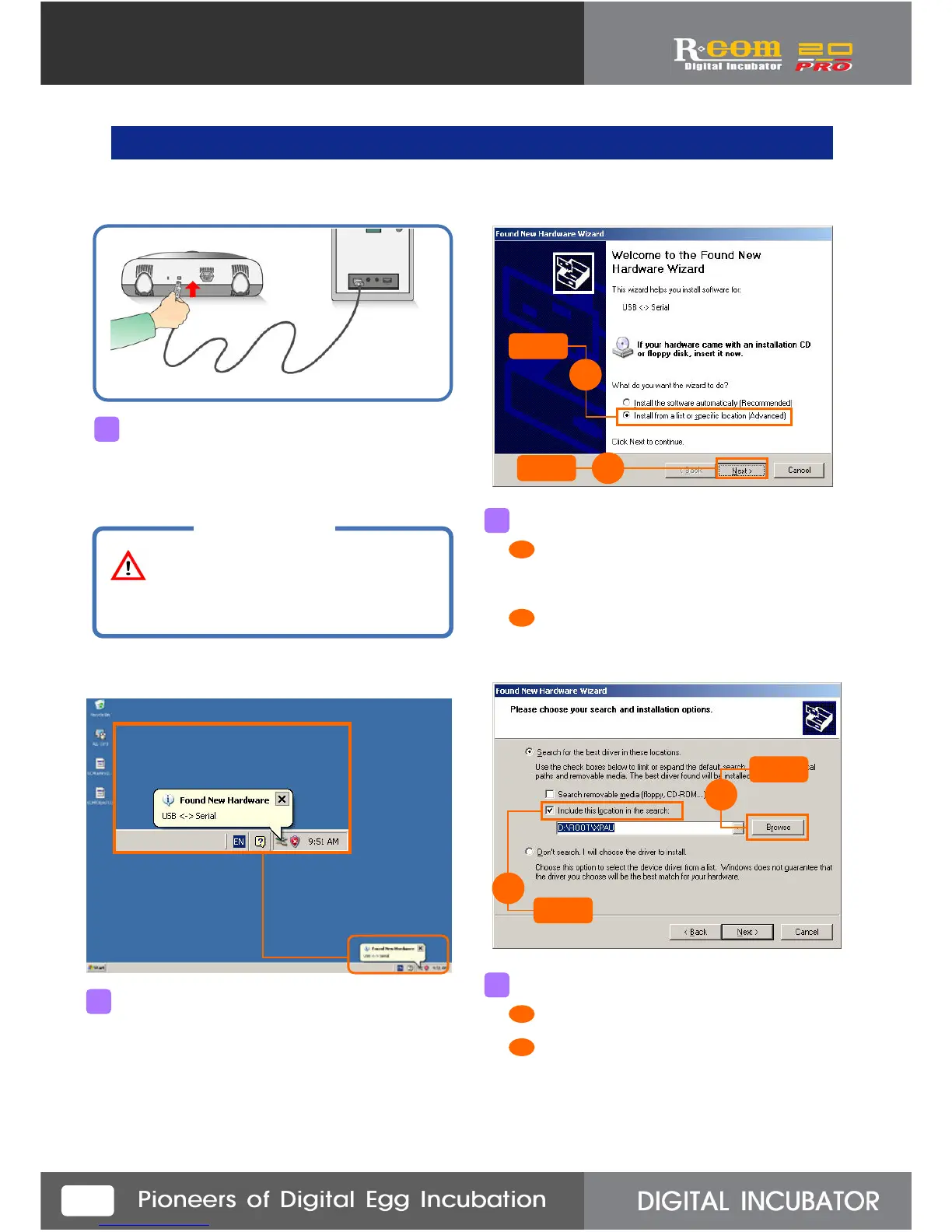
Connect the computer port and the incubator port.
(Be sure to the power code is connected with incubator.)
If you connect USB,
“Found New Hardware” message will appear as above.
After a few seconds, the message will appear
as above. Then, check on “Install From a list
or specific Location [Advanced]”.
Click “NEXT”.
Click
1
Click
2
Check “Include this location in the search”.
Find out the folder which have drive,
and press “Browse” button.
Click
Click
1
2
1
2
3
4
CAUTION
You would better to specify
one USB port for use.
Do not change USB port position.
2
1
1
2



 To Next Page