6
66
6
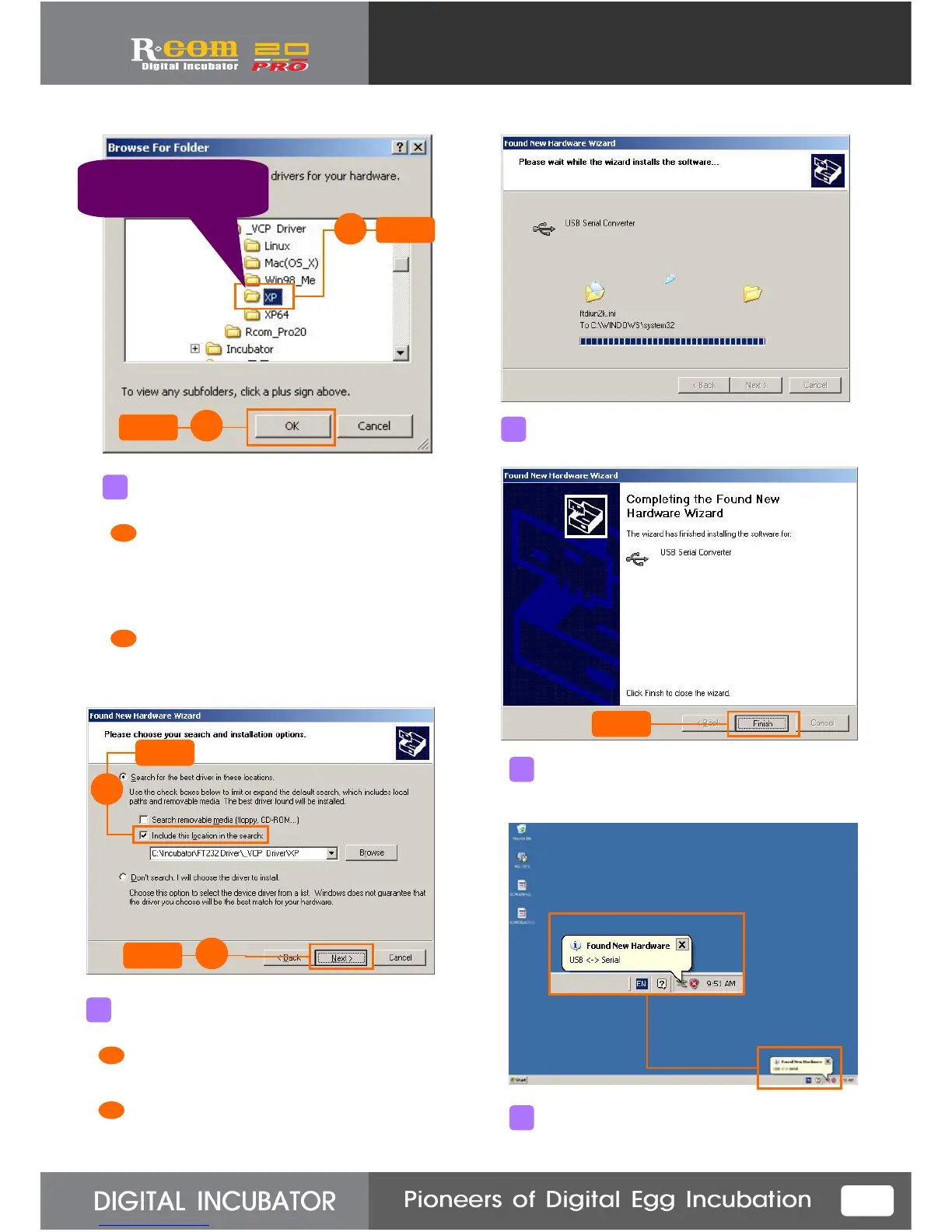
Select Driver CD or downloaded folder.
Select proper folder to your computer’s
operating system from the Driver folder.
EX) Windows XP – XP Folder
Windows 98 – Win98_Me
Click “OK” button.
Click
Click
1
2
Be sure to select proper
folder to user’s
operation system.
After Driver folder selected, press “Next” button.
Confirm that “Include this location in the search”
is marked.
Click “Next” .
Click
Driver Installing will be executed.
It will complete the primary Driver installing.
Click
Soon, “Found New Hardware” message will
appear again.
Click
1
2
5
6
7
8
9
1
2
1
2



 To Next Page