EPSILON ES2,ES4
57
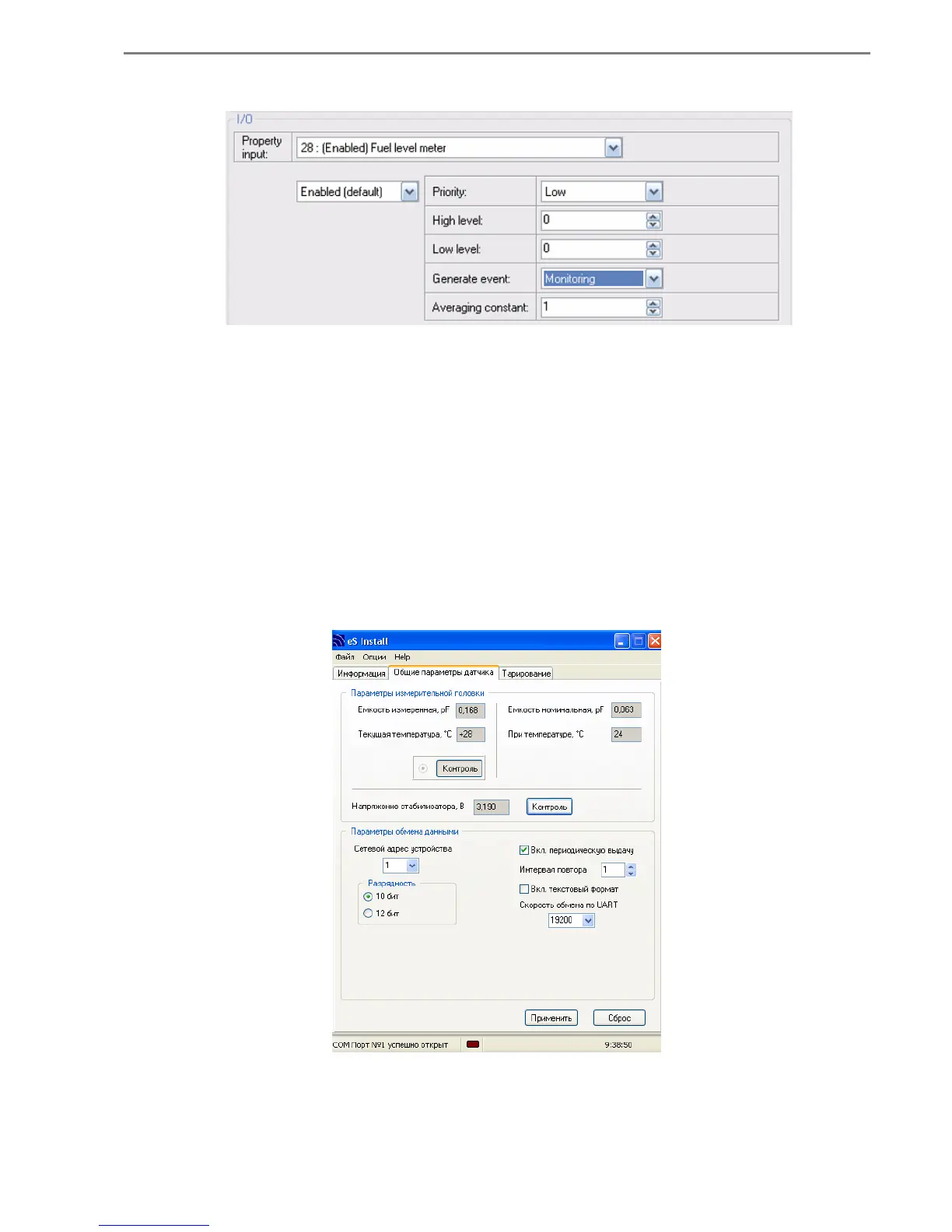
IO Configuration of levels of fuel or temperature are shown in Pic. A 8.2
Pic. A8.2
Procedure of FLS "EPSILON" calibration
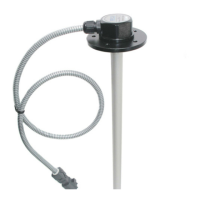
1) Start the program "eS Install" (see details in Appendix 1)
2) On the tab "Sensor’s general options" set following parameters of a measuring head:
"Network address of device": 1
"Repeat interval": 1
"Capacity": 10 bit
"Enable periodic output": activate
"Enable text format": off
"Exchange speed on UART: 19200
Pic. A8.3



 To Next Page