TIMER MODE (cont.)
4. COMMAND CARD PROGRAMMING
4.1 Programming Method
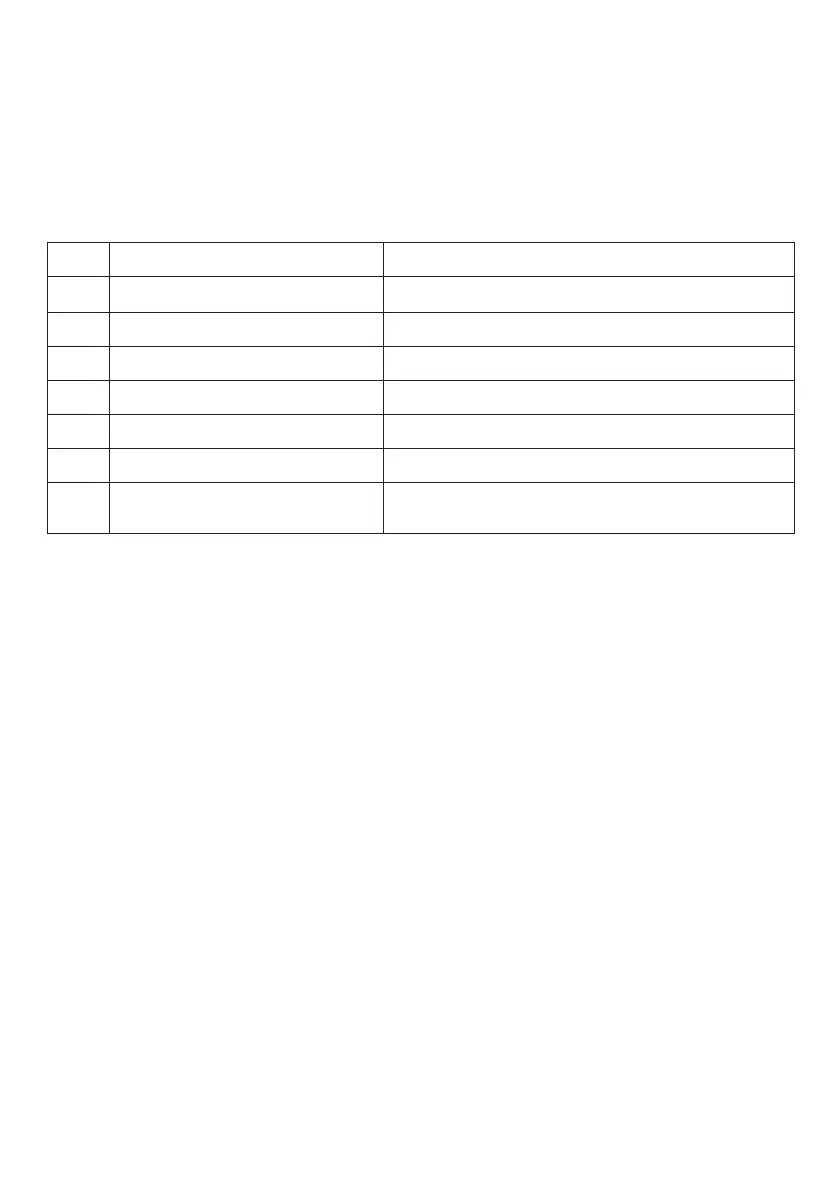
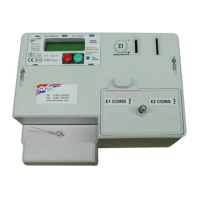
After the insertion of a valid COMMAND CARD the following 7 parameters can be
sequentially viewed/modified using the RED and GREEN buttons of the timer.
To display/modify a particular parameter first insert a COMMAND CARD upon the
message “Please Remove Card” will be displayed. On removing the card the message
“PROGRAMMING” will be displayed. Next press the RED button until the Date and Time are
displayed.
Each press of the GREEN button will increment the value above the cursor.
Each press of the RED button for less than 3 seconds will move the cursor one place
through the programmable setting displayed parameter. To store the new value press the
RED button for greater than 3 seconds, then on releasing the RED button the next parameter
for programming will be displayed. If no buttons are pressed within 10 seconds the display
revert to its normal operation mode without saving the new value.
Example: (shown overleaf)
To change the amount of time credited for each token card inserted the sequence of events
will be as follows:
STEP PROGRAMMING SETTINGS
DD/MM/YYYY - HH:MM
Zero Timer No Yes
Token hh:mm
Max Time hh:mm
Tournament Mode No Yes
Operational Mode Meter Timer
Factory Defaults No Yes
1
2
3
4
5
6
7
Current Date and Time
Manually Zero Timer - No or Yes
Time credited for each token card inserted
Maximum time which can be credited
Select Tournament Mode - No or Yes
Select Meter or Timer mode
Reset to Factory Defaults excluding kWh
cumulative totals
13


 To Next Page