•This part of the Media Streams Tab guides users to the self designated IP address of the Real Time
Streaming Protocol Live Streams. By coping and pasting the IP address into a media Player like Flash Player
or VLC Player, a user can view the live streaming directly from the Bee8. The High stream is a high
bandwidth stream, the low is a low bandwidth stream. RTSP has the capability of negotiating with the client
to determine which stream is most appropriate, based on available bandwidth of a users connection.
1. RTSP Streams IP Address
•This user entered IP address is the server at a Content Delivery Network (CDN) where the live streams from
the Bee8 are pulled to and served to subscibers. In this illustration, this Bee8 is providing live streaming
content to YouTube to engage subscribers on the Reach-US YouTube channel .
2. RTMP Streams Destination IP
•This function is not utilized in the US market.
3. Access Code
•This indicator gives the live status of the Bee8. If a user was connected and viewing live streams derectly
from the Bee8 The status would change to "connected". This function is not commonly used in the US
market.
4. Live Streaming Status
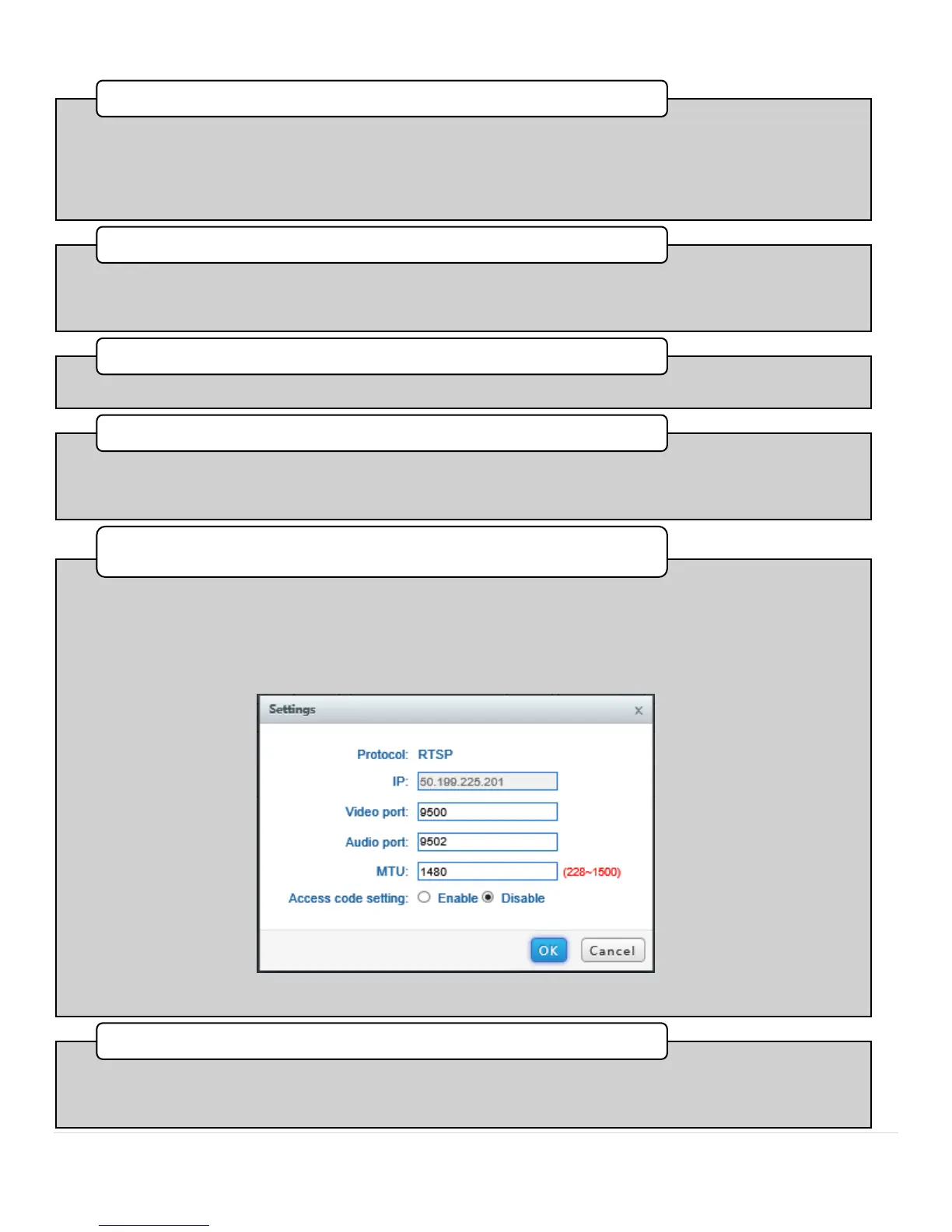
•This pull down provides users with live streaming control. Streams are only propagated when the mode is
set to Active. When set to Stop recording is possible, but live streaming is suspended. Note also there is a
Settings link to bring you to a Dialog box, where you may customize the ports and Maximum Transmission
Unit (MTU) settings from their defaults. It is strongly recommended that you not change these settings
unless you are a network specialist and are intimate with the network's design and architecture.
Operation Mode (RTSP Only)
•This pull down provides users with live streaming control for RTMP streams. Streams are only propagated
when the mode is set to Active. When set to Stop, recording is still possible, but all interaction with the
CDN is suspended.
6. Operation Mode (RTMP Only)



 To Next Page