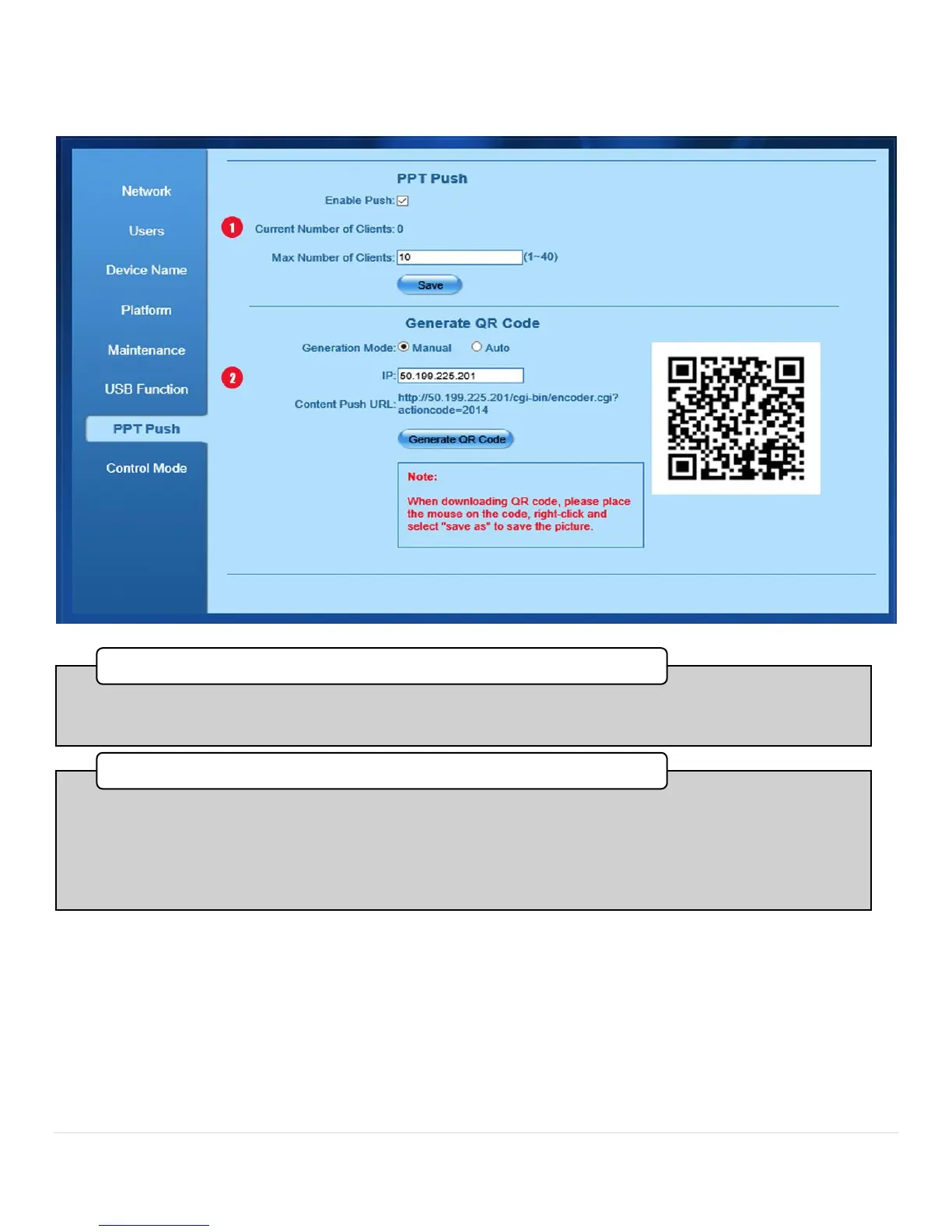
•To enable PowerPoint Puch check the Enable Push box. Below you can enter the maximum amount of
users that can connect to the Bee8 content microstreams. (Range is 1 to 40)
1. PPT Push
•A QR Code is generated for the IP address of the Bee8 and the redirect to the microstream; in this case
http//50.199.225.201/cgi-bin/encoder cgi? actioncode-2014. If Auto is selected the Bee8 will create the QR
Code for you, in Manual you can enter the IP address yourself, and the Bee8 will supplement it with the
redirect code. Th download the generated QR Code, right click on it and save it to your computer. Print The
QR Code and locate it somewhere in the Room where users may scan it to view the presentation content
on their handheld devices full screen.
Generate QR Code



 To Next Page