P a g e | 16 Bee8 User’s Manual Reach/BTX
Setting Page Video Settings Tab (2 input options)
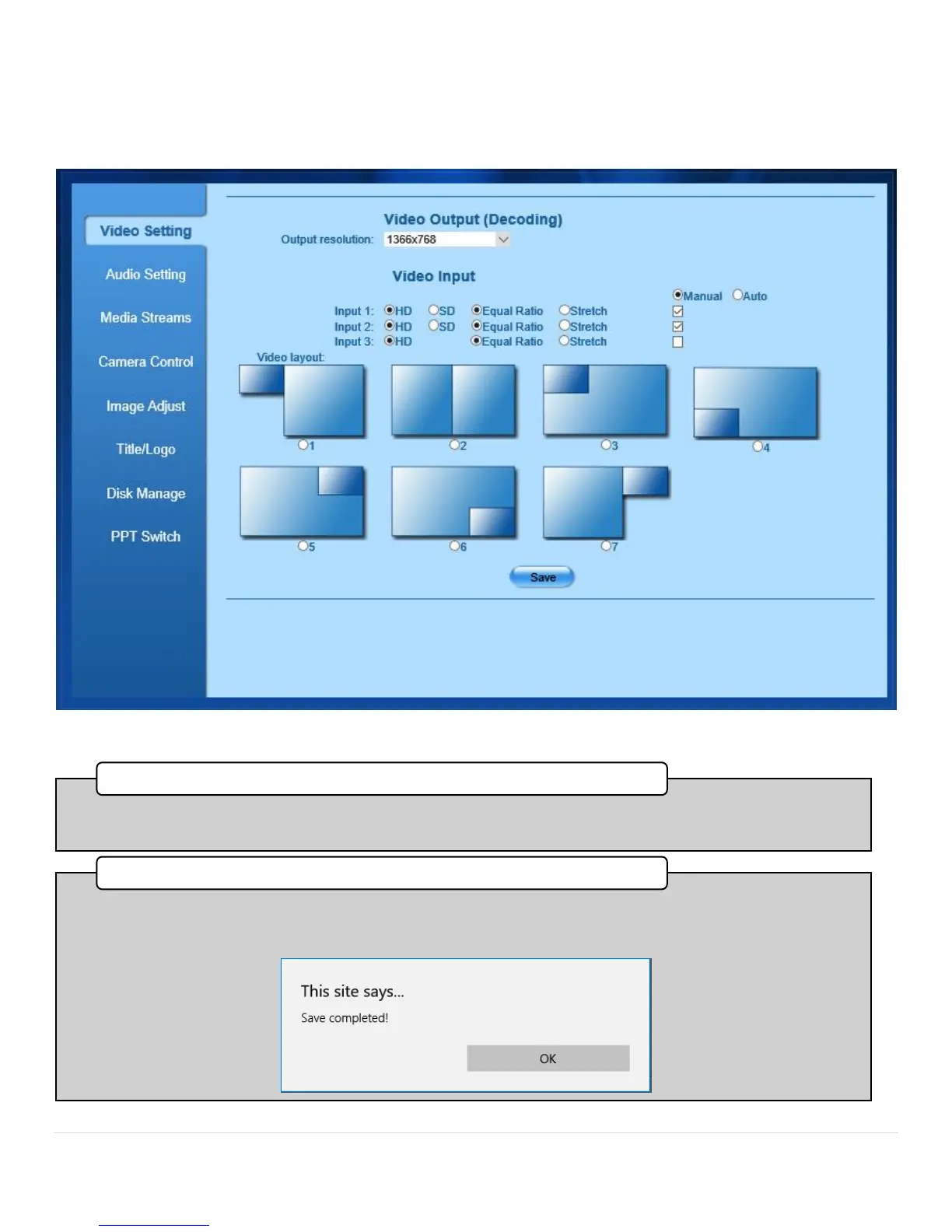
Figure 8. Settings Page, Video Settings Tab, Two Sources
•This image of the source input panel shows 2 live video inputs on the Bee8. When only two inputs are connected, the
variety of layouts provides more options.
2. Source Input Panel (2 Video Inputs Live)
•When two inputs are connected, several layouts become available with four picture-in picture options, and three side-
by-side options. These layout arrangements are changeable while recoding and streaming. After each change, press
save to commit the action. A dialog box will confirm the setting change.
3. Video Layout



 To Next Page