P a g e | 29 Bee8 User’s Manual Reach/BTX
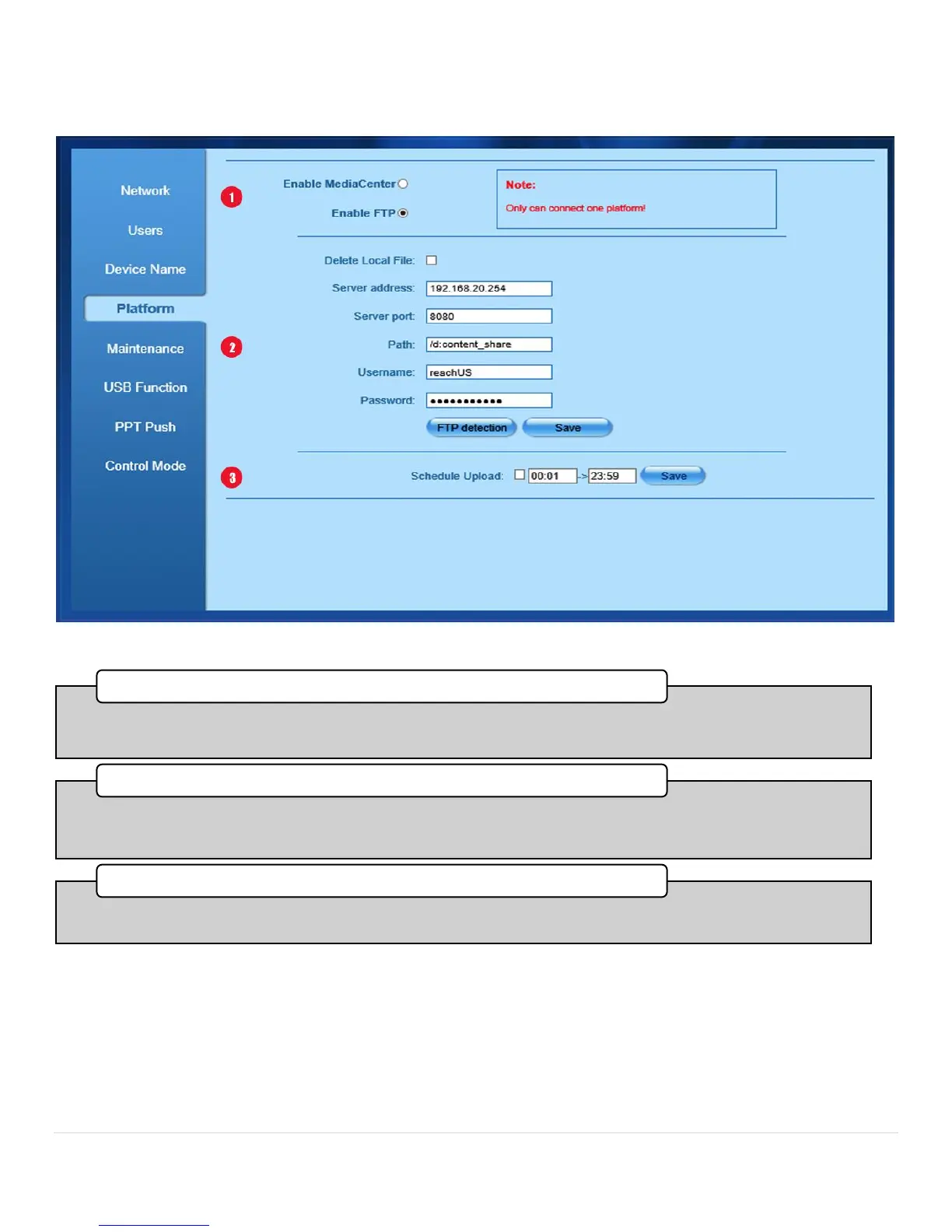
System Config Platform Tab with FTP option chosen
Figure 19. Platform Tab FTP Server Tab
•Press the FTP radio button to choose an FTP server as your file distribution point. A dialog box will appear confirming
your selection, and you will be presented with the following textboxes to route the content to the FTP Server.
1. Choose FTP
•Enter the FTP Server IP address, Port, and the directory where the content is to be stored for distribution. After you
have entered this information, click save to commit the changes. You can test your connection by pressing the FTP
Detection button.
2. FTP Server Network Credentials
•By entering times here, you can conveniently set a period during low network activity to upload the content from the
Bee8 to either the Media Center or the FTP server.
3. Schedule Upload



 To Next Page