P a g e | 4 Bee8 User’s Manual Reach/BTX
Section 1.1 Overview
The Bee8 is a high performance all in one AV over IP appliance. Utilizing the latest revision DaVinci 8168 video processing
architecture, the Bee8 provides amazing flexibility with respect to source inputs. Any signal from a composite video signal over
coax, to full HD over DVI-I or HDMI can be input and configured to produce beautiful streamed content as well as full screen
local display preview. The Bee8 utilizes an MP4 high profile CODEC, so the encoded content can be viewed on virtually any
device. It’s convenient USB 2.0 port allows users to download files immediately after recording, as well as redundantly record
content on a flash drive, or USB hard drive.
The Bee8 can be controlled by serial or Telnet command strings, as well as a free “Reach Video” app available on the iTunes
app store and by a free application included with the Bee8 called Manager Lite. All Bee8 operating parameters are set through
its simple and intuitive integrated Web Interface.
Out of the box, the Bee8 can be integrated into a multi-media system as a stand-alone capture, record, streaming, and
distribution solution. The Bee8 can stream live and VOD content to up to five concurrent users. It also can concurrently live
stream RTSP and RTMP streams, so users can connect to a CDN service like YouTube or Wowza to view a live event. The Bee8
can also upload recorded content to an FTP server transparently and in the background. Where the Bee8 really shines is when
its integrated into a complete AV over IP solution by leveraging the awesome power of the Reach Media Center Content
Management Server. When deployed as this solution, all files are immediately uploaded to Media Center, transcoded to
HTML5 and Flash 19 or above, and made available to users who have permissions to view specific content.
Section 1.2 Controls and Connections
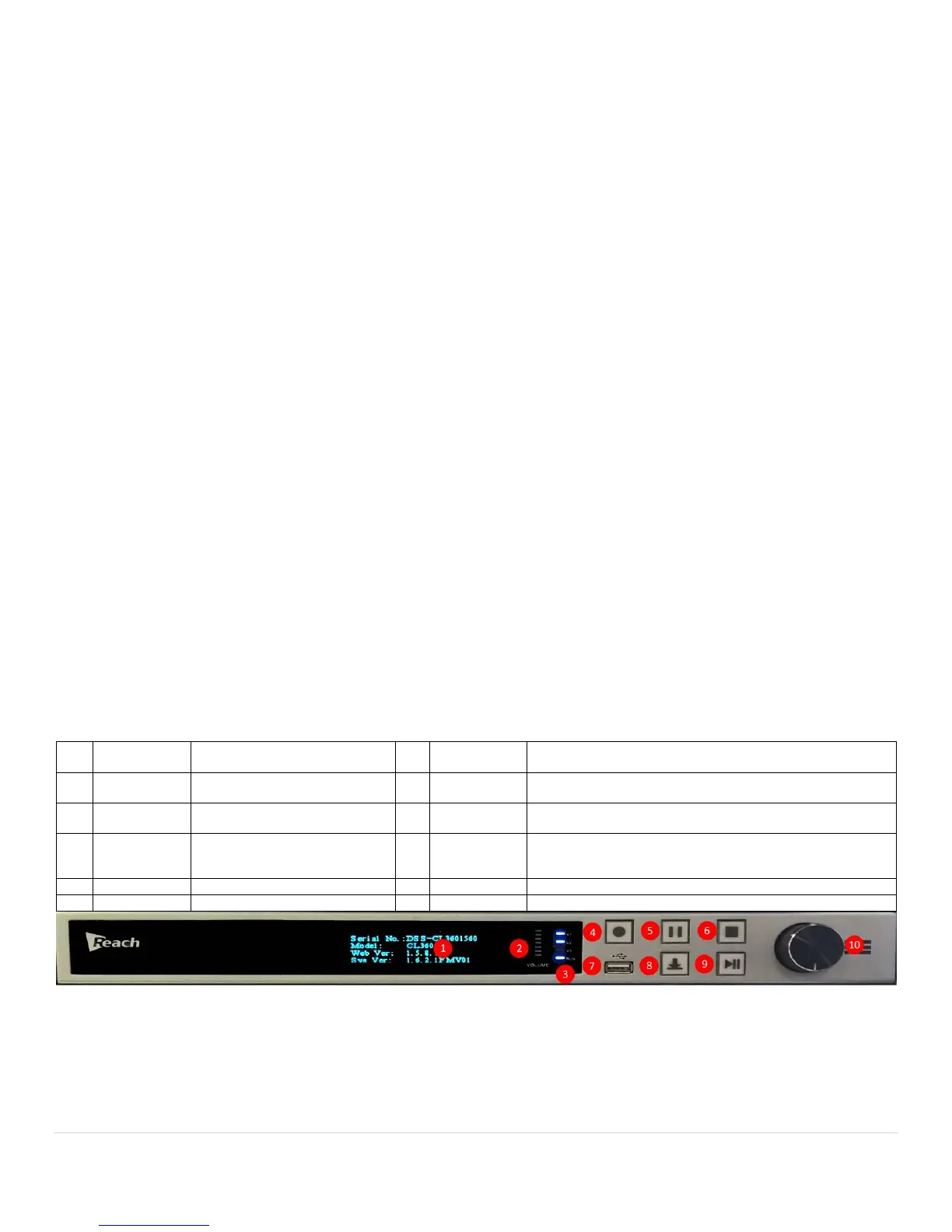
Front Panel Detail
The Bee8 is very simple to integrate. It comes with all the adapters you need to connect any source, from analog
composite signals to full HD 1080P. The illustrations below provide detail about all the controls and connections used on a
Bee8. Before integrating it into your system, take a minute to familiarize yourself with the connections you will be using in
your system, and what controls you will need to use to realize the content you are envisioning.
Files larger than 4GB are not supported by FAT 32.



 To Next Page