P a g e | 26 Bee8 User’s Manual Reach/BTX
System Config Page
The System Configuration Page is an engineering page. Much of the functionality that can be engaged on this page is
part of the initial set-up, and will not need to be changed ever again. This section is also broken down by the 8 tabs that
present on this page. In Section 3 the Network Tab was set up. This section will continue to the next tab.
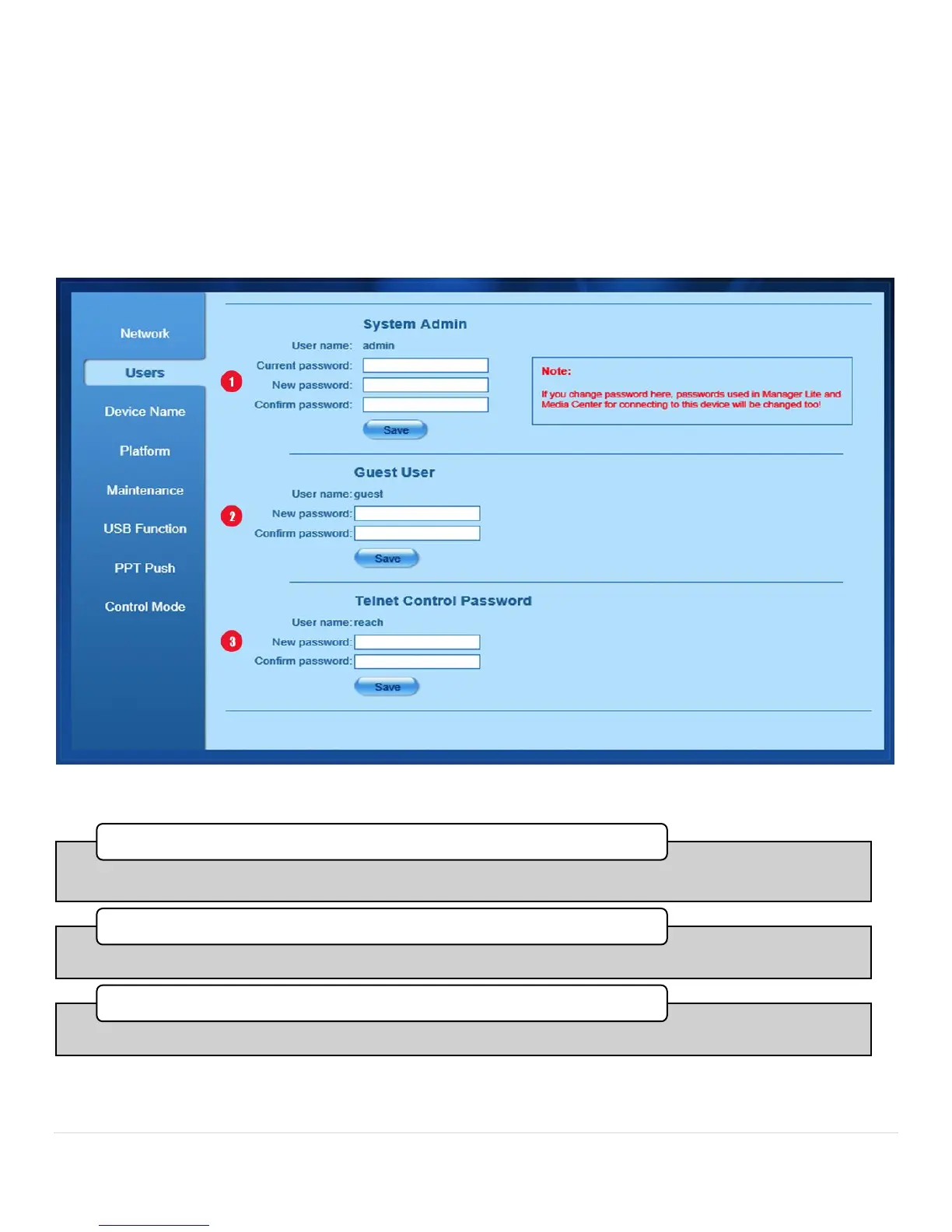
System Config Page Users Tab
Figure 16. User Tab
•You can change the administrator password here. The default password from the factory is admin.
1. Admin
•You can change the guest password here. The default password from the factory is guest.
2. guest
•You can change the telnet password here. The default password from the factory is szreach.
3. Telnet Control Password



 To Next Page