•Select the camera and input you either wish to control, wish to set a preset for, or wish to upload
protocol for.
1. Video Input Selector
•The Speed Control sets the speed at wisch the PTZ motors move the camera and Lens. For most
applications Mid is the best choice, however Low is useful when panning tilting and Zooming
between two subject in close proximity, and High is useful when you need to go from a tight shot
to a wide shot quickly. NOTE: High is very fast!
•Preset position Controls allow users to program a new preset position, recall a previously set
preset position, or delete a preset. To program a new preset, use the pan tilt and zoom controls
to move the camera to the desired shot, select Set. then press one of the 3 preset buttons. To call
a preset, first press one of the preset buttons, then press Call.
2. Speed Control and Preset Position Control
•Use the arrow buttons to control the movement of the camera where the left and right arrows
control the pan movements, the up and down arrows control the tilt movements, the plus button
zooms in, and the minus button zooms out.
3. Pan Tilt and Zoom Controls
•Use these pull down menus to set the camera address bit to match what you have set your
camera for when integrating them. This control is only applicable when multiple cameras are
connected to the RS-232 or RS-485 camera control port of the Bee8.
4. Camera Address Bit
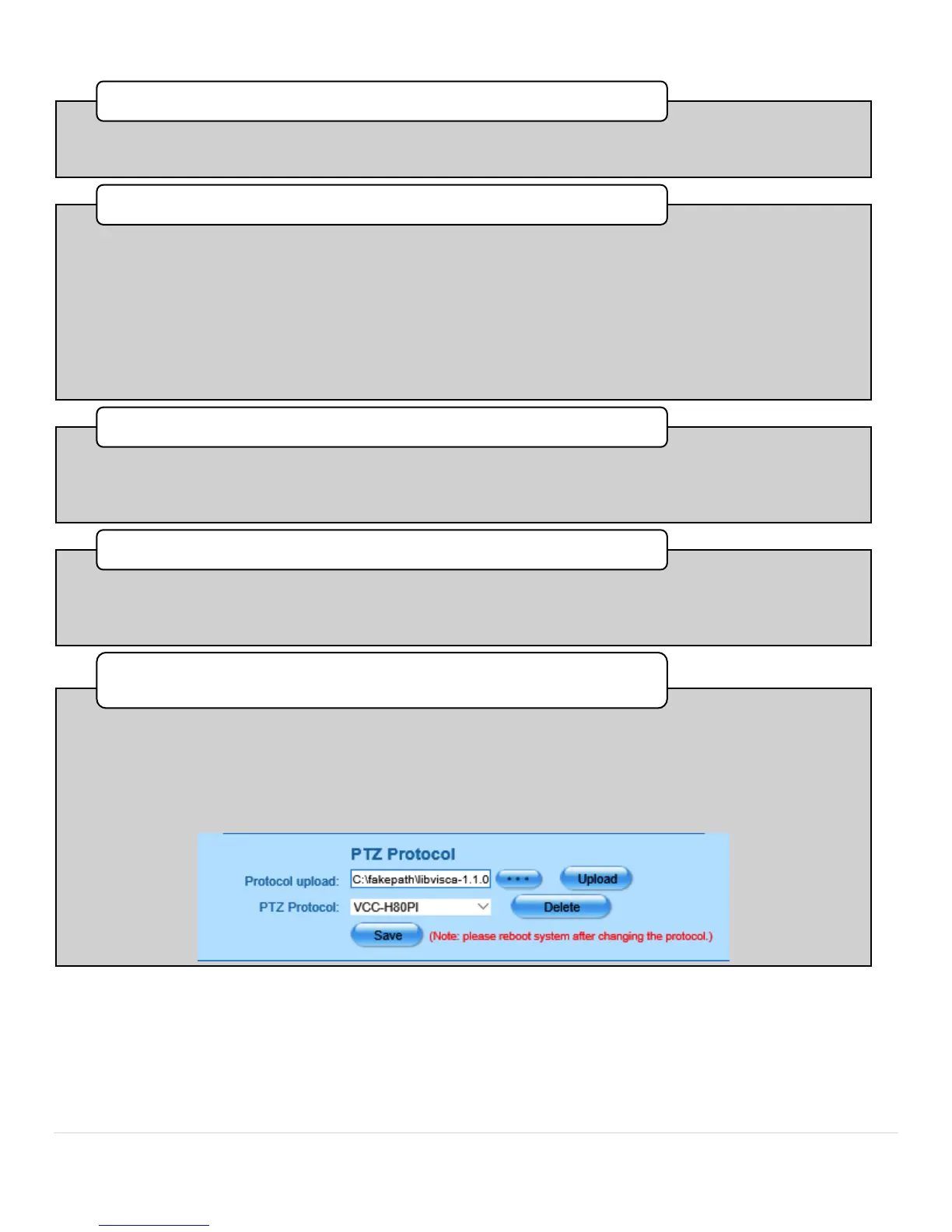
•This section allows users to upload protocol to the Bee8 in the rare and unlikely event that the
standard protocol set included with the Bee8 will not control a connected camera. To upload
camera control protocol software to the Bee8, click the 3 dot button to search your computer for
the software and select it. when the file name appears in the text box, press the upload button.
Note: The Bee8 must be restarted after successfully uploading camera control protocol
software. Also note that this software must be linux compatible.
PTZ Protocol



 To Next Page