•When Reach-US creates an update to its firmware for the Bee8, you can download it from our website (www.reach-
us.net/downloads). Press the 3 dot button and locate the file you downloaded, then press the Upgrade button. Note:
the update process may take up to ten minutes, and when its finished, the Bee8 will restart. BE PATIENT! Never cycle
the power while the Bee8 is installing as it may corrupt the operating system.
1. System Upgrade
•If the Bee8 system time does not match server time, press the Time Sync button.
2. Time Setting
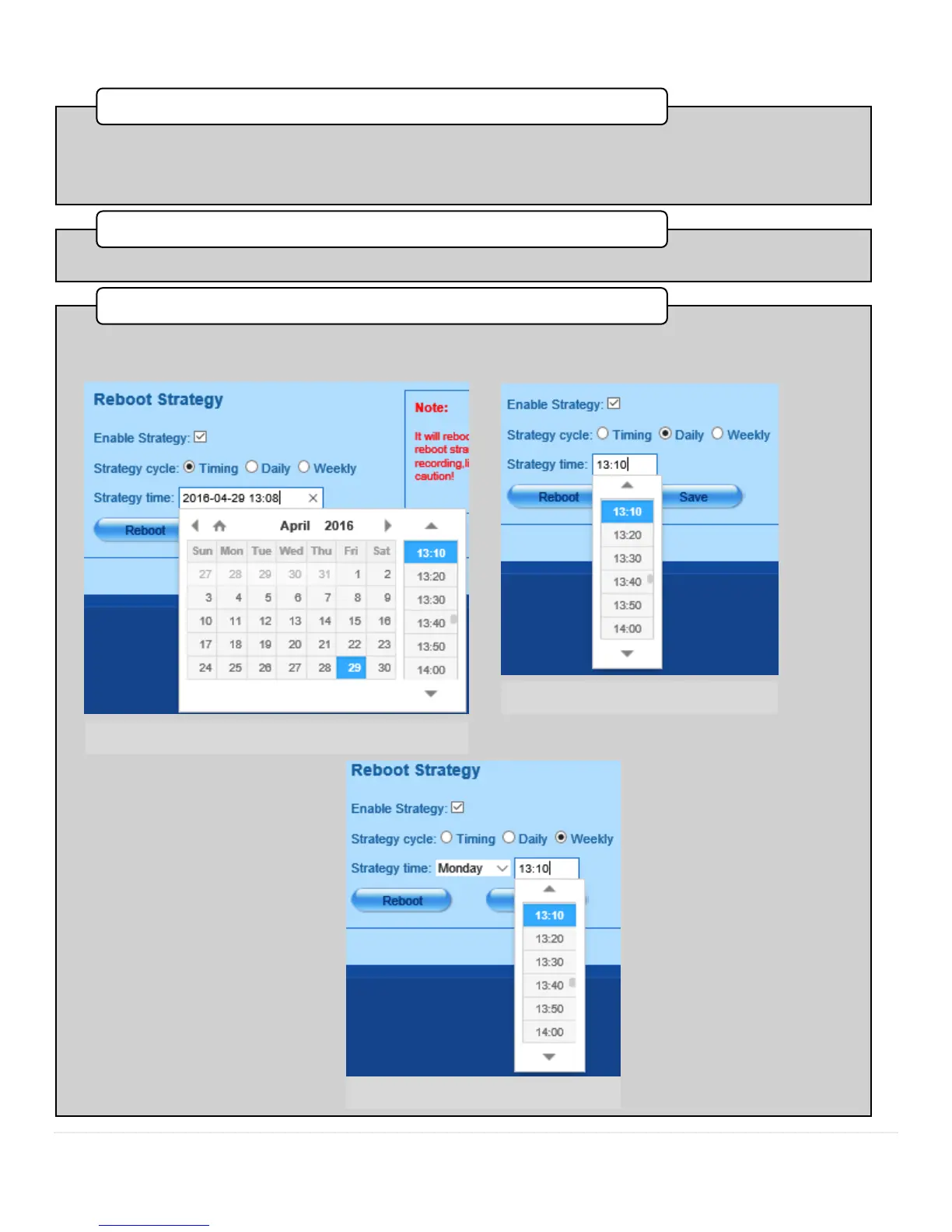
•In this set of controls, you can restart the Bee8, or schedule a reboot when the Bee8 is idle. To do this, first check the
Enable Strategy box, then choose the option you desire; either a one time reboot event, a daily strategy, or a weekly
strategy. Alternately you can press the Rebbot button to restart the Bee8 now.
3. Reboot Strategy



 To Next Page