WIFI DEVICE CONTROL INSTRUCTIONS (continued)
49
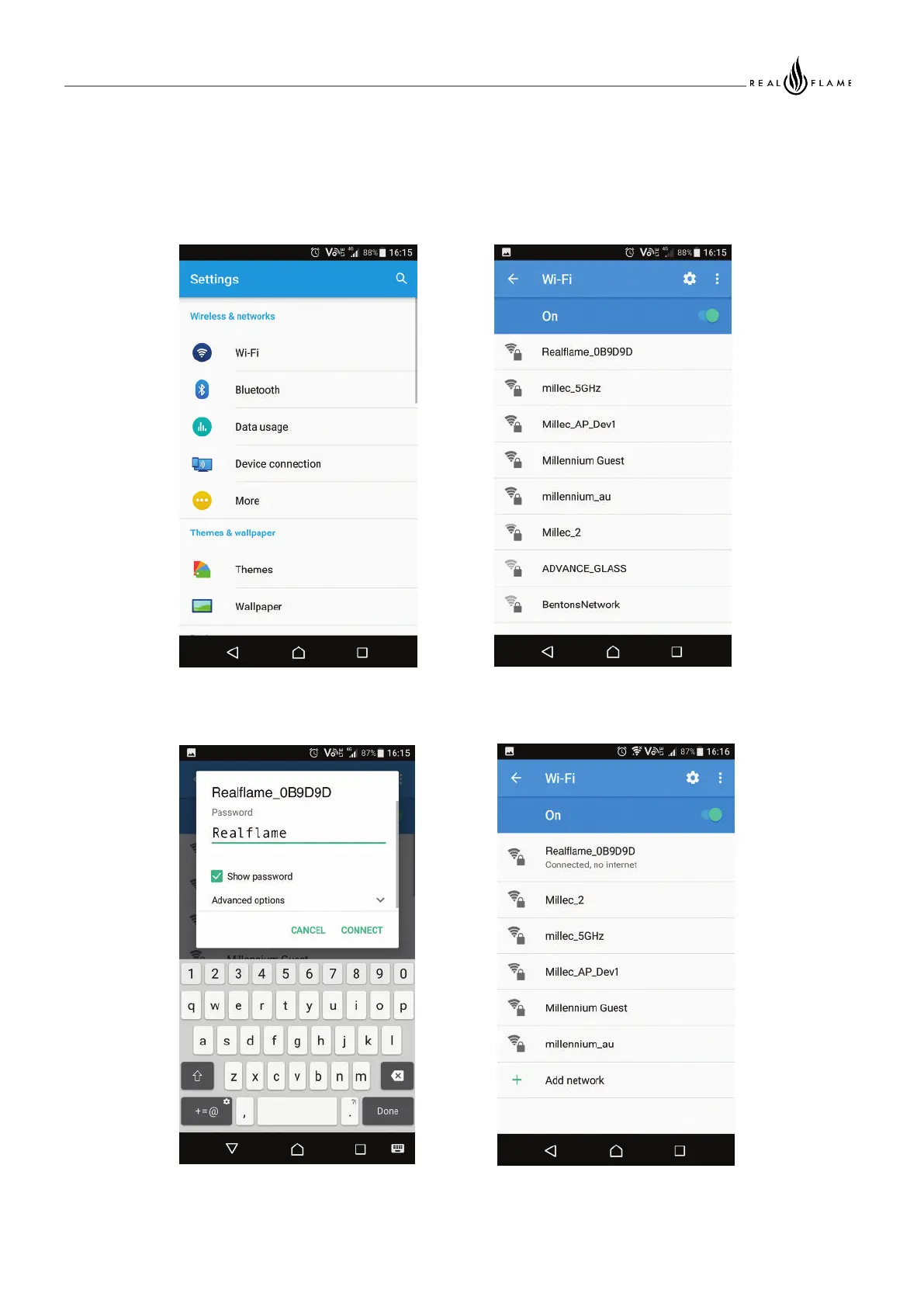
Step by Step – Pushing the Fireplace to a local network
Illustration 1: Open up the settings
Screen and select the Wi-Fi option
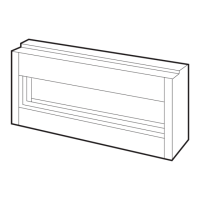
Illustration 2: Select the Access
point for your Fireplace
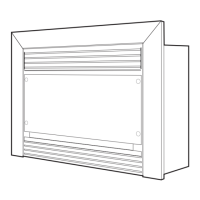
Illustration 3: Enter the default
password for your Fireplace AP
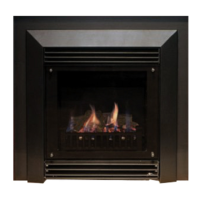
Illustration 4: Check the
connection status for the Fireplace



 To Next Page