67
CONVERSION INSTRUCTIONS (continued)
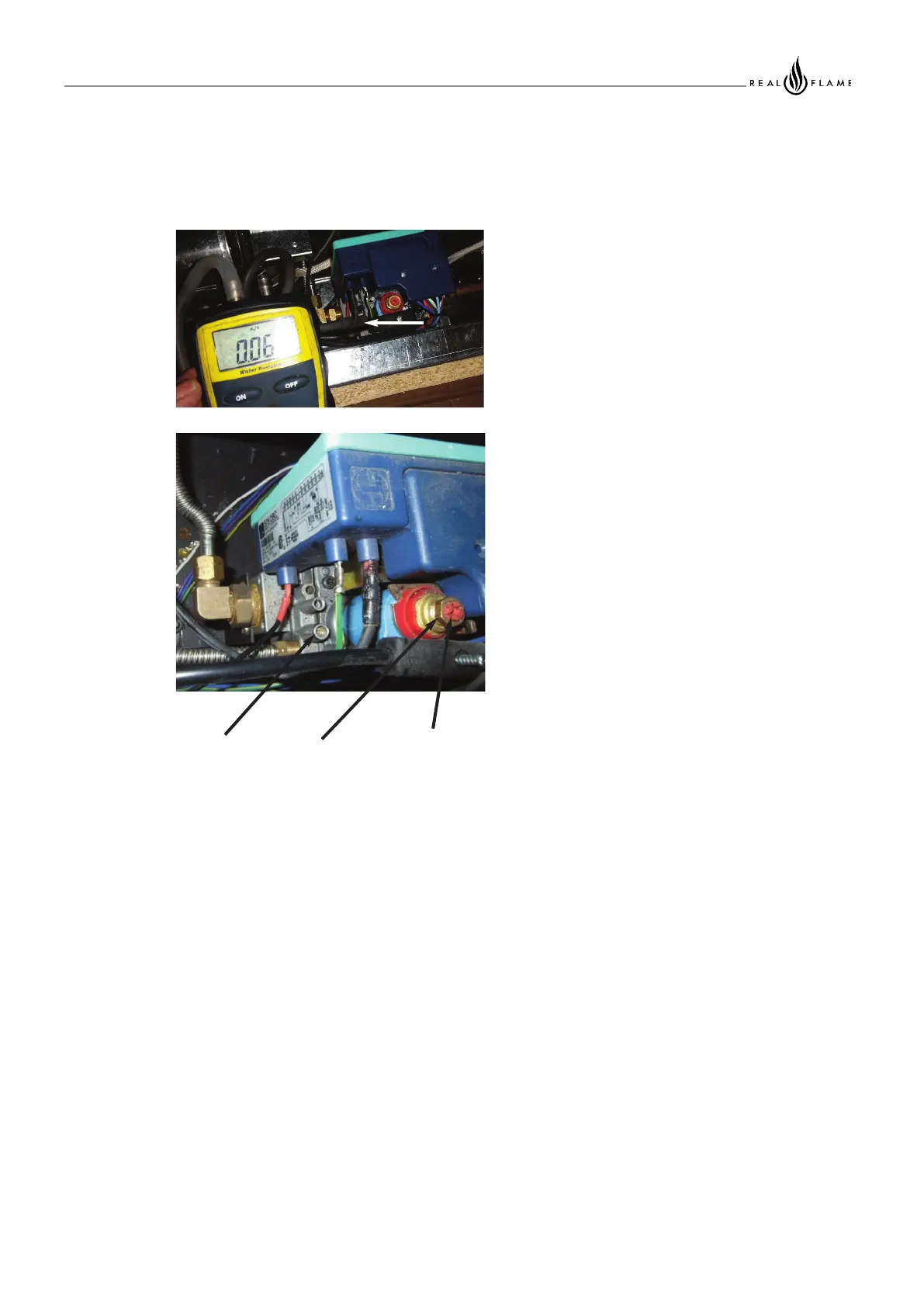
7/ Fit manometer to appliance.
8/ Start appliance and check for gas leaks in lower
area and in firebox.
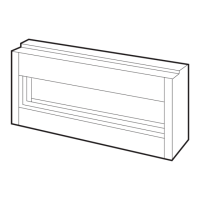
9/ Adjust high and low burner pressures to the
dataplate. (The appliance must operate for
3minutes before high pressure setting can be
obtained).
10/ Check appliance for correct flame operation,
Check pilot flame, Check main burner is not
smothered and flames are even along burner
with correct colour and not excessively yellow
or sooty. (Note it takes upto 10minutes of
operation for the flame to achieve full colour.)
11/ Remove manometer and tighten test point.
Check test point for gas leaks.
12/ Turn appliance off.
13/ Refit lower access panel.
14/ Refit trim.
15/ Refit trim retaining screws (2 off) Screws locate
into 2 off prethreaded holes in the appliance
casing.
Burner
pressure
test point
Max
pressure
adjustment
nut
Min
pressure
adjustment
screw



 To Next Page