UNDERSTANDING YOUR PRO-2005 SCANNER
A LOOK
AT
THE DISPLAY
SCAN
MONITOR
1 2 3 4 5 6 7 8 9
10
II1.jj)
MANUAL
BANK
- - - - - - - - - -
[illill]:i]
SEARCH"
I-' I-'
,-,
I-'
I-'
I-'
I-'
I-'
,-,
I-'
- ' , I '
~~~~R~l~
p
c,
C, C,
ch
C,
C, C,
C'.
C,
C,
Cr
H
MHz
LOCK-OUT
DELAY
AM
NFM
WFM
12
.
50kHz
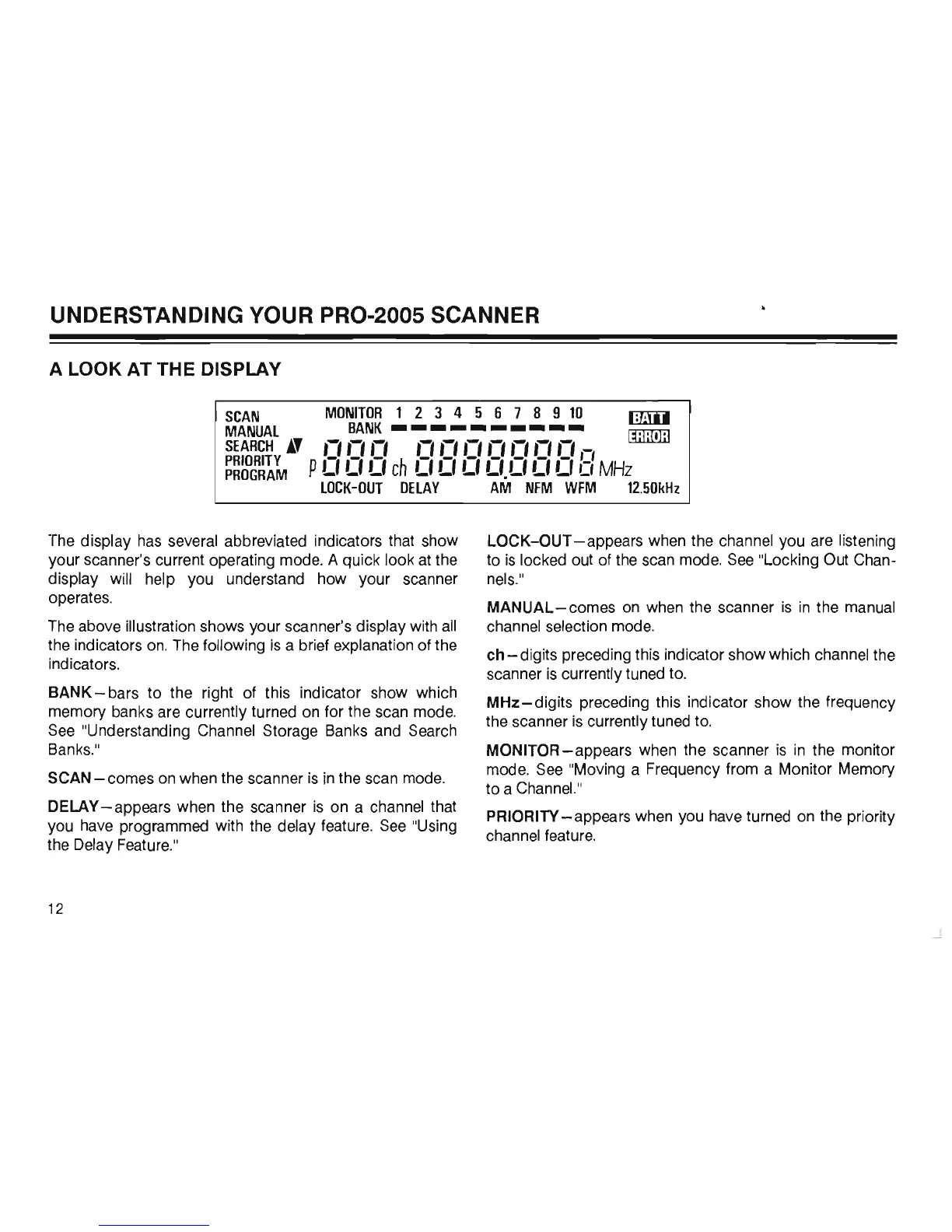
The display
has
several abbreviated indicators that show
your scanner's current operating mode. A quick look at the
display will help you understand how your scanner
operates.
The
above illustration shows your scanner's display with
all
the indicators
on.
The
following
is
a brief explanation of the
indicators.
BANK-
bars to the right of this indicator show which
memory banks are currently turned
on
for the scan mode.
See
"Understanding Channel Storage Banks and Search
Banks.
"
SCAN - comes
on
when the scanner
is
in
the scan mode.
DELAY - appears when the scanner
is
on a channel that
you
have
programmed with the delay feature.
See
"Using
the Delay Feature."
12
LOCK-OUT
-appears
when the channel you are listening
to
is
locked out of the scan mode.
See
"Locking Out Chan-
nels."
MANUAL-comes
on
when the scanner
is
in
the manual
channel selection mode.
ch - digits preceding this indicator show which channel the
scanner
is
currently tuned to.
MHZ-digits
preceding this indicator show the frequency
the scanner
is
currently tuned
to.
MONITOR-appears when the scanner
is
in
the monitor
mode.
See
"Moving a Frequency from a Monitor Memory
to a Channel."
PRIORITY
-appears
when you
have
turned
on
the priority
channel feature.













 To Next Page