PREPARATION
BATTERY INSTALLATION
Your scanner uses a 9-volt battery for memory backup. For
longest operation and best performance,
we
recommend
an
alkaline battery, such
as
Radio Shack's
Cat.
No.
23-553.
For best results, replace the battery every six months.
"BATT"
flashes
in
the display and beeps sound when the
battery
is
low or not installed. When this happens, replace
or install the battery immediately.
Caution: Your scanner can keep channels stored
in
its
memory for a
few
minutes
even
with the
AC
cord
un-
plugged
and
the 9-volt battery disconnected. But, to avoid
loss of memory information, do not unplug the scanner
when replacing the battery.
In
addition, never leave a weak or dead battery
in
your
scanner; even "leakproof" batteries
can
leak damaging
chemicals. Battery life
is
about six months when household
AC
power or automotive
DC
power
is
off for a prolonged
period of time.
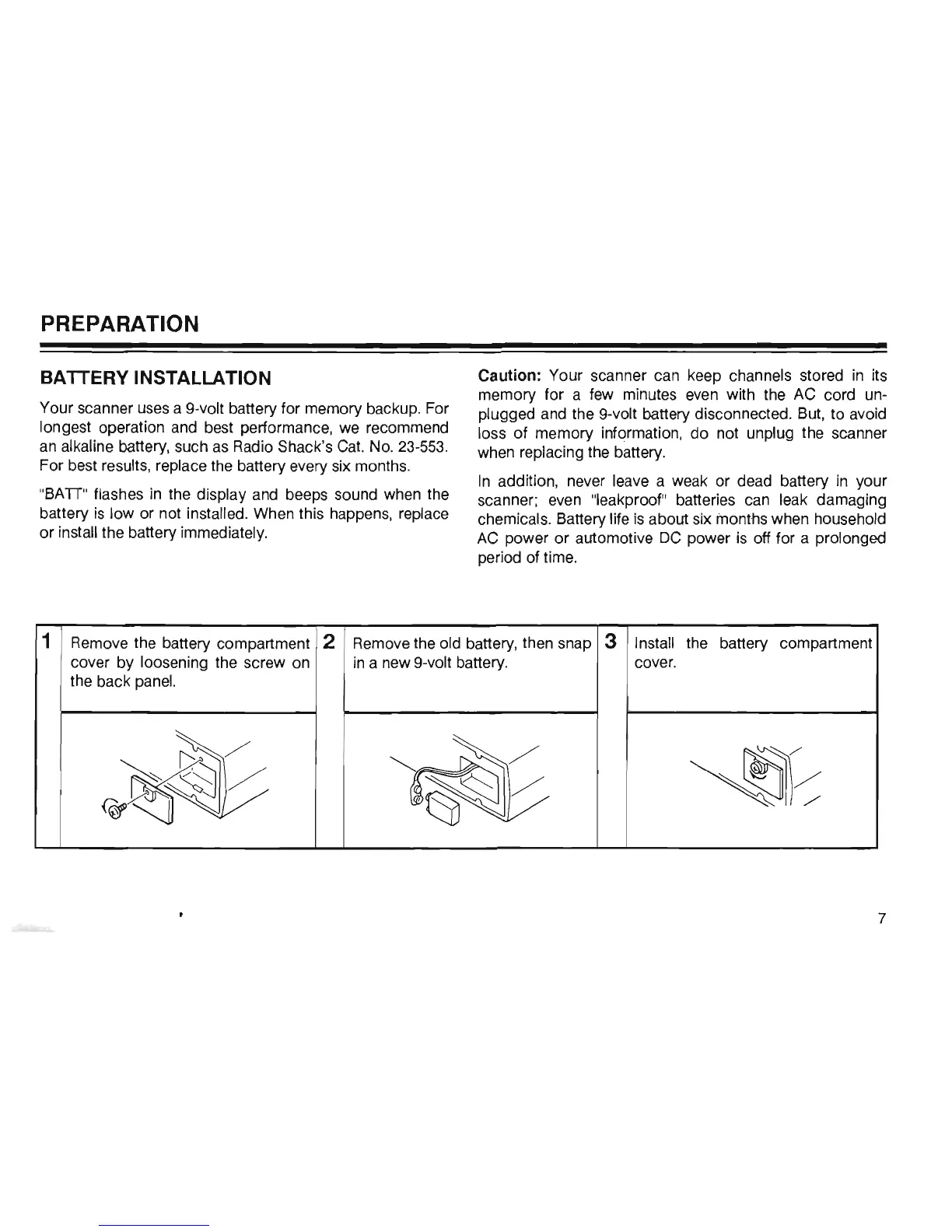
1
Remove the battery compartment
2
Remove the old battery, then snap 3
Install the battery compartment
cover by loosening the screw
on
in
a new 9-volt battery. cover.
the back
panel.
~~
r~
~~
7













 To Next Page