OPERATION
PROGRAMMING THE PRO-2005 SCANNER
1
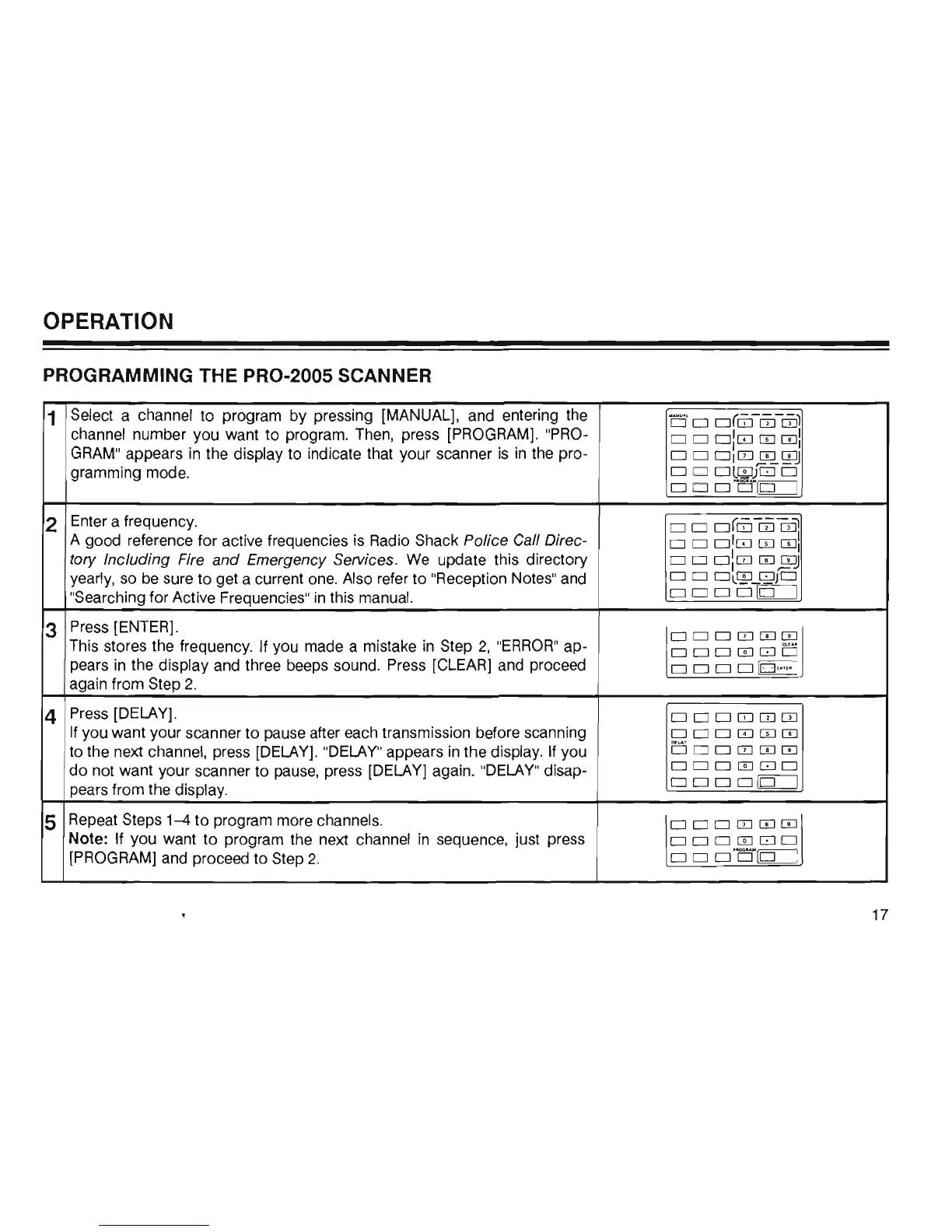
Select a channel to program by pressing [MANUAL], and entering the
c
:j'
D
0(G]
[IJ
CD)
channel number you want to program. Then, press [PROGRAM]. "PRO-
DO
O:IZJ
[TI
OJ!
GRAM" appears
in
the display to indicate that your scanner
is
in
the pro-
o D
OICIJ
m-QJJ
gramming mode.
o D
ol~JGJO
ooo
"
D~~
2
Enter a frequency.
o 0
o(m
[IJ
cril
A good reference for active frequencies
is
Radio Shack Police Call Direc-
o D
OIIZJ
[TI
OJI
tory Including Fire and Emergency Services.
We
update this directory
o D
O:CIJ
[TIm
yearly, so
be
sure to get a current one. Also refer to "Reception Notes" and
o D
Ol~U~JO
"Searching for Active Frequencies"
in
this manual.
0000
Q:=J
3
Press [ENTER].
ODDCIJmm
This stores the frequency. If you made a mistake
in
Step 2,
"ERROR"
ap-
oo
o
mGJD
pears
in
the display and three beeps sound. Press [CLEAR] and proceed
0000
[0
'·"'
[
again from Step 2.
4
Press [DELAY] .
ooomITJCIJ
If you want your scanner to pause after each transmission before scanning
OOOIZJ[TIm
to the next channel, press [DELAY]. "DELAY" appears
in
the display. If you
DDoCIJmm
do
not want your scanner to pause, press [DELAY] again. "DELAY" disap-
000ITJ80
pears from the display.
oooo~
5
Repeat Steps
1-4
to
program more channels.
00D0mm
Note: If you want to program the next channel
in
sequence, just press
OODITJGJO
[PROGRAM] and proceed to Step 2.
ooo'"D
~
17













 To Next Page