EasyManua.ls Logo

Realistic PRO-26 - Using the Belt Clip; Understanding Your Scanner Components; Keyboard Layout and Functions

Realistic PRO-26
22 pages
Print Icon
To Next Page IconTo Next Page
To Previous Page IconTo Previous Page
Loading...
Traffic
Safety
Do
not
wear
headphones
or
an
earphone
while
you
drive
a
vehicle
or
ride
a
bicycle.
This
can
create
a
traffic
hazard
and
is
illegal
in
some
ar¬
eas.
Even
though
some
headphones
and
earphones
are
designed
to
let
you
hear
some
outside
sounds
when
you
listen
at
normal
levels,
they
still
present
a
traffic
hazard.
CONNECTING
AN
EXTENSION
SPEAKER
In
a
noisy
area,
an
extension
speaker
(not
supplied),
positioned
in
the
right
place,
might
provide
more
comfortable
listening.
Plug
the
speaker
cable’s
3.5-mm
(Ve-inch)
mini-plug
into
the
scanner's
n
jack.
Note:
Connecting
an
extension
speaker
disconnects
the
scanner's
built-in
speaker.
USING
THE
BELT
CLIP
You
can
use
the
supplied
belt
clip
for
hands-free
carrying
when
you
are
on
the
go.
Use
the
two
supplied
screws
to
attach
the
belt
dip
to
the
scanner.
Then
slide
the
belt
clip
over
your
belt
or
waistband.
14
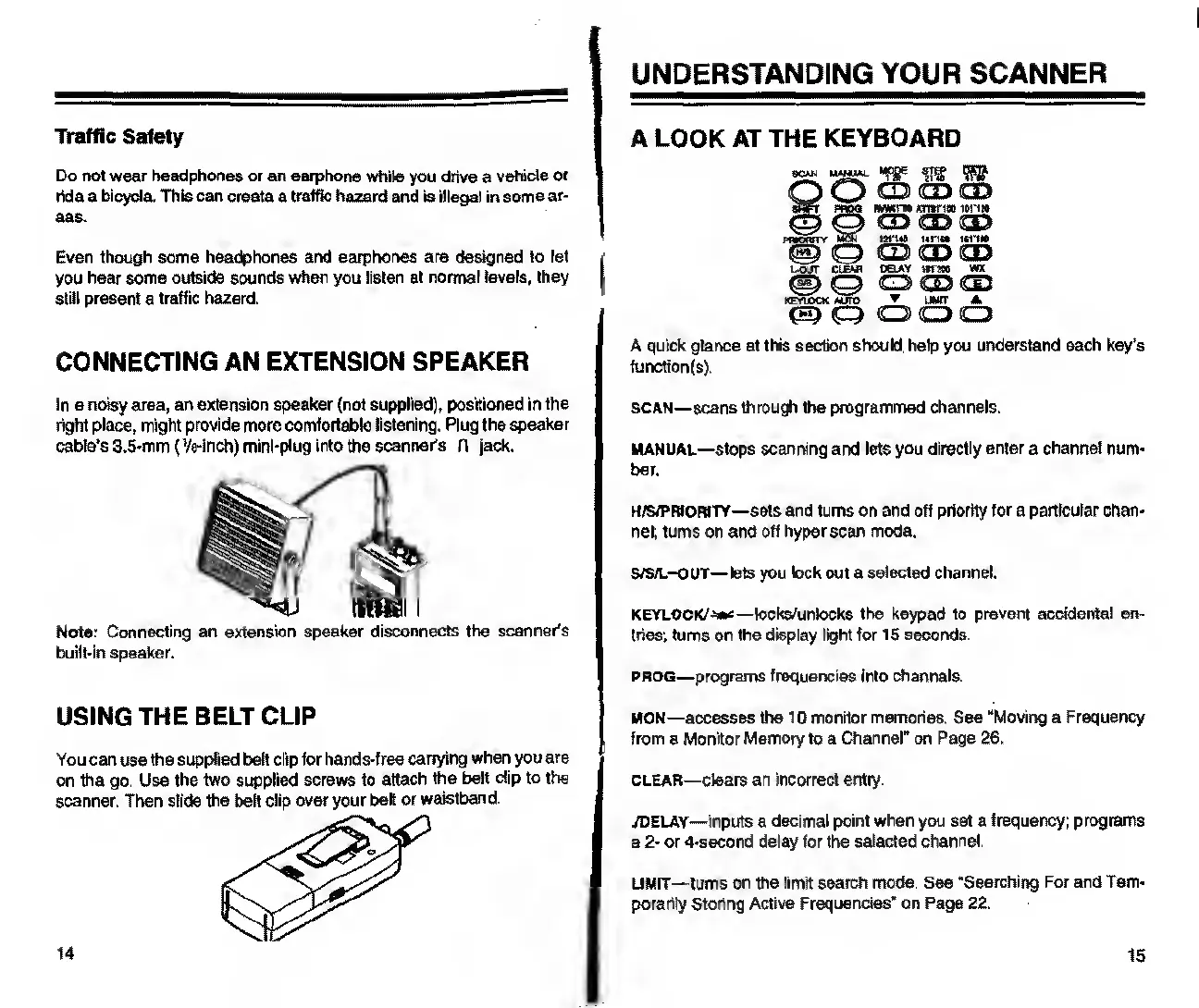
UNDERSTANDING
YOUR
SCANNER
A
LOOK
AT
THE
KEYBOARD
SSL
W
W
TO
Q
O
CD
OD
CD
sQPt
prop
t
tmm
arnric
o
ioh»
CD
O
CD
CD
CD
p
wowt
y
tet
grua
nrm
tirm
fg)
CD
CD
03
L-QITT
ClEAP
DELAY
ttfMO
WX
(ft)
C3
CD
CD
CD
K
FY1QC
X
MJTO
UMtT
A
C3
<Q
O
CD
A
quick
glance
at
this
section
should
help
you
understand
each
key’s
function(s).
SCAN—scans
through
the
programmed
channels.
MANUAL—stops
scanning
and
lets
you
directly
enter
a
channel
num¬
ber.
H/s/PRtoHiTY—
sets
and
turns
on
and
off
priority
for
a
particular
chan¬
nel;
turns
on
and
off
hyper
scan
mode.
S/S/L-OUT—lets
you
lock
out
a
selected
channel.
KEYLOCK/
locks/unlocks
the
keypad
to
prevent
accidental
en¬
tries;
turns
on
the
display
light
for
15
seconds.
prog—
programs
frequencies
into
channels.
MON
—accesses
the
10
monitor
memories.
See
“Moving
a
Frequency
from
a
Monitor
Memory
to
a
Channel"
on
Page
26.
clear—
clears
an
incorrect
entry.
./DELAY—inputs
a
decimal
point
when
you
set
a
frequency;
programs
a
2-
or
4-second
delay
for
the
selected
channel.
LIMIT—turns
on
the
limit
search
mode.
See
“Searching
For
and
Tem¬
porarily
Storing
Active
Frequendes’
on
Page
22.
15

Related product manuals