EasyManua.ls Logo

Realistic PRO-26 - Resetting the Scanner; Connecting Antenna and Audio Accessories

Realistic PRO-26
22 pages
Print Icon
To Next Page IconTo Next Page
To Previous Page IconTo Previous Page
Loading...
RESETTING
THE
SCANNER
If
the
scanner’s
display
locks
up
or
does
not
work
properly
after
you
connect
a
power
source,
you
might
have
to
reset
the
scanner.
Caution:
This
procedure
clears
all
the
information
you
have
pro¬
grammed
into
the
scanner.
Use
this
procedure
only
when
you
are
sure
your
scanner
is
not
working
properly.
»(D
£d6Sl«
£>&a>
1-1
Q
Q
1.
Turn
off
the
scanner
by
turning
VOLUME
fully
counterclockwise.
2.
While
you
press
and
hold
down
the
2
and
9
keys,
turn
on
the
scanner
by
turning
VOLUME
clockwise.
Connecting
an
Optional
Antenna
The
antenna
connector
on
your
scanner
makes
it
easy
to
use
with
a
variety
of
antennas,
such
as
an
external
mobile
antenna
or
outdoor
base
antenna.
Your
local
Tandy/Racfio
Shack
store
sells
a
variety
of
antennas.
Use
coaxial
cable
to
connect
an
outdoor
antenna,
Always
use
50-ohm
coaxial
cable,
such
as
RG-58
or
RG-8/M.
For
lengths
over
50
feet,
use
RG-0
low-loss
dielectric
coaxial
cable.
You
might
also
need
a
BNC
connector
(not
supplied)
to
connect
an
optional
antenna.
Warning:
When
installing
or
removing
an
outdoor
antenna,
follow
all
cautions
and
warnings
included
with
the
antenna.
CONNECTING
AN
EARPHONE/
HEADPHONES
CONNECTING
THE
ANTENNA
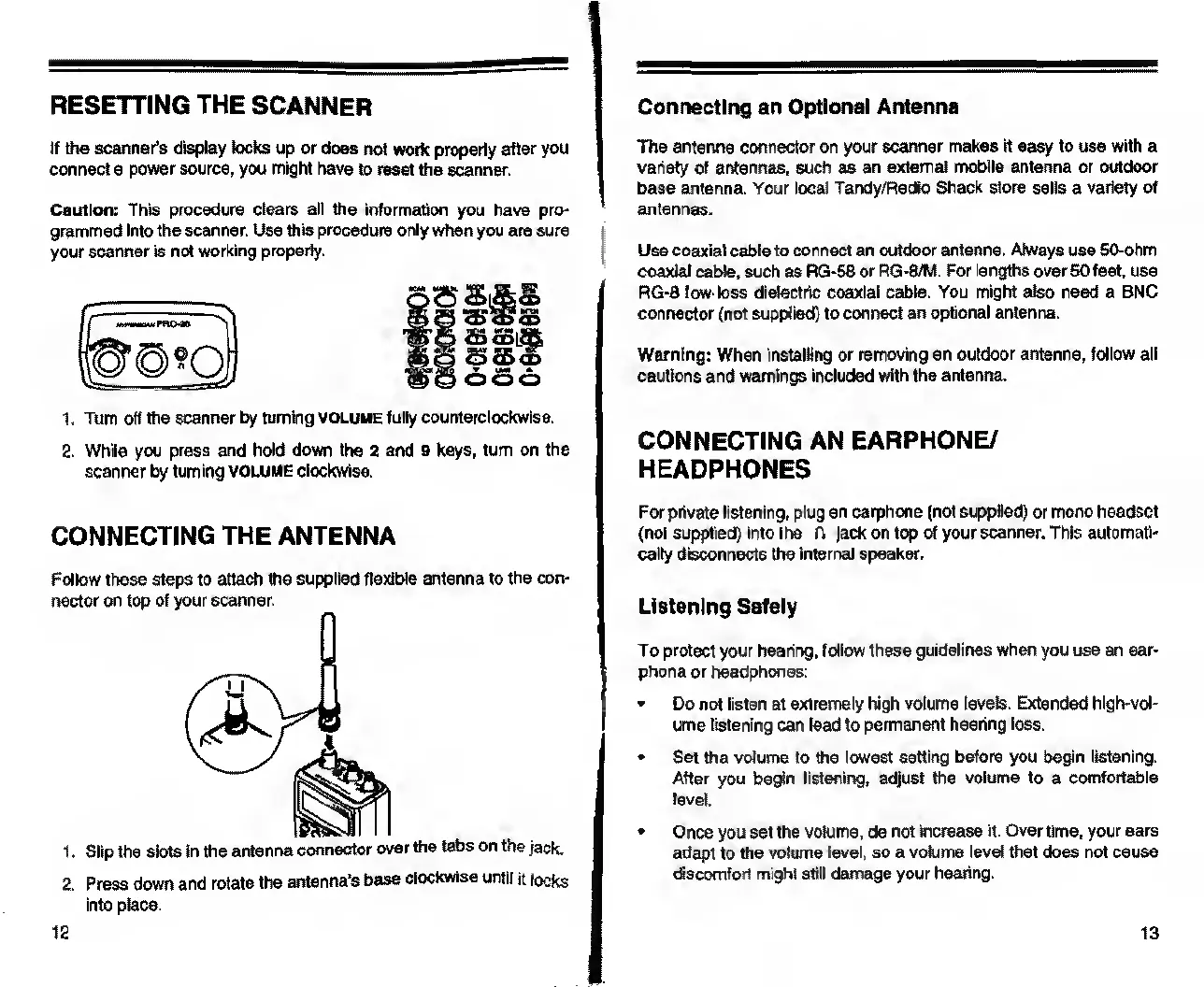
Follow
these
steps
to
attach
the
supplied
flexible
antenna
to
the
con¬
nector
on
top
of
your
scanner.
1.
Slip
the
slots
in
the
antenna
connector
over
the
tabs
on
the
jack.
2.
Press
down
and
rotate
the
antenna's
base
clockwise
until
it
locks
into
place.
For
private
listening,
plug
an
earphone
(not
supplied)
or
mono
headset
(not
supplied)
into
the
A
Jack
on
top
of
your
scanner.
This
automati¬
cally
disconnects
the
internal
speaker.
Listening
Safely
To
protect
your
hearing,
follow
these
guidelines
when
you
use
an
ear¬
phone
or
headphones:
Do
not
listen
at
extremely
high
volume
levels.
Extended
hlgh-vol-
ume
listening
can
lead
to
permanent
hearing
loss.
Set
the
volume
to
the
lowest
setting
before
you
begin
listening.
After
you
begin
listening,
adjust
the
volume
to
a
comfortable
level.
Once
you
set
the
volume,
do
not
increase
it.
Over
time,
your
ears
adapt
to
the
volume
level,
so
a
volume
level
that
does
not
cause
discomfort
might
still
damage
your
hearing.
12
13

Related product manuals