EasyManua.ls Logo

Realistic PRO-26 - Page 6

Realistic PRO-26
22 pages
Print Icon
To Next Page IconTo Next Page
To Previous Page IconTo Previous Page
Loading...
Using
AC
Power
To
power
the
scanner
from
AC
power,
you
need
an
AC
adapter.
Caution:
You
must
use
an
AC
adapter
that
supplies
9
volts
with
the
center
tip
set
to
negative.
It
must
deliver
at
least
300
miliiamps,
and
its
plug
must
property
fit
the
scanner’s
POWER
jade
Using
an
adapter
that
does
not
meet
these
specifications
could
damage
the
scanner
or
the
adapter.
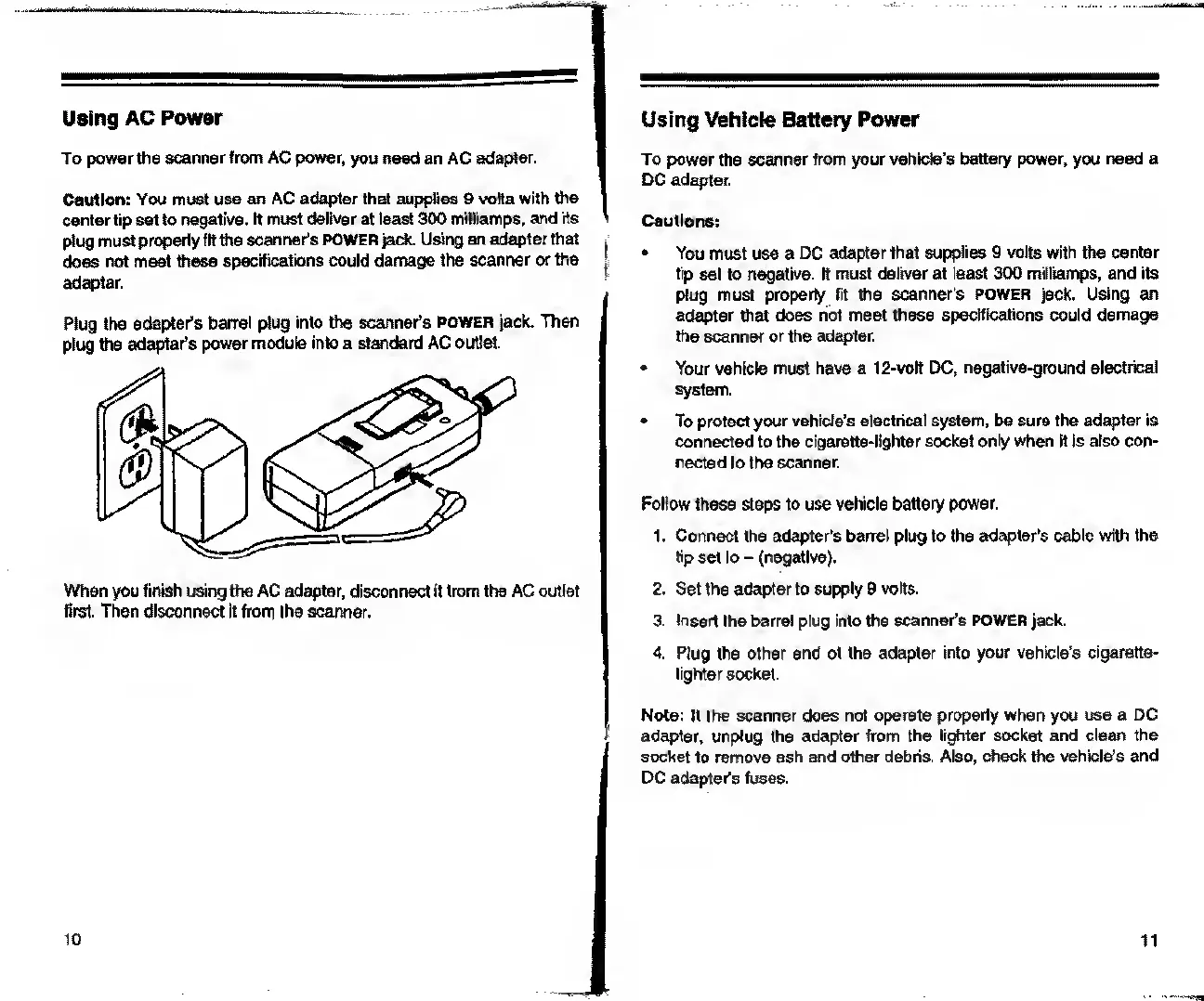
Plug
the
adapter's
barrel
plug
into
the
scanner’s
power
jack.
Then
plug
the
adapter's
power
module
into
a
standard
AC
outlet.
When
you
finish
using
the
AC
adapter,
disconnect
it
from
the
AC
outlet
first.
Then
disconnect
it
from
the
scanner.
Using
Vehicle
Battery
Power
To
power
the
scanner
from
your
vehicle's
battery
power,
you
need
a
DC
adapter.
Cautions:
You
must
use
a
DC
adapter
that
supplies
9
volts
with
the
center
tip
set
to
negative.
It
must
deliver
at
least
300
miliiamps,
and
its
plug
must
property
fit
the
scanner's
POWER
jack.
Using
an
adapter
that
does
not
meet
these
specifications
could
damage
the
scanner
or
the
adapter.
Your
vehicle
must
have
a
12-volt
DC,
negative-ground
electrical
system.
To
protect
your
vehide’s
electrical
system,
be
sure
the
adapter
is
connected
to
the
cigarette-lighter
socket
only
when
it
is
also
con¬
nected
to
the
scanner.
Follow
these
steps
to
use
vehicle
battery
power.
1.
Connect
the
adapter’s
barrel
plug
to
the
adapter’s
cable
with
the
tip
set
to
-
(negative).
2.
Set
the
adapter
to
supply
9
volt6.
3.
Insert
the
barrel
plug
into
the
scanner's
POWER
jack.
4.
Plug
the
other
end
of
the
adapter
into
your
vehicle's
cigarette-
lighter
socket.
Note:
If
the
scanner
does
not
operate
properly
when
you
use
a
DC
adapter,
unplug
the
adapter
from
the
lighter
socket
and
clean
the
socket
to
remove
ash
and
other
debris.
Also,
check
the
vehicle’s
and
DC
adapter’s
fuses.
11

Related product manuals