EasyManua.ls Logo

Realistic PRO-26 - Preparation and Setup; Power Sources

Realistic PRO-26
22 pages
Print Icon
To Next Page IconTo Next Page
To Previous Page IconTo Previous Page
Loading...
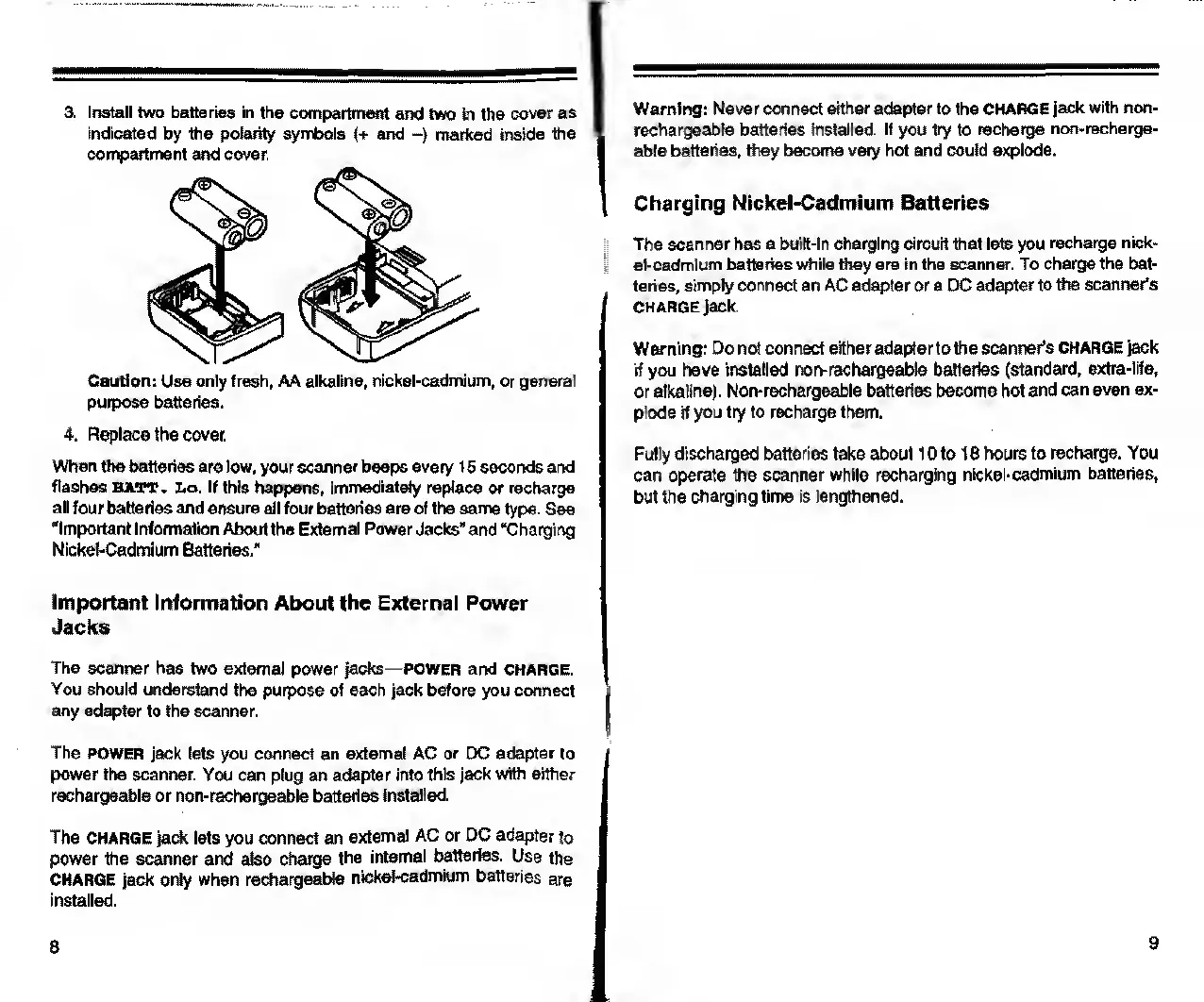
3.
Install
two
batteries
in
the
compartment
and
two
in
the
cover
as
indicated
by
the
polarity
symbols
(+
and
-)
marked
inside
the
compartment
and
cover.
Caution:
Use
only
fresh,
AA
alkaline,
nickel-cadmium,
or
general
purpose
batteries.
4.
Replace
the
cover.
When
the
batteries
are
low,
your
scanner
beeps
every
15
seconds
and
flashes
BATT.
Lo.
If
this
happens,
immediately
replace
or
recharge
all
four
batteries
and
ensure
all
four
batteries
are
of
the
same
type.
See
‘Important
Information
About
the
External
Power
Jacks”
and
“Charging
Nickel-Cadmium
Batteries."
Important
Information
About
the
External
Power
Jacks
The
scanner
has
two
external
power
jacks
—power
and
charge.
You
should
understand
the
purpose
of
each
jack
before
you
connect
any
adapter
to
the
scanner.
The
POWER
jack
lets
you
connect
an
external
AC
or
DC
adapter
to
power
the
scanner.
You
can
plug
an
adapter
into
this
jack
with
either
rechargeable
or
non-rechargeable
batteries
installed.
The
CHARGE
jack
lets
you
connect
an
external
AC
or
DC
adapter
to
power
the
scanner
and
also
charge
the
internal
batteries.
Use
the
CHARGE
jack
only
when
rechargeable
nickel-cadmium
batteries
are
installed.
Warning:
Never
connect
either
adapter
to
the
CHARGE
jack
with
non-
rechargeable
batteries
installed.
If
you
try
to
recharge
non-recharge¬
able
batteries,
they
become
very
hot
and
could
explode.
Charging
Nickel-Cadmium
Batteries
The
scanner
has
a
built-in
charging
circuit
that
lets
you
recharge
nick¬
el-cadmium
batteries
while
they
are
in
the
scanner.
To
charge
the
bat¬
teries,
simply
connect
an
AC
adapter
or
a
DC
adapter
to
the
scanner's
CHARGE
jack.
Warning:
Do
not
connect
either
adapterto
the
scanner’s
CHARGE
jack
if
you
have
installed
non-rechargeable
batteries
(standard,
extra-life,
or
alkaline).
Non-rechargeable
batteries
become
hot
and
can
even
ex¬
plode
if
you
try
to
recharge
them.
Fully
discharged
batteries
take
about
10
to
18
hours
to
recharge.
You
can
operate
the
scanner
while
recharging
nickel-cadmium
batteries,
but
the
charging
time
is
lengthened.

Related product manuals