Using a
DC Adapter
You
can
power
the
scanner
from
your
vehicle's cigarette
lighter
socket,
pro-
vided the
vehicle
has
a
12-volt, nega-
tive-ground
electrical
system.
To do
so,
you
need Radio Shack's
Universal
DC Adapter
(Cat.
No. 270-1560)
or an
adapter
rated at 9V
minimum 300
mA.
Note:
ln
some
areas,
mobile use of
a
scanner
is
unlawful
or
requires a
per-
mit. Check the
laws in
your
area.
CHARGING
NICKEL.CADMIUM
BATTERIES
Your
scanner
has a built-in circuit that
recharges nickel-cadmium
batteries.
To
charge the batteries, simply con-
nect
an
AC
or
DC
adapter
to
the
CHG
jack
as
explained
in
"Power Sources."
Warning: Do not
connect either
adapter to the
CHG
jack
if
you
have
not installed
rechargeable
batteries.
Non-rechargeable
batteries
can be-
come
hot
and
even
explode
if
you
try
to
recharge
them.
It
takes
10
to
18
hours
to
recharge
batteries
that are
fully
discharged.
You
can operate
the scanner
while
you
charge
the batteries, but the
charging time
is longer.
Charging
Hints:
.
Nickel-cadmium batteries deliver
more
power
if
you
occasionally
let
them
discharge completely.
To
do
this, use the scanner
until
recep-
tion becomes
poor.
Then, fully
charge the batteries.
lf
you
do
not
do this occasionally, they
can tem-
porarily
lose the ability to deliver
fullpower.
.
To
prevent permanent
nickel-cad-
mium battery
power
loss, never
charge
your
batteries
in an area
where the temperature
is
above
about
B0
degrees
Fahrenheit.
Also,
if
you
use an external charger,
do
not
overcharge the batteries.
.
ll
you plan
to use
rechargeable
batteries, do
not
use any
adapter
other than
those specified
in
"Power
Sources."
While
adapters
of
the
same
voltage rating
and at
least the
minimum
current
rating
could
power
the scanner, other
adapters
might not work
properly
with
the charging
circuit
in
your
scanner, and could
permanently
damage
the batteries or
your
scan-
ner.
CONNECTING
THE
ANTENNA
Attach
the
flexible
antenna
to the
ANT
(antenna)
jack
on top of
the scanner.
Slip
the slot
in
the antenna's connec-
tor over the
protrusion
on the
jack.
Then,
press
down
and
rotate
the base
of the antenna until
it locks
into
place.
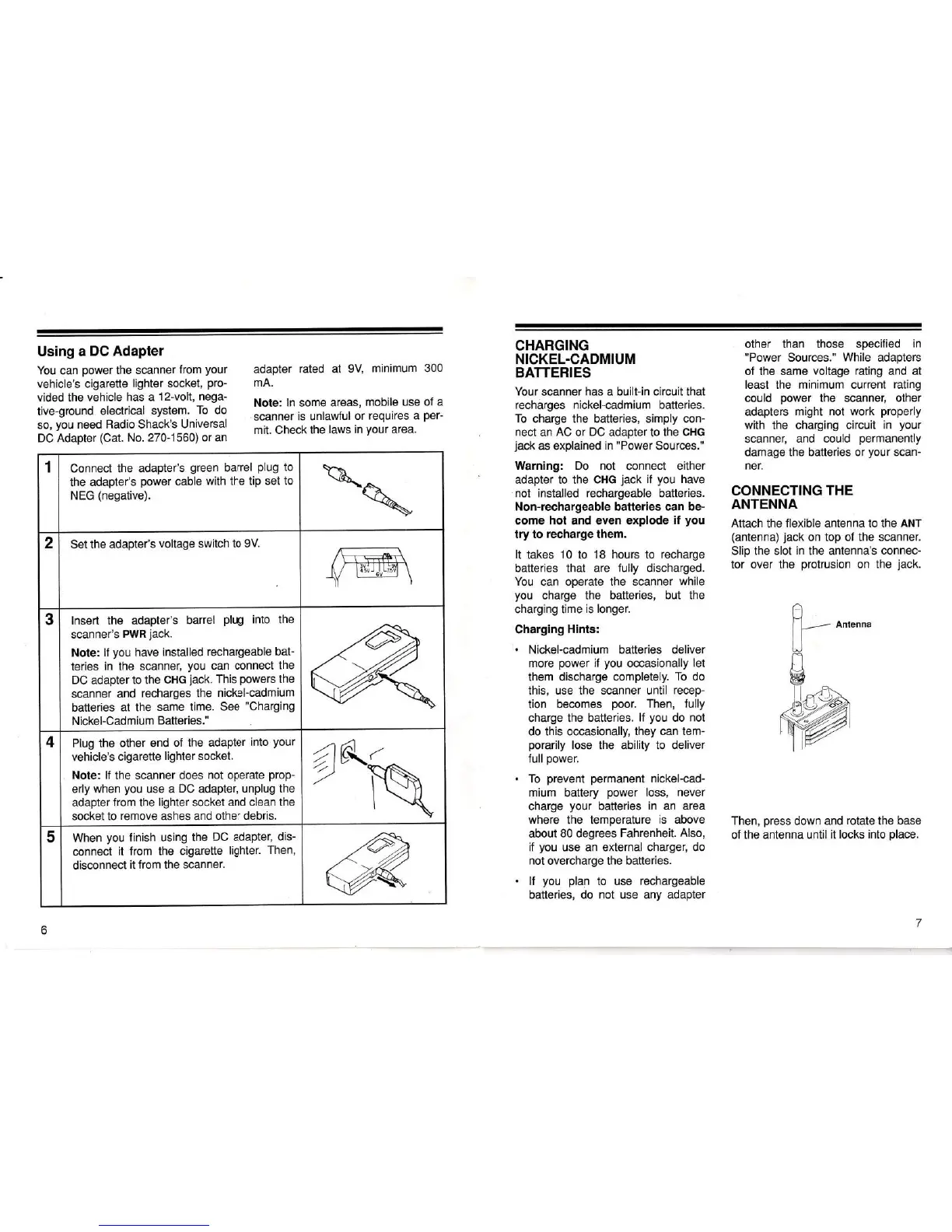
1 Connect the
adapter's
green
barrel
plug
to
the
adapter's
power
cable
with
the
tip set
to
NEG
(negative).
2
Set
the adapter's
voltage switch
to 9V.
3
lnsert the
adapter's
barrel
plug
into the
scanner's
PWR
jack.
Note:
lf
you
have installed
rechargeable
bat-
teries
in the
scanner,
you
can connect
the
DC adapter
to the
CHG
jack.
This
powers
the
scanner
and
recharges
the
nickel-cadmium
batteries
at the
same time.
See
"Charging
Nickel-Cadm
ium Batteries."
4 Plug the
other end
of the
adapter
into
your
vehicle's cigarette
lighter socket.
Note:
lf
the scanner does
not operate
prop-
erly
when
you
use a
DC
adapter,
unplug the
adapter
from the
lighter
socket
and clean the
socket to
remove ashes and other
debris.
A
?
5
When
you
linish using
the
DC
adapter,
dis-
connect
it from the cigarette
lighter.
Then,
disconnect
it from the
scanner.














 To Next Page