EasyManua.ls Logo

Realistic PRO-37 - OPERATION; USING THE RESET BUTTON; SETTING THE VOLUME AND SQUELCH CONTROLS; USING THE KEY LOCK

Realistic PRO-37
14 pages
Print Icon
To Next Page IconTo Next Page
To Previous Page IconTo Previous Page
Loading...
OPERATION
USING THE RESET
BUTTON
Before
using
the scanner
the
first
time,
we recommend
you
reset
the
scanner
to
remove
any random fre-
quencies
that
might
be
stored
in its
channels. Also,
the
scanner's display
might lock
up the
first
time
you
con-
nect
power
to
it,
or
if
there
are
no
bat-
teries installed for
an
extended
pe-
riod.
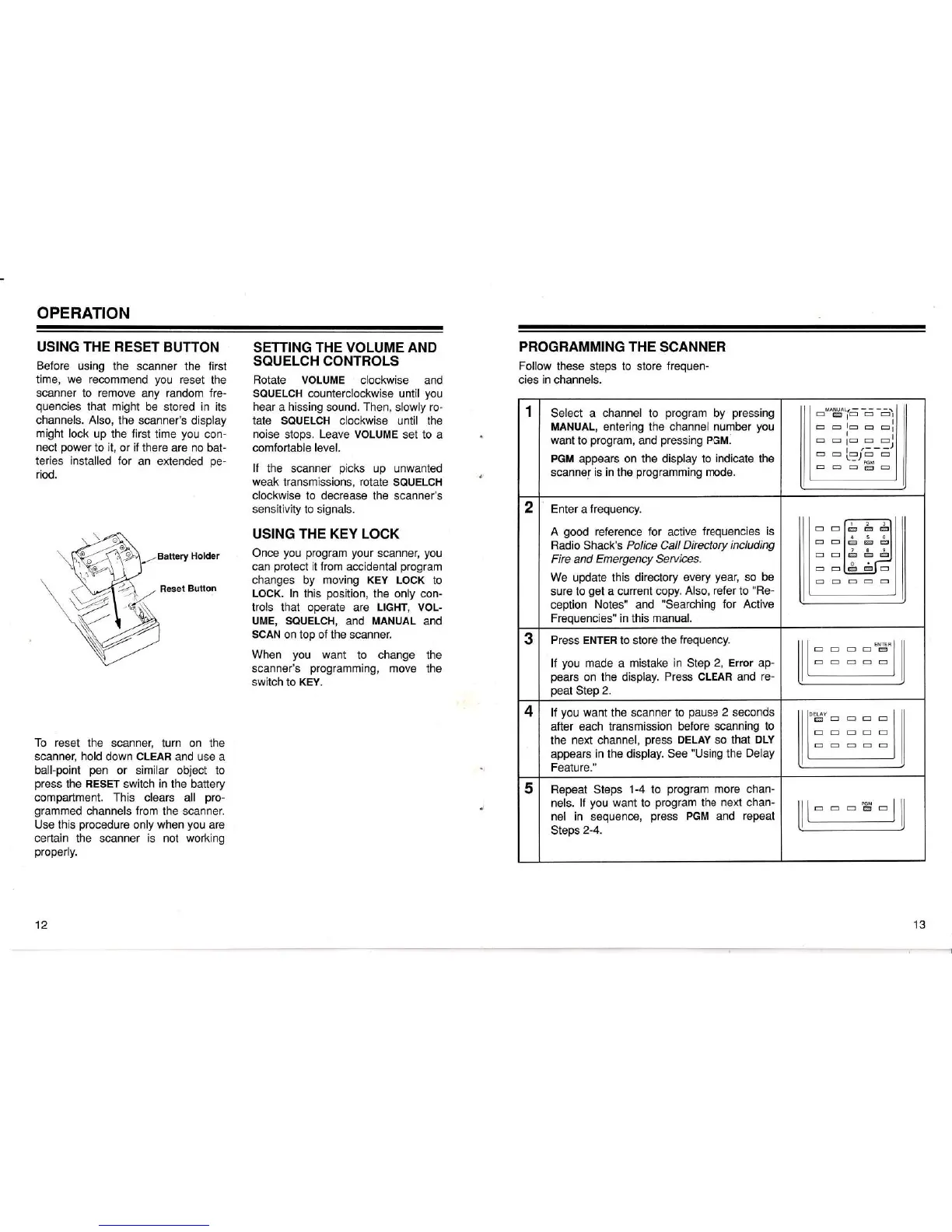
To reset
the scanner,
turn
on
the
scanner,
hold
down
CLEAR
and use a
ball-point
pen
or similar object to
press
the
RESET
switch
in
the battery
compartment. This clears all
pro-
grammed
channels
from
the scanner.
Use this
procedure
only
when
you
are
certain the scanner is not
working
properly.
SETTING
THE VOLUME AND
SQUELCH
CONTROLS
Rotate VOLUME
clockwise
and
SQUELCH counterclockwise
until
you
hear
a
hissing
sound. Then,
slowly
ro-
tate
SQUELCH clockwise until the
noise
stops.
Leave VOLUME
set to a
comfortable level.
If
the scanner
picks
up unwanted
weak
transmissions,
rotate
SQUELCH
clockwise
to
decrease
the scanner's
sensitivity
to signals.
USING
THE KEY LOCK
Once
you program your
scanner,
you
can
protect
it
from
accidental
program
changes by
moving KEY
LOCK
to
LOCK. ln
this
position,
the
only con-
trols that operate
are
LIGHT, VOL-
UME, SQUELCH,
and
MANUAL
and
SCAN on top
of the scanner.
When
you
want
to change the
scanner's
programming,
move
the
switch
to
KEY.
PROGRAMMING THE
SCANNER
Follow
these steps to store
frequen-
cies in channels.
1
Select a channel to
program
by
pressing
MANUAL,
entering the channel
number
you
want
to
program,
and
pressing
PGM.
PGM
appears on the
display to indicate the
scanner
is in
the
programming
mode.
MANUAL/
-
o
miE
cr c=!
.t
E=EIEEtr:]I
l
E:lElE-El
E
E
LT=,E
E
PGM
E(=-1
m-l
2
Enter
a
frequency.
A
good
reference for
active
frequencies
is
Radio Shack's
Police
Call
Directory including
Fire
and
Emergency
Seruices.
We
update this
directory every
year,
so be
sure to
get
a current copy.
Also,
refer
to
"Re-
ception
Notes"
and
"Searching
for Active
Frequencies" in
this
manual.
E]E
trlE
E!E
t=E
E-EIE-
3 Press ENTER
to store
the
frequency.
lf
you
made a
mistake in
Step
2, Error
ap-
pears
on the display.
Press CLEAR and
re-
peat
Step
2.
ENIEfi
EE-I-E
EET=EE
4 lf
you
want
the
scanner to
pause
2
seconds
after each transmission
belore scanning
to
the
next channel,
press
DELAY
so that
DLY
appears
in the display. See
"Using
the
Delay
Feature."
lloeuv
llmE-EE
ll==EEt=
ll----E
lt
l-
5
Repeat Steps
1-4
to
program
more chan-
nels. lf
you
want
to
program
the
next chan-
nel in sequence,
press
PGM
and
repeat
Steps
2-4.
PGM
EEE@'E
12
13

Related product manuals