©2019, REC TEC Industries, LLC
Questions? CLICK for support!
Back to Table of Contents
23
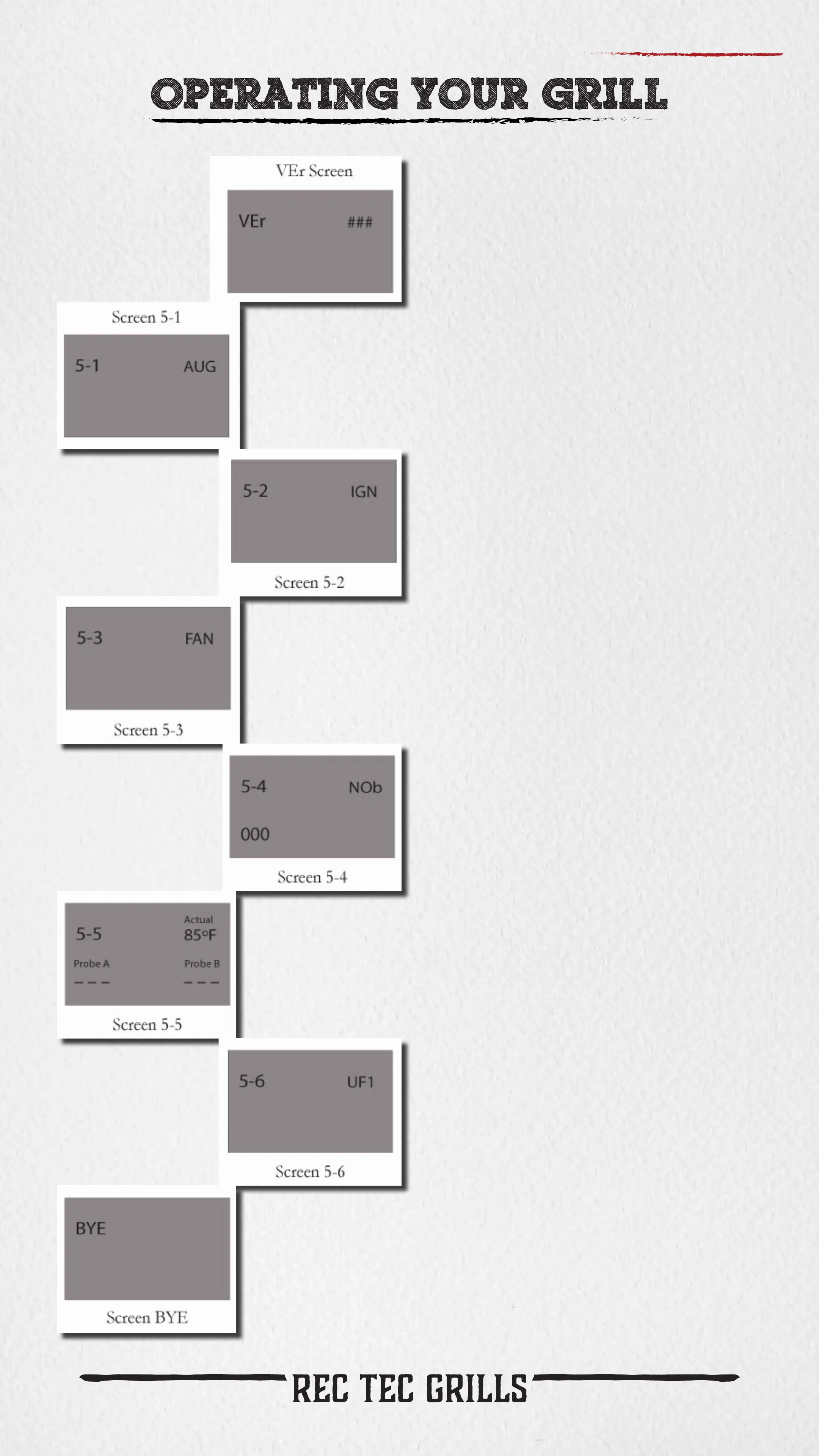
VEr XXX displays current software
version.
Screen 5-1 is test mode for your
auger motor. You should be able to
look in your grill’s re pot and see
the end of the auger turning very
slowly.
Screen 5-2 is test mode for your
grill’s ignition system. You should be
able to look into grill’s re pot and
see your ignitor begin to glow within
a few minutes. DO NOT TOUCH
THE IGNITOR.
Screen 5-3 is test mode for your
grill’s blower fan. You should be
able to hear the fan blowing.
Screen 5-4 is test mode for your
grill’s control knob. You can turn the
knob to see the 000 value increase
and decrease as you turn the knob.
Screen 5-5 is test mode for your
grill’s temperature sensor and
Probe A and Probe B. You can see
the temperature values for each
displayed on the screen. (A value of
- - - means the probe is not plugged in
or the grill’s sensor is not connected).
Screen 5-6 is a internal quality
control screen that has no function
for the user.
Screen bYE is the nal screen of
the test mode. Pressing the Power
Button again will return you to Screen
5-1. Pressing the Settings Button will
return you to the Settings Menu, at
which time you can hold the Settings
Button to exit Settings Menu and get
you back to a blank screen.



 To Next Page