14
5. Adjustment of the Table & Installation of Blades
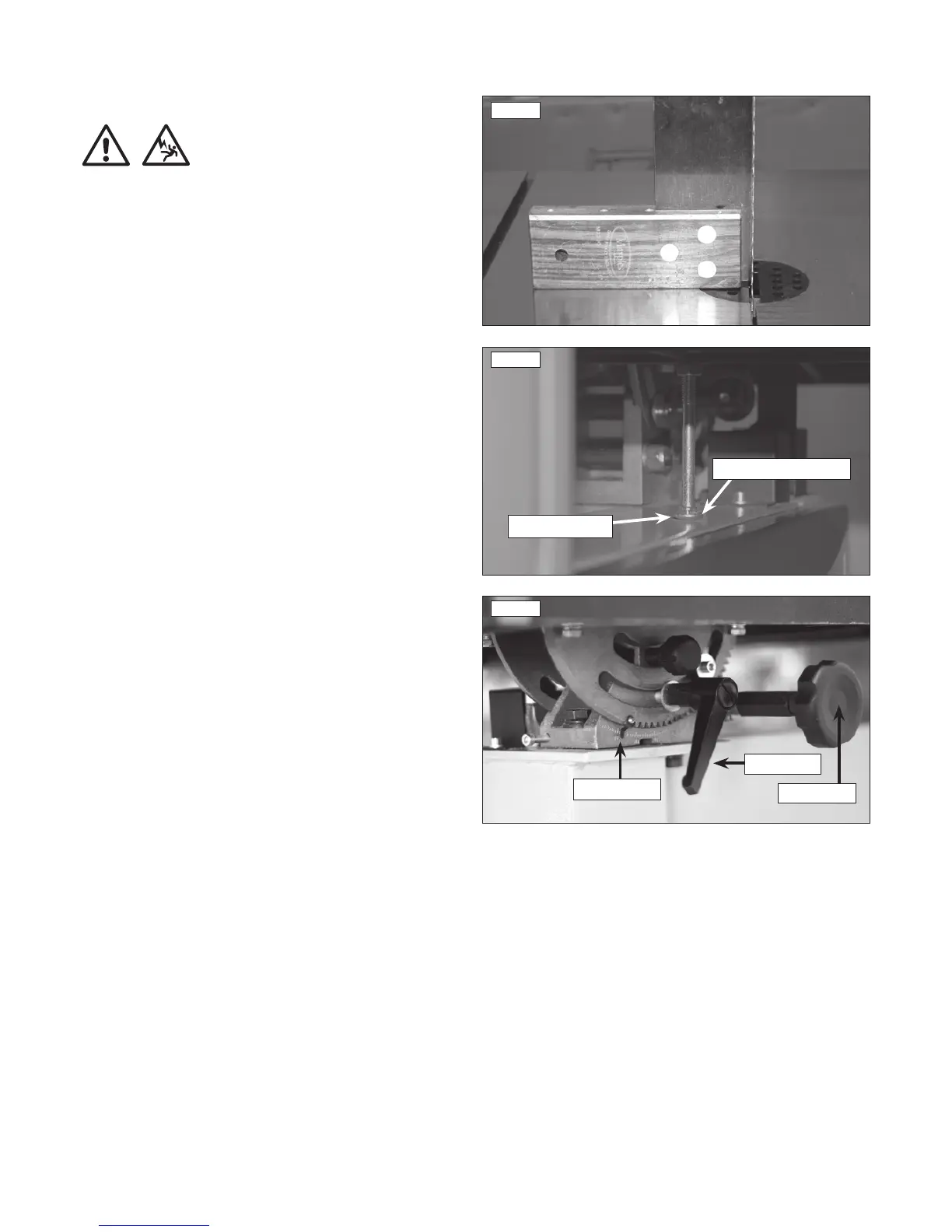
Fig. 5.1
SETTING THE TABLE
CAUTION!
Before carrying out any adjustments or maintenance ensure
that the machine is isolated and disconnected from the
electricity supply.
5.1 Setting the table stop at 90º to saw blade
Tools Required:- Small 90º square (Not supplied)
The table can be set at 90º to the Bandsaw Blade see Fig. 5.1 by
adjusting the table stop screw see Fig. 5.2 underneath the table.
• First offer the square up to the blade to give an indication of
adjustment required.
• If the table is not at 90º to the blade use table tilting mechanism
see Fig. 5.3 to adjust the table until it is 90º to the blade. If the table
stop screw position is too high it may be necessary to wind this down
out of the way so 90º can be achieved see Fig. 5.2.
• Once the table is at 90º to the blade lock off the lock handle on the
table tilt mechanism to secure the table position see Fig. 5.3.
• Now set the table stop screw see Fig. 5.2, the table stop screw
should be adjusted so that the head of the screw makes contact with
the top surface of the lower bandwheel housing. Once the stop screw
is set to the correct length, it is secured by tightening the lock nut up
to the flat registration point on the underside of the table.
5.2 Adjusting the table tilt scale
Once the table is set at 90º to the Bandsaw Blade it may be necessary
to adjust the angle pointer on the angle scale so any further angles
are accurate. To do this use a Phillips screwdriver to loosen the pan
head screw and adjust the pointer to 0º, see Fig. 5.3.
5.3 Tilting the table
The tilt mechanism will be used when squaring the table to the blade.
Tilt the table as follows: Loosen the lock handle on the table trunnion.
Turn the table tilting knob to adjust the table angle see Fig. 5.3. Use
the angle indicator scale on the trunnion bracket to find the desired
angle. Re-tighten the lock handle to secure the table.
Fig. 5.2
Table stop screw
Flat registration point


 To Next Page