Need help?
Do you have a question about the Redarc MANAGER 30 and is the answer not in the manual?
Warning about explosive gases during battery operation and the need to follow instructions.
Guidelines for safe handling, protective gear, and first aid for battery acid exposure.
Overview of the Manager30 system for recreational automotive applications.
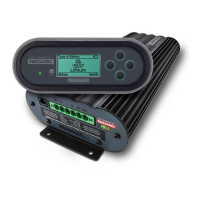
Description of the Manager30's display unit for monitoring and control.
List of components included in the Manager30 battery management system kit.
Detailed electrical and thermal specifications of the Manager30.
Explanation of the 3-stage Touring and 8-stage Storage charging profiles.
Information on setting the maximum charge current for different battery capacities.
Guidance on selecting compatible battery types and ensuring proper ratings.
Explanation of the Manager30's priority for using solar, AC mains, and DC power.
Diagram illustrating the system setup and connections for the Manager30.
Guidance on how to properly mount the main unit, display, and battery sensor.
Specific instructions and recommendations for mounting the main unit safely and effectively.
Instructions for mounting the Manager30 display unit inside a vehicle.
Procedures for installing the battery sensor, ensuring accurate measurements.
Guidelines for selecting appropriate cable sizes and fuses for safe operation.
Recommended cable sizes for the input connection to the Manager30.
Recommended cable sizes for the output connection from the Manager30.
Comprehensive guide on connecting the Manager30 components and features.
Explanation of how to set up and use the load disconnect feature.
Details on wiring and activating the ignition trigger feature for charging control.
Step-by-step instructions for connecting the battery sensor to the main unit.
Instructions for making all necessary electrical connections to the main unit.
Guidance on battery types, series/parallel wiring, and Ah rating setup.
Information on connecting and using the Manager30's MPPT solar charging capabilities.
Overview of the Manager30's display interface and its functions.
Explanation of navigation buttons, soft keys, and power button functions on the display.
Introduction to the main operational screens and their information displays.
How to configure display-specific options like key sound, backlight, and timeouts.
Options for changing operating mode, viewing system info, and fault history.
Configuration options for battery management system settings like type, size, and alarms.
How the system displays faults, warnings, and troubleshooting steps.
Information on using the RedVision App for monitoring and control.
Step-by-step guide for pairing the display with a smartphone via Bluetooth.
Instructions for subsequent connections and managing multiple RedVision devices.
Answers to common queries regarding operation, wiring, and troubleshooting.
Details on the warranty period and what it covers.
Specific conditions and circumstances under which the warranty does not apply.
Additional terms and conditions related to warranty claims and Redarc's responsibilities.
 General
| Battery Charging Capacity | 30A |
|---|---|
| Input Voltage Range | 9-32V DC |
| Output Voltage | 12V DC |
| Standby Current Draw | <100mA |
| DC Input Fuse Rating | 40A |
| Efficiency | Up to 95% |
| Battery Types | AGM, Gel, Calcium, LiFePO4 |
| Protection Features | Over-voltage, under-voltage, over-temperature, short-circuit, reverse polarity |

 To Next Page